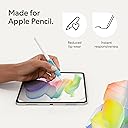
✍️ Elevate your iPad Air to a paper-perfect creative powerhouse!
The Paperlike 2.1 Screen Protector for iPad Air 11" (M4, M3, M2) combines advanced Nanodots technology with ultra-thin 0.095mm construction to deliver a realistic paper feel and precise Apple Pencil responsiveness. Its scratch-resistant, smudge-proof matte surface protects your screen while maintaining vibrant clarity. Designed for durability and easy bubble-free installation, it’s the essential upgrade for professionals and creatives seeking enhanced control and protection.


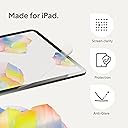
| ASIN | B0D4B2RTM3 |
| Best Sellers Rank | #641 in Tablet Screen Protectors |
| Brand | Paperlike |
| Brand Name | Paperlike |
| Clarity | 100 |
| Color | Transparent |
| Compatible Devices | Tablet, iPad Air 11" (M4 / M3 / M2) |
| Compatible Phone Models | iPad Air 11" (M4 / M3 / M2) |
| Customer Reviews | 4.1 out of 5 stars 811 Reviews |
| Finish Type | Matte |
| Global Trade Identification Number | 04260470090598 |
| Included Components | Paperlike 2.1 |
| Item Dimensions L x W | 11"L x 2"W |
| Item Hardness | 2H |
| Item Weight | 10 g |
| Manufacturer | Paperlike |
| Material | Polyethylene Terephthalate |
| Model Name | Paperlike 2.1 |
| Model Number | PL2A-10-24 |
| Number of Items | 2 |
| Part Number | PL2A-10-24 |
| Product Dimensions | 11"L x 2"W |
| Screen Size | 11 inches |
| Screen Surface Description | Matte |
| Special Features | High Definition Clarity |
| Unit Count | 2 Count |
| Warranty Description | Legal warranty |
L**Y
Simply the Best!! A DREAM for writers
Hey Jan! I love your paperlike 2.0! My only disappointment is : In myself! For not purchasing it sooner! It's an absolute dream to write on The nanodot technology is incredible! -- color retention → real! -- Apple Pencil Pro response → real!! HUGE difference between this and other paperfeel protectors. I was a fan of Paperlike since 2015 when a had an iPad Air 2 - it was an absolute dream to write on, I never experienced anything like it. I used it exclusively for years. Then, as visuals on the iPad were getting better - with the older version - of course there was more "rainbowing" & such. When I bought a very simple iPad 10 just for writing, a friend gifted me Astropad Rock, Paper, Pencil V2 -> liked the nano-cling technology it is really cool. Being able to take it off for everything else but writing was a huge plus at the time because there was nothing like this out there Long story short → I needed pencil grips to prevent my fingers from cramping → paperlike pencil grips are incredible! *** if you are a writer, you need these! My fingers no longer cramp and in my research these are the only ones that charge and have the squeeze and double tap work perfectly. These grips reminded me of paperlike's dedication to making quality products - I read about the paperlike 2.0 - nano dot technology- it was a no-brainer for me and I’m so grateful that I came back to this because once I read about the 93% color retention, I thought cool!!!  I like not having to remove it because I use my iPad for drawing and writing more than anything else. The installation to me is genius. It’s brilliant and I’m not quite sure why people have trouble with it. I think if you just watch the video first without even opening it. Yes, it's different. People are intimidated by different - they assume the worst before even trying it, setting themselves up for failure. If we are honest with ourselves , we know as humans me all have a tendency to do this from time to time. THANK YOU JAN!! I LOVE ALL OF YOU PRODUCTS!! Leah Ayelet. - Paperlike super fan💕
T**A
best on the market
loved this screen protector It wasn't too coarse, and I actually let my Apple Pencil glide over the screen a little more. Compared to other paper-like screen protectors, it fits the screen perfectly, although after some time the adhesion does come undone in the corners and forms air bubbles. The clarity is great, and the screen protection/scratch protection is phenomenal. The functionality is 9/10, and the feel is 10/10.
D**Y
Installation is a pain in the ass
This is a really high-quality matte plastic screen protector for the iPad Air. Once it’s on, it completely changes how writing and drawing feels — way more natural, like actual paper. Great for college note-taking and solving math problems. The Apple Pencil doesn’t feel like it’s skating on glass anymore, but it’s still responsive and accurate. It just makes the whole experience of writing or sketching feel so much better. You get two protectors in the pack, plus all the accessories you need: cleaning wipes, dust stickers, guide tools — even a link to a very helpful install video. So far, so good. But holy hell, installing this thing is a pain in the ass. And I say that as someone who’s pretty experienced with screen protectors. The biggest issue is removing the protective film from the adhesive side. It’s really tough to peel off cleanly, and when you finally get it off, it’s way too easy to accidentally flex or warp the screen protector itself. I’m pretty sure that’s what happened with mine — the edges, especially the corners, never fully settled. Even a month later, they’re still slightly lifted. They haven’t gotten worse, but they’re not flush either. If you’re planning on picking this up (and honestly, you should — the feel is absolutely worth it), here’s what I recommend: Do the install in the most dust-free environment you can manage. Seriously — a steamy bathroom or a sealed room with zero airflow. Watch the full install video before you do anything. Be very careful peeling the backing off the adhesive side. Go slow, and support the protector so it doesn’t flex. Don’t stress if some corners don’t fully adhere. It still works great and doesn’t peel any further. Overall, this is a fantastic matte screen protector that delivers exactly what it promises — just be prepared for a tricky install. 4/5.
J**Y
Paper but not paper
Simulates the feel of paper very well. Does exactly what I need it to. Some lines do stay imprinted on the screen cover but they are barely noticeable.
J**N
One of the Worst Application Systems
EDIT: While I stand by my initial review, I must give the company credit. Within a day of my review being posted, they reached out and tried to make things right by sending me a replacement set of protectors with additional tips for application. I said no, as I still believe the application process is substandard given the cost, but they then initiated a full refund without my requesting one. This is a company I can respect, even if I am not a fan of their product. This may or may not live up to the hype regarding the impact on writing and drawing, but I never made it that far. The application process is only marginally better than that of the earliest screen protectors for the original iPad. The tape used to hold the protector in place during application is a pain to get to hold correctly, with the protector constantly shifting. But the nightmare is applying the protector itself. No matter how slowly I went, no matter how carefully I pressed, I ended up with multiple air pockets that I could not remove without lifting the entire protector, which was made easier by the fact that the top film did not peel away from the protector but actually peeled the protector off the screen. I tried multiple times with both screen protectors and could not get a satisfactory application. At $45 a pop, these are in desperate need of an improved application process.
B**S
Does what it says
Works as is intended; protects the screen, gives the paper-like feel with the pencil and a nice matt finish. Perfect fit for the iPad screen. Take your time while fixing it, don’t rush it. Might have bubbles under after you have fixed it but can be fixed; if the bubbles are due to dust, use the included dust remover sticker and if they are just air bubbles, use the included cleaning cloth and use pressure from your finger (not nails, that might scratch the protector film) to push the bubbles out in one direction towards any of the edges, they will come out… needs a good amount of pressure and patience. Left with a few tiny bubbles around the edges, but they don’t bother me at all, as there is not a single bubble on the screen area.
A**R
Does what it says, but could do it better. Application process flawed.
As other reviewers have mentioned, application is very fiddly. The video guide is great, no complaints, but the process itself makes it really difficult to achieve a flawless result. I was in as dustless/air current free room as it is probably possible to get outside of clean room conditions. My iPad screen was clean and speck free before application. Here's the big issue: In order to apply, you use included tape pieces to position the film with both protectors on by sticking it to the long edge of your iPad and then flipping the film (still with protectors on) over like a book cover. Then you clean your iPad. The instructions say after that to hold the film at a 90 degree angle, peel the bottom protector off, then flip it onto your screen. You've spent all that time cleaning your iPad while that plastic protector is exposed and collecting dust particles. Then you flip it on its side and wrangle it off right near the clean screen you just spent so much time preparing. And if, like me, you didn't think to put your iPad on a non-slide surface, you're trying to do all of that one handed while keeping your iPad from sliding around on the table. I ended up with a half dozen or so tiny particles under the film. It's still usable and not so noticeable when the screen is on, but still annoying. They give you two films, which is thoughtful. When the time comes to switch it out, I'm going to leave the film flat and peel the protector in a direction away from the screen. I think that will reduce the chance of dust transfer. As far as the actual product function goes, it works exactly as described. It does provide a more paperlike feel when using Apple pencil. I use my pencil for journaling more than anything else, and it is a big improvement over bare screen, but it is somehow not as draggy as I would like. It still feels like the pencil is sliding a bit too fast. Prior to this I was using a removable magnetic film which was a good bit thicker. I didn't like that it quit sticking and would slide around but I did like the surface feel on the pencil a bit better than Paperlike. If I need to purchase a product like this again, I would probably try another brand.
T**L
A Game Changer for Anyone Who Uses Their Apple Pencil
The Paperlike screen protector completely transformed how I use my iPad. I use it for work, note-taking, scheduling, and creative planning, and this screen protector makes writing feel natural. It really does feel like paper — the texture adds just enough resistance to improve precision without being rough or draining battery life. Installation was straightforward, and there’s no weird glare or color distortion. If you use an Apple Pencil regularly, this is a must-have. It’s made my iPad feel more like a notebook and less like a slippery piece of glass. Absolutely worth it.
B**L
Gutes Schreibgefühl
Ich habe diese Folien der Firma Paperlike nun schon auf mehreren iPads im Einsatz gehabt und finde sie großartig! Zuletzt hatte ich mal eine Folie eines anderen Herstellers ausprobiert, die man mehrfach verwenden konnte. Ja, war okay, konnte aber mit der Qualität von Paperlike definitiv nicht mithalten. Das Schreibgefühl ist zwar nicht komplett wie auf Papier, weil da ja auch ein hartes Glas eines Bildschirms dahinter ist, aber es ist deutlich angenehmer als auf einer komplett glatten Bildschirmoberfläche. Die Folien halten bei mir tatsächlich ein iPad-Leben lang, ohne dass ich sie erneuten musste (oder muss). So ein iPad wohnt bei mir in der Regel 4 bis 5 Jahre, bis es erneuert wurde/wird. Die Folie macht den Bildschirm etwas matter - das muss man mögen. Sie lässt sich aber einfach mit einem Microfasertuch und ein paar Tropfen Wasser gut reinigen. Ein Wort noch zur Installation / zum Anbringen: Es ist gut, dass zwei Folien geliefert werden - die erste habe ich immer(!) verhunzt… Bei den aktuellen Produkten soll eine Installationshilfe beiliegen: unbedingt verwenden!!! Beim nächsten iPad werde ich auch diese ausprobieren können (das wird dann so um 2029/2030 dann sein).
T**T
Bubbles bubbles and more bubbles!
Expensive product impossible to test properly because you cannot get rid of the bubbles during application. Frustrating and a waste of money!
R**A
matte+paperlike+easy apply
beat premium like feel
E**L
Schreiben wie auf Papier - auch nach 4 Jahren noch!
Ich hatte schon bei meinem alten iPad eine solche Folie, kann also auf gut 4 Jahre Erfahrung damit zurückblicken. Ich schreibe sehr viel auf dem iPad und würde diese Folie immer wieder wählen, denn es fühlt sich tatsächlich viel mehr nach Papier als nach Glasplatte an. Das Display ist dann zwar nicht mehr ganz so strahlend, aber das ist es mir wert. Das Anbringen war auch beim 2. iPad problemlos - keine Blasen und es sitzt top! Wer bereit ist, zugunsten des Schreibgefühls auf etwas Brillanz zu verzichten, dem empfehle ich diese Folie!
M**A
Overall, pretty great.
A little on the expensive side but still very satisfied with my purchase. It does have that paperlike feel without being too rough. Easy install. Overall, pretty great.
Trustpilot
4 days ago
1 week ago