Desertcart purchases this item on your behalf and handles shipping, customs, and support to Hong Kong.
๐ Elevate your smart home game with the ultimate 3-in-1 sensor!
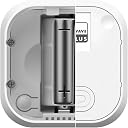
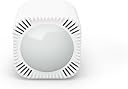
The Aeotec TriSensor 8 is a cutting-edge 3-in-1 Z-Wave sensor combining motion, temperature, and light detection with industry-leading accuracy and a long-range wireless capability of up to 2500 feet. Compatible with major Z-Wave hubs, it offers customizable calibration and a year-long battery life, making it an essential upgrade for any smart home enthusiast seeking precision and convenience.


| ASIN | B0D47WR1S2 |
| Antenna Location | Residential Security, Commercial Security, Automation, Energy Management |
| Best Sellers Rank | #34,800 in Electronics ( See Top 100 in Electronics ) #174 in Motion Detectors (Electronics) |
| Brand | AEOTEC |
| Built-In Media | Batteries |
| Color | white |
| Compatible Devices | Z-Wave gateways |
| Customer Reviews | 3.6 out of 5 stars 38 Reviews |
| Item Dimensions D x W x H | 1.38"D x 1.77"W x 1.77"H |
| Item Weight | 1.76 ounces |
| Manufacturer | Aeotec |
| Maximum Range | 23 feet |
| Mfr Part Number | ZWA045 |
| Model Number | ZWA045-A |
| Mounting Type | Wall Mount |
| Number of Batteries | 1 CR123A batteries required. |
| Number of Items | 1 |
| Number of Packs | 1 |
| UPC | 810667020200 |
C**N
Should get 6 stars
Would buy more in a heartbeat. I have tried many others and this is the best performer. I use it for temp, motion and light. It is now on it's second battery and still solid. I switch to Li-ion to protect from leakage and swap to recharge . Unit reports battery %charge so I can change it when it get weak. It is tiny and a bit fragile. It is a great performer. It sets inside our greenhouse where I use the light sensor to active various lights through Home Assistant. I use the temp sensor to turn on the heater and have yet use the motion to set up a light when you enter. It has never dropped offline and that is important to automation. If I could give it 6 stars, I would.
J**U
Pairing issue with Homey Pro
I bought the TriSensor 8 intending to pair it with my Homey Pro, but I havenโt been able to get it to connect at all. Iโm using Homey Pro because I have many IoT devices from different brands and prefer not to add another hub just for one device, so buying the Aeotec hub isnโt an option for me. Iโve tried putting it into pairing mode by pressing the action button three times, but the device only shows a red blinking light and Homey Pro never detects it. At this point the sensor is basically unusable for my setup. Has anyone else experienced the same issue or found a way to successfully pair the TriSensor 8 with Homey Pro?
M**Y
Barely works with a SmartThings hub.
I am disappointed by this sensor. I have it paired with a SmartThings hub and setup to automate the lights in the garage. It barley works. The pairing instructions included in the box are inaccurate or outdated. I had to add and remove the sensor 3 times before it was properly picked up by the app. Even after the sensor was properly registered with the hub and the app the motion detection is very hit and miss. Sometimes it picks up the garage door opening sometimes the car is halfway in the garage before any motion is detected. Same for a person walking in and out of the garage. Not very reliable.
L**.
Isnโt good a measuring light
Doesnโt reliably provide light readings. All other features worked very well. I had to return.
S**N
Great multi-sensor for Hubitat and more. FANTASTIC SUPPORT.
I am going to give a very broad review on this... but to save you the long reading, AeoTech/Chris support has been ROCK SOLID in getting driver issues figured out with my TriSensor 8, and my Hubitat C7. My long adventure started with my sensor not updating LUX (luminescence) values every 10 mins like I wanted to trigger on some lights. I followed all of the manual steps and it was just a pain in the butt from the second I unboxed it. So I reached out to support and 'Chris' took up my ticket. He gave me several ideas and steps that just did not work out at all. After a few emails, it was realized that as a support tech... he did not have a Hubitat to test code and such with. Chris resolved that very quick and got one to compare my logs and issues. He asked me to be patient while he got his Hubitat and figured out how the Aeotech TriSensor 8 worked with it. Chris has been super responsive throughout the entire support ticket... even when I wanted to quit. I am happy to report that my TriSensor8 functions as designed !!!!!!! *knock wood*
R**S
Not up to par with other Z-wave sensors I've worked with for SmartThings
Sigh. I hate to say it, but I could almost tell by the engineering that this was not a quality-built productโ due to its flimsy plastic case and thin physical backing. From there, getting this sensor to pair securely with the SmartThings hub didn't work. It kept hanging up the ST app. When it did finally pair (sans secure mode), the data was either "Unavailable - try back later" in the unit's information panel or very inconsistent to update, if at all. A real bummer here because I like the fact that it had a lux/light sensor to help make some lighting routines more robust, and there aren't that many sensors that do that right out of the box with SmartThings. Two stars here because, well, it tried even if it didn't get there.
B**O
Does not work with Aeotec Smartthings Hub
Attempted to add two of these devices and neither of these worked. I have added more than 400 devices on two smartthings hubs since smartthings was released. these devices will not download the correct drivers. i went into my.smartthings site and downloaded the aeotec drivers, but smartthings will either recognize the devices temperature and not motion, or the motion but not any of the other sensors. I even tried older drivers with no luck. returning both of them. hopefully aeotec fixes this issue.
M**.
NO USB power - only battery
this is NOT USBpowered. The sensor works great.. .but I would give it 5 stars if it were USB powered
D**R
A cute little sensor.
What some people who use a Samsung SmartThings Hub may find frustrating is the initial pairing. But then again, the initial pairing of such appliances is expected to be awkward and should be met with patience. Hint: I needed to install the appropriate edge driver to my hub, as the Trisensor 8 is not on the list of natively supported devices. This need for the edge driver could only be uncovered online. But, once it works, it just works. It has settings one can play with, but playing with the settings too much can cause malfunction. And my sensor recovered from all the wrong settings which I had given it in due time, without requiring major resets.
Trustpilot
3 weeks ago
2 months ago