We remain fully operational. Our teams are working around the clock to ensure your deliveries continue safely.

DOWNLOAD THE APP


Customer Services
Copyright © 2025 Desertcart Holdings Limited
DOWNLOAD THE APP

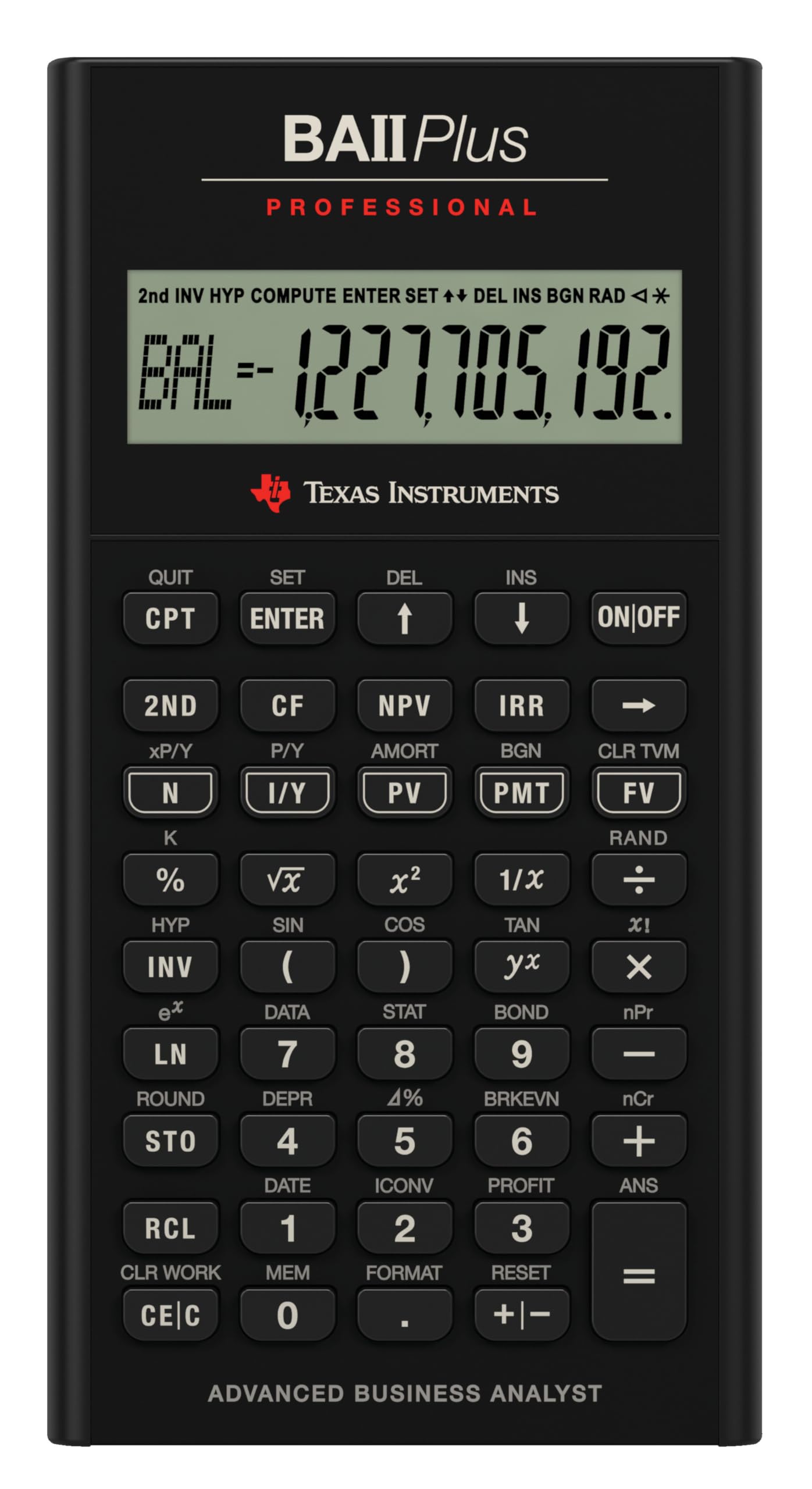


📈 Elevate your financial game with the BA II Plus Pro — the calculator that means business.
The Texas Instruments BA-II Plus Professional is a top-tier financial calculator favored by CFA and FRM candidates for its advanced NFV and MIRR functions, tactile keys that reduce input errors, and a sleek metal-accented design. Lightweight and portable, it features an easy-to-access battery compartment and is highly rated for reliability and precision in complex financial computations.


| ASIN | B0001EMLZW |
| Best Sellers Rank | #1,850 in Office Products ( See Top 100 in Office Products ) #3 in Financial & Business |
| Box Contents | . Financial Calculator |
| Brand | Texas Instruments |
| Brand Name | Texas Instruments |
| Calculator Type | Financial |
| Colour | Silver |
| Compatible Devices | calculation |
| Customer Reviews | 4.4 out of 5 stars 5,667 Reviews |
| Display Type | LCD |
| Enclosure Material | Plastic |
| Global Trade Identification Number | 00033317192045, 03243480104807 |
| Importer Contact Information | Numerical Analytics Instruments Pvt Ltd Unit 409- South Ex Plaza-II, Masjid Moth, South Ex-II, New Delhi-110049 |
| Item Dimensions L x W | 24.9L x 16.8W Centimeters |
| Item Part Number | IIBAPRO/TBL/1L1 |
| Item Type Name | Calculator |
| Item Weight Unit of Measure | 170 g |
| Manufacturer | Texas Instruments, Texas Instruments |
| Manufacturer Contact Information | Texas Instruments |
| Manufacturer Part Number | IIBAPRO/TBL/1L1 |
| Model Name | BA II Plus Professional |
| Model Number | BA II Plus |
| Number of Batteries | 1 CR123A batteries required. (included) |
| Packer Contact Information | Numerical Analytics Instruments Pvt Ltd |
| Power Source | Battery Powered |
| Screen Size | 3 |
| Screen Size Unit of Measure | 3 |
| UPC | 033317192045 |
| Unit Count | 1 Count |
| Warranty Description | 3 years |
M**A
Computing Beast!
I recently purchased this calculator for my CFA preparations. Like many other candidates, I too was confused whether to buy the Non-PRO version or PRO one. But then I eventually purchased this PRO version owing to its additional features and looks. I know there is a huge price difference between non-Pro and Pro version, but considering that I eventually would have to use the additional functions in Level 3, so why not get familiar with and get used to the Pro version from the very beginning. Now let me clarify a few common queries:- 1.BUTTONS: Many people complaint that the PRO version has hard keys. Well not exactly. The keys have a tactile feedback, but they are in no way hard. I am sure these are designed in this way to let the user actually know whether he/she has pressed a particular button or not.This comes really handy when you need to solve a complex problem which involves use of multiple brackets. Because of it being a single line display the brackets don't appear on the screen, so you have to remember it.And for that you have to be dead sure that you have opened and closed each bracket, otherwise it would result in an error. Hence the tactile buttons are there. 2.CASE: No there is no leather case provided with this calculator anymore.I contacted Texas Instruments and they told me that post 2018, the new packaging does not include a leather case.Nowhere on the package does it state an inclusion of leather case anymore. Is that a deal breaker? No not really. As you can see in my pics there is a case. I went with a piece of rexine (30cm X 40cm) to a tailor and got a case stitched for ₹20 with a double inner padding. More over the dimensions of the calculator are similar to iPhone 6s plus so you can order a sleeve or pouch. Problem solved. 3.BODY: No the body isn't completely made of metal. Only the panel around the buttons is metal and rest is plastic body, just like the Non-PRO model. But on the brighter side, the body is more slim and looks so good in person than the Non-PRO model. Moreover the battery door is easy to slide open and replace the battery unlike the Non-PRO model which requires a screwdriver and pry tool and lots of scratches and marks to open and replace battery. My ADVICE: Yes definitely buy the Professional model (if your budget allows). You will familiarise yourself with it for level 3 as well as save some time due to the additional functions. A word of PRECAUTION: Please do take care of your calculator by buying a good case.Prevent it from drops. It's an expensive piece of equipment and you wouldn't want to break it. Never ever touch the screen or press it.I have seen lots of reviews on other websites which state that there has been screen bleeding issue because of pressing the screen.Why would you want to press you screen anyhow!! Rest assured, it's a Computing Beast. You'll fall in love with it once you get the hang of it.
S**L
TI BA - II Professional Review
Great product. This one has more features than the non professional version and also buttons are good and it helps to prevent accidental touch. If you are pursuing CFA or FRM then this calculator it highly recommended.
V**Y
Needed for cfa
Best financial calculator out there
A**N
quality, price and service
worth money
M**E
Good
Perfect for CFA candidates
S**Y
Texas Instruments BAII Plus Professional - Advanced Business Analyst
I chose the BAII Plus Professional over BAII Plus, as it offers more functionality; for eg. additional to the functions of BAII Plus it also has NFW, MIRR, Discounted Payback, Interest Rate Conversion, Cost-Sell-Margin, etc. The calculator is powered by a CR2032 220mAh battery which can be easily replaced through a slide open back cover without the need of screwdrivers (as required in BAII Plus). The keys give a tactile feel & are of good quality & will definitely last long. The little hard press feel will also help in avoiding accidental key presses while doing complex calculations. The keypad is surrounded by a premium brushed metal casing which adds to the looks of the calculator. The provided protective cover pouch is of good quality & is helpful is keeping the calculator safe from accidental drops & scratches. I bought the calculator in October 2019, & the month/year of manufacturing/import is August 2019, so the calculator is new. It comes with sufficient literature for ease of operation and methods of calculations. The calculator comes with 1 year warranty (as mentioned in the warranty booklet). However, the importer/manufacturer labels mentions 3 year warranty. Will figure out the same in near future. The price appears to be on the higher side, but also note that the calculator is imported from Philippines. Also, Texas Instruments is from Dallas, USA; and is well known for quality of its products. The purchase should be made considering long term usage & durability of the calculator, which is excellent. This calculator is approved for usage in CFA, GARP FRM, and other exams as well such as CSC & CFP. Must buy for long term usage & additional functions.
M**R
CFA exam allowed calculator
It’s the one that is allowed for CFA exams, so it’s more of must buy.. couldn’t find the other one they allow. very practical and sturdy. Original product
J**N
Used product
Used product, on/off button is damage. Have requested for replacement.. no further updates yet.
Trustpilot
5 days ago
1 week ago