
DOWNLOAD THE APP


Customer Services
Copyright © 2025 Desertcart Holdings Limited
DOWNLOAD THE APP
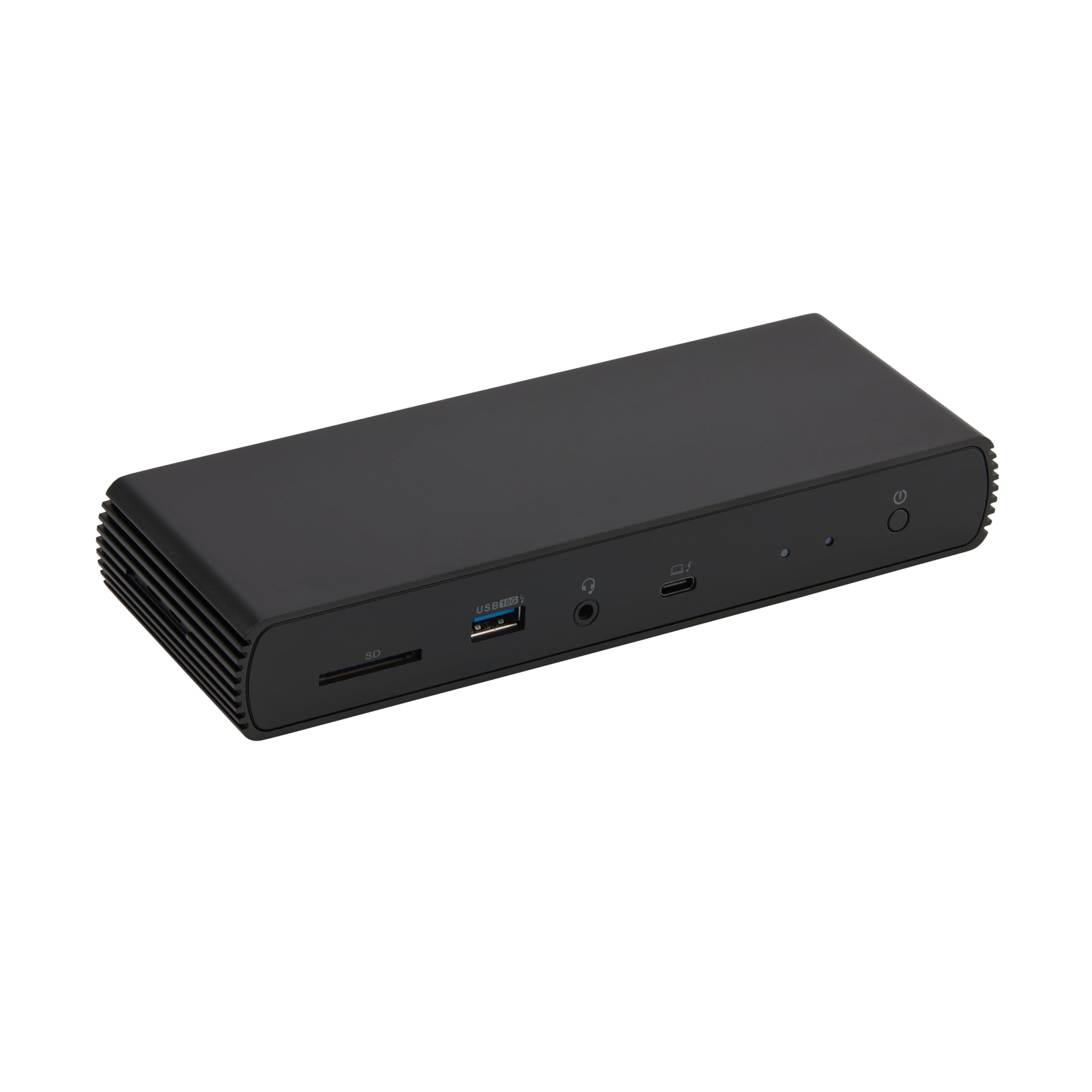
⚡ Elevate your workspace with power, speed, and style — don’t get left unplugged!
The Amazon Basics Thunderbolt4/USB4 Pro Docking Station is a compact, high-performance hub designed for professionals seeking seamless connectivity. Featuring dual 4K@60Hz Thunderbolt 4 ports, 96W power delivery, and a 2.5Gbps Ethernet port, it supports robust multi-display setups and fast charging. Its durable build and broad OS compatibility make it an affordable, reliable choice for enhancing productivity across Windows and macOS laptops.


| ASIN | B0CPT8Q8TF |
| Best Sellers Rank | #2,652 in Our Brands ( See Top 100 in Our Brands ) #77 in USB Hubs |
| Brand | Amazon Basics |
| Color | Black |
| Customer Reviews | 4.1 4.1 out of 5 stars (279) |
| Date First Available | July 1, 2024 |
| Department | consumer_electronics |
| Item Dimensions LxWxH | 7.86 x 2.95 x 1.23 inches |
| Item Weight | 2.15 pounds |
| Item model number | DBD1336 |
| Manufacturer | Amazon |
| Product Dimensions | 7.86 x 2.95 x 1.23 inches |
M**N
Simple, Well-Built, Affordable, & Widely Compatible
This is a great docking station! It has a durable metal casing, with just the right amount of ports, and a good compact size. I decided to try it out given that the competitors and "name brands" are charging around 2-3x the cost for a simple thunderbolt docks. I have been shopping a long time, and everything I was looking at was either incompatible, expensive, provided the wrong ports for my needs, or was too bulky. When I just wanted simple function. I have a MacBook Pro with a M3 Pro chip, and I'm generally happy with it, but it does not support MST and daisy-chaining. So, I have been looking for a good thunderbolt docking station that would allow me to upstream charge my laptop, and at least two downstream ports to cast my dual-monitor setup. I also thought it would be a bonus if I could attach my mechanical keyboard to a USB-A port, if available. When I came across this, it seemed like a perfect docking station to hook my entire desktop setup to, so I could easily connect my laptop and have it come to life. I have done heavy work if it is writing and debugging code, editing large files for photography projects, running VMs, etc. I have not yet run into any connectivity, speed, or quality issues while using this dock. I was very happy that it is so compatible with MacOS. Reading the many reviews on the competitors, they either didn't support every OS or it was grainy and slower with MacOS. I switch between my MacBook, or my dual-boot Lenovo with Windows and Linux. I will be testing with the Lenovo soon, to see the compatibility with all OS. I am so far very happy with the compatibility and simple yet high quality product. TLDR: If you want a simple docking station with a good performance at a reasonable cost, I would highly recommend getting this one!
C**R
Reliable and safe, great features
When I look for things to plug into an outlet and then into my equipment, I'm checking for a few things, but mainly power supplies because a lot of manufacturers skimp on these, and that's just not right. So I'll start with the power supply that comes with this unit, which is a big, beefy and heavy power supply made by Chicony, Model A18-135P1B, which is grounded, well-made and is UL and CE Listed. These things do matter to me. While it's long and wide, it's actually quite narrow and mounts under a desk very nicely. The dock itself is also very well-made and reminds me of any number of other higher-end units on the market in both size, shape, design and features. it has all of the ports I need (three USB-C/ThunderBolt 4 ports, one on the front to connect to your computer and two on the rear), three USB-A ports, again one on the front, one on the back, an Ethernet port, one HDMI port and a headphone jack. If you need more than this, hubs will always work, but so far I've been satisfied. Connected to my MacBook Pro M4 Pro, I get every ounce of speed and performance I expected with an external thunderbolt 4 drive, the audio works great passed-through, although I use a 3rd-party amp plugged into it's USB port and have noticed no issues at all. It's featureful enough to satisfy my needs, compact enough to fit under my laptop stand, and inexpensive enough to have me still scratching my head. I can't recommend it enough. If you're worried about spending too much on the flagship products, getting a dock that fits on your desk, but also worry about plugging something cheap into your valuable equipment, this is the dock for you. Great fit and finish all around, wonderful quality and attention to safety details like the outstanding power supply convinced me.
F**.
10/10 -> Extends to dual external monitors through 1 usb-c on Mac
I highly suspect that many people experiencing trouble with this dock have inadequate cables. Purchase the correct (quality) cables and this dock works. I extend dual monitors through one USB port in my MacBook Pro M1. Right now, the dock is connected to my MacBook through one usb c port. It is charging my MacBook quickly. From the dock out, I am running two USB C to display port cables to both my monitors as well as an external drive (usb a) and a USB keyboard. Both monitors are 4k ips and are running at 60hz. This dock works if you have quality cables. It will not work (as won’t most other docks) with cheap hdmi cables that come in the box with monitors/etc as they are not rated for this use case. Everything is working perfectly. UPDATE: I want to add that BOTH monitors are IPS 4K and are running 4k at 60Hz, because other reviews are saying this is impossible. I wonder if this is a hardware issue with cheap cables or their computer, but it is working perfectly well for me.
M**R
Good dock, with minor irritations
As a simple, inexpensive dock, this one does the job admirably. Yes, there are more powerful docks out there, but their prices show it. I'm using this one with an M1 MacBook Air, and an HDMI connection to the 42" OLED TV I use as a monitor (more on that later). There are plenty of USB ports for my use case, I use the SD card slot regularly, and I'll eventually use the ethernet port. It's capable, compact, and well made; I recommend it. That said, there are a couple of things that I find irritating. First, why put the computer connection USB-C port on the front of the device? For day-to-day use, it would look much cleaner and offer easier access to the front ports if that were on the back (see photo). The second thing relates to my TV/monitor setup. I use my monitor with two computers - a Mac Studio and the MacBook Air (with the dock), connected on TV HDMI inputs 1 and 2, respectively. When I'm using the Mac Studio, the dock periodically "wakes up" and causes the LG TV to pop up a notice asking if I want to switch to the active device on HDMI 2. That could be viewed as a TV issue (I haven't found a setting to prevent it), but since it doesn't happen when the MacBook Air is connected directly to HDMI 2 (using a USB-C to HDMI cable), it clearly has something to do with the dock as well. Those issues aside, this is a worthwhile choice for anyone looking for a capable Thunderbolt 4 dock that won't break the bank.
J**F
Amazing - finally a solid TB4 dock that works well and isn't overpriced. Very happy with this. I also have the Dell but it is way more expensive. I don't love where the USB-C TB port is... why right on the front and not on the side or back? But minor in the grand scheme of things.
P**G
This dock is pretty affordable as far as Thunderbolt 4 docks go, so I didn't necessarily expect the best build quality. Turns out it's surprisingly sturdy, looks great in person and works just as advertised. Recommended.
R**K
Works perfect with my MacBook m4 pro!. I’ve been trying to find a docking station that supports my dual monitors and this docking station does it! I run x2 1440p monitors at 165hz/144hz with hdr enabled with zero issues! I’ve also ran a 4K 240hz monitor on it fine but when connected with another monitor it changes to 144hz I have noticed it gets tad bit warm but nothing to be worried about. One of the best docking stations under $300! Oh it also charges at 96w with no issues *edit* had issue with display and ordered another one. I had issues with the power button not working so now I’m on my 3rd one. Annoying i had to re buy them cause amazon wouldn’t exchange them. But needless to say this one is working perfectly
A**S
Used for nearly a month and it's been solid. Can't comment on the quality of video because I'm not technical, but everything is working as intended. No heating issue whenever I touch. I love that it's compact; have hid it behind my monitor. My only complaint is that the TBT4 cable that comes with it is very short. ~0.5 meters in length? Recommend buying a longer one or a USB-C extension cable with specs that match what you need.
C**T
Had to return the first one because the audio out jack was flaky. They replaced the unit, and I haven't looked at it since. Just what you want from a hub.
Trustpilot
1 month ago
1 month ago