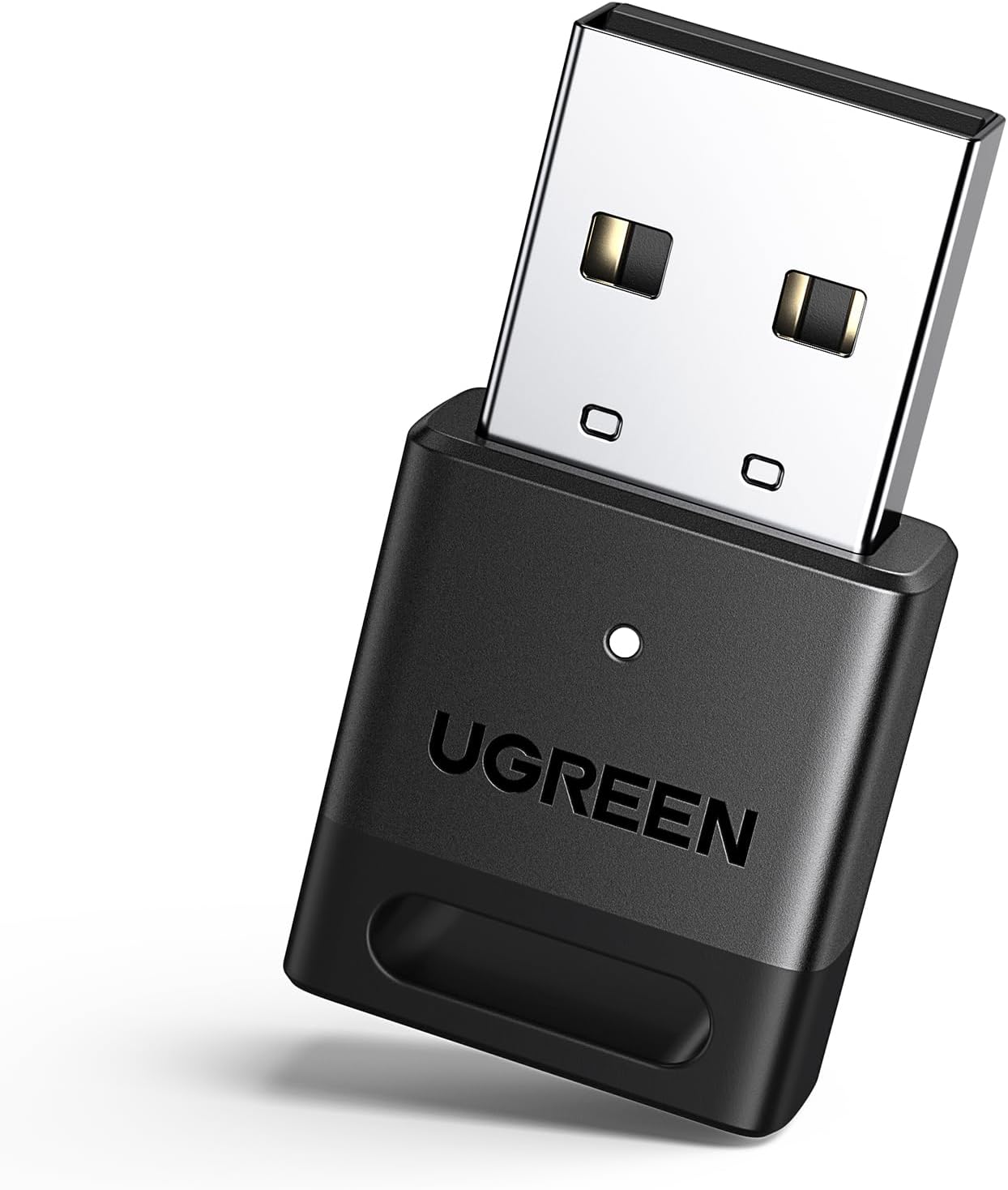
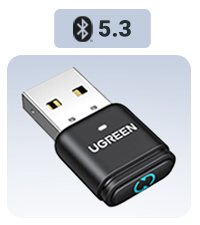
... und über die Reichweite, werdet ihr staunen ( sofern ihr euch dieses wirklich preiswerte Teil auch holt ) - wie gesagt - Reichweite - mit DREI!!!! Mauern dazwischen - ewa 15m Entfernung, völlig störungsfreie Verbindung - bin tatsächlich begeistert von dem Ding - kann man bedenkenlos weiterempfehlen. Das Windows 10 auf dem Nebook, hat den Bluetooth-Stick sofort, ohne irgendwelche Installationen, ins System eingebunden - und der Gerätemanager hat den sofort, als "das Gerät funktioniert einwandfrei" angezeigt. Man braucht auch ( bei Win 10 zumindest ), keinerlei Software, um darauf zuzugreifen ---- unten, in der Taskleiste, ist ja dieses Windows-Fenstersymbol ( wo ihr halt daufklickt, um den Rechner zb. herunter zu fahren ) - rechts daneben ist der Button "Suchen" - den klickt ihr an -> der Rechner macht ein Fenster auf, in dem zb. auch "Bluetooth und andere Geräteeinstellungen" in der oberen Zeile angezeigt wird - das klickt ihr an -> wenn euer Bluetooth-Gerät aktiv ist, bekommt ihr das in einer Liste angezeigt -> anklicken -> dauert noch keine drei Sekunden, dann steht die Verbindung - meine Ohrhörer sagen dann "connected", also "verbunden" ----------------- wie gesagt - das Teil funktioniert super, ist sehr zuverlässig und vor allen Dingen, kaum grösser, als der Empfänger der Maus ( etwas länger ) - man sollte den günstigen Preis selbstverständlich, auch nicht vergessen. Eigendlich die billigste Methode, sich auf das neueste Bluetooth-Protokoll einzurichten, sofern man noch USB frei hat - gerade bei meinem 14" - "i3-Asus-Vorkriegs-Netbook" ( brauche ich halt nur, während der Dialyse - um die Zeit "totzuschlagen" ), das überhaupt noch kein Bluetooth hat --- jetzt schon, sogar das Neueste - und - Bluetooth ist abwärtskompatibel - da gehen/funktionieren dann natürlich auch ältere Geräte/Protokolle - zb. das Samsung-Handy meiner Frau ( wenn das Ding eingeschaltet ist, zeigt der das auch an - einbinden funktioniert natürlich nicht, ohne Befehl/Freigabe des Handys - allerdings - angezeigt wirds ). Übrigens - wenn es euch genau so geht, wie mir - ihr also auch keinen Schimmer habt, wie das mit diesem Bluetooth funktioniert - die geräte-internen Lautsprecher sind, wenn Bluetooth aktiv, abgeschaltet - die Lautstärkereglung funktioniert dann aber trotzdem - halt auf/mit die/den Ohrhörer(n) - KLASSE!!!!!!!!!!!!!!! Der Grund, warum Bluetooth, ist die Dialyse - ich will die Gerätelautsprecher einfach nicht aktiv haben, um andere Patienten nicht zu stören - hat meine Vorstellung/Anforderung zu 100% erfüllt. 15.07.2025 - einen nachgekauft - fürs Toshiba-Laptop, ein echter "Multimedia" , sogar mit Bang&Olufsen Lautsprechern, Basslautsprecher im Boden und zwei SSDs- hat auch noch kein Bluetooth - mit dem Uraltding hat Julius Cäsar wahrscheinlich, schon seine Feldzüge geplant - er läuft aber immer noch - daran erkennt man Qualitäten. Bei dem funktioniert das "Einbinden" etwas anders, obwohl auch Win 10 - also-> in der Taskleiste, unten, ist doch das Symbol für den Akkuladestand - links daneben ist ein kleiner Pfeil, der nach oben zeigt - anklicken - Windows macht ein Fenster auf, in dem unter Anderm, auch einSybol für Bluetooth, als Icon, angezeigt wird - doppelter RECHTSKLICK !! - ein Fenster öffnet sich "Bluetoothgerät hinzufügen" -> einfacher Linksklick -> in dem neu geöffneten Fenster, Bluetooth einschalten ( Schieber ) -> nach unten Scrollen -> wenn der Stick vom System erkannt wurde, wird der dann angezeigt - der angezeigte Gerätenamen ist H87 -> anklicken ->im neuen Fenster, mit vorher eingeschaltetem Bluetooth-Gerät, wird das dann normalerweise angezeigt - anklicken "Gerät einbinden ???? --- ja!!!!!! ---- geht problemlos, auch beim URALT-Toshiba - ERGO - kontrolliert aber bitte vorher, ob der Stick in der Systemsteuerung als "das Gerät funktioniert einwandfrei" aufgeführt ist Die Dinger/Sticks funktionieren SUPER, trotz diesem Preis - bin seeeeeehr-/hochzufrieden - die ultimative Lösung. Übrigens - und - wenn der Stick mal eingebunden ist, bleibt der das auch - beim nächsten Hochfahren ist der wieder da - bei meinen Ohrhörern muss allerdings der Rechner hochgefahren sein, bevor die sich, wenn man die aus der "Ladebox" nimmt, mit der Meldung "Connected" verbinden - wenn ich die hinterher aktiviere, verbinden die sich nicht - muss dann einen Neustart machen ( macht das erneute Hochfahren nach der Installation/dem Einbinden sowieso ) - das ist tatsächlich, nur bei den Ohrhörern so - das (mein) Handy geht immer - liegt also garantiert an den Ohrhörern. Ich würde den Stick sofort, völlig bedenkenlos, immer wieder kaufen - bin noch immer, grenzenlos begeistert - und ich brauch mir den "Schnarchsack", während der Dialsyse neben mir, nicht anzuhören - grausam, die Type - der hatte bestimmt eine Kettensäge, einen Kompressor, einen Pickhammer, oder sonst irgenwas lautes, unter den Vorfahren - schade daß die Schläuche der Maschine zu kurz sind - der hätte schon öfter "Pipi" ins Bett gemacht - der "Hände in Warmwassertrick" ;-). Übrigens - Dialyse bedeutet nicht, daß man nicht mehr "Pinkeln" kann - das ist eher selten der Fall - die Giftstoffe im Körper, sind meist das Problem. Noch was wichtiges - wenn ihr eure Gerätelautsprecher mal wieder nutzen wollt - geht ganz einfach. Zieht den BT-Stick VOR!!!!!! dem Einschalten/Hochfahren des Rechners ab - der nutzt dann automatisch wieder die "Gerätequäkser" - bevor ihr den wieder aufsteckt, muss der Rechner allerdings heruntergefahren sein - dann erkennt der Rechner den BlueTooth-Stick, beim nächsten Hochfahren automatisch wieder - und bindet ihn im System ein - sprich - geht wieder - ohne irgendwo-/wie im System "herumfummeln" zu müssen - nochmal - TOP, das Teil - hochzufrieden - bin immer noch der Meinung - billiger an ein neues, funktionierendes BlueTooth-Protokoll zu kommen, geht garnicht. Jemand, der sich etwas auskennt, weiss wie schwierig es ist, einen alten Rechner/Laptop/Netbook, mit/auf Bluetooth "aufzurüsten", ja selbst passende zb. Ramspeicher zu bekommen, oder auch irgend ein anderes Ersatzteil wird da zum Problem - kenne ich von der Monitor-Hintergrundbeleuchtung, eines Siemens-Laptops - hat fast 4 Monate gedauert, bis ich diesen LED-Zünder hatte ( sitzt im Monitorrahmen ) und die zb. quälend lansamen Rams des Toshiba zu "beschleunigen/aufzurüsten" - folglich, was ich sagen will, es ist bei weitem nicht so einfach, wie beim/an einem PC, an diesen genannten Geräten, etwas zu ändern, geschweige denn, die Dinger aufzurüsten, bzw. - bietet der Hersteller, das überhaupt an, denn meist muss dieser Krempel, alleine schon wegen der Bauform, ganz genau passen - "von der Stange", ist da nicht - der große Nachteil von den "Portablen". 22.08.2025 - hab festgestellt, wenn man die beiden Ohrhöher ausschaltet, oder sie in ihre "Ladebox" zurücklegt, schaltet der auch automatisch wieder um, auf die Gerätelautsprecher ( der Ohrhörer meldet dann "disconnected" (gertennt) - und - wenn man die dann wieder rausnimmt, und nutzt, sagen meine ja "Conected" (verbunden) - und er schaltet die Gerätelautsprecher automatisch wieder ab/um auf Ohrhörer - richtiggehend Luxus - perfekt!!!!!!!!!!!!!