Description
🚀 Upgrade your Mac mini M4 to pro-level speed and storage—because waiting is so last year.
- MASSIVE 2 TB STORAGE UPGRADE - Store your entire creative library, apps, and projects without compromise—expand your Mac mini M4 effortlessly.
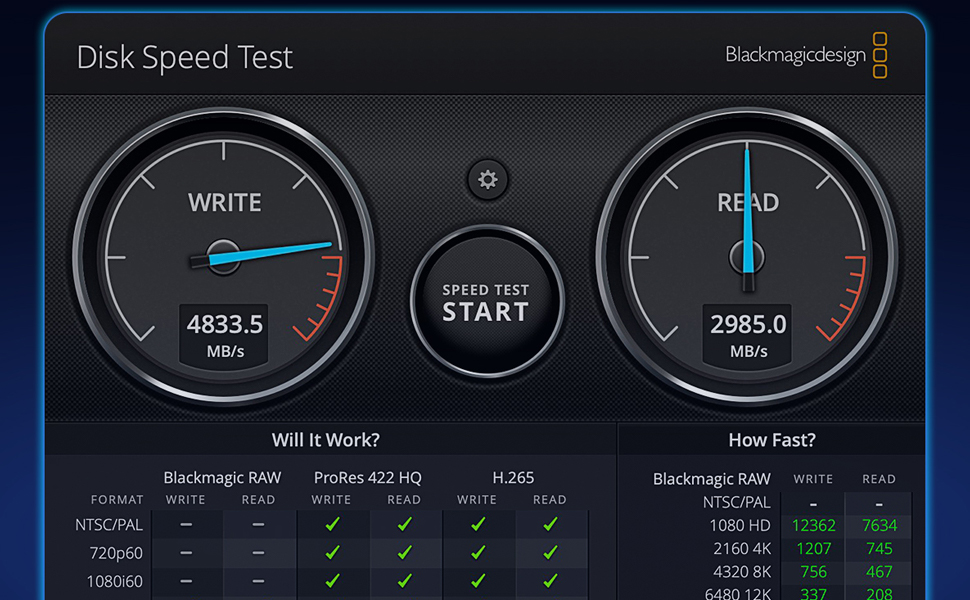
- BLAZING FAST THUNDERBOLT SPEEDS - Experience ultra-responsive workflows with up to 4200MB/s write and 2900MB/s read speeds—no more waiting.
- SEAMLESS MAC MINI M 4 COMPATIBILITY - Plug-and-play design tailored for Mac mini M4 ensures hassle-free installation and flawless performance.
- PROVEN RELIABILITY BACKED BY TESTING - Rigorously tested for a month to guarantee top-tier quality and peace of mind for your critical data.
- ROCK SOLID STABILITY FOR PROFESSIONALS - Consistent speed with zero drops, perfect for demanding editing, coding, and multitasking sessions.
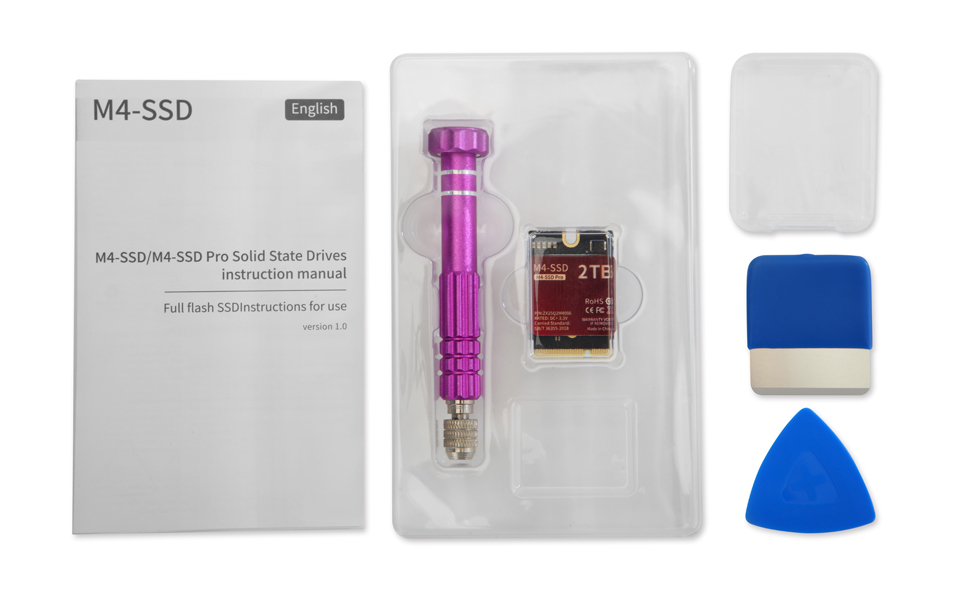
The SPARKFLY M4 Mac mini Internal SSD offers a 2TB storage boost with blazing Thunderbolt speeds up to 4200MB/s write and 2900MB/s read. Designed specifically for the Mac mini M4, it delivers rock-solid stability and proven reliability through rigorous testing. This DIY upgrade is easy to install, dramatically enhancing your device’s performance and capacity at a fraction of Apple’s cost.