We remain fully operational. Our teams are working around the clock to ensure your deliveries continue safely.

DOWNLOAD THE APP


Customer Services
Copyright © 2025 Desertcart Holdings Limited
DOWNLOAD THE APP

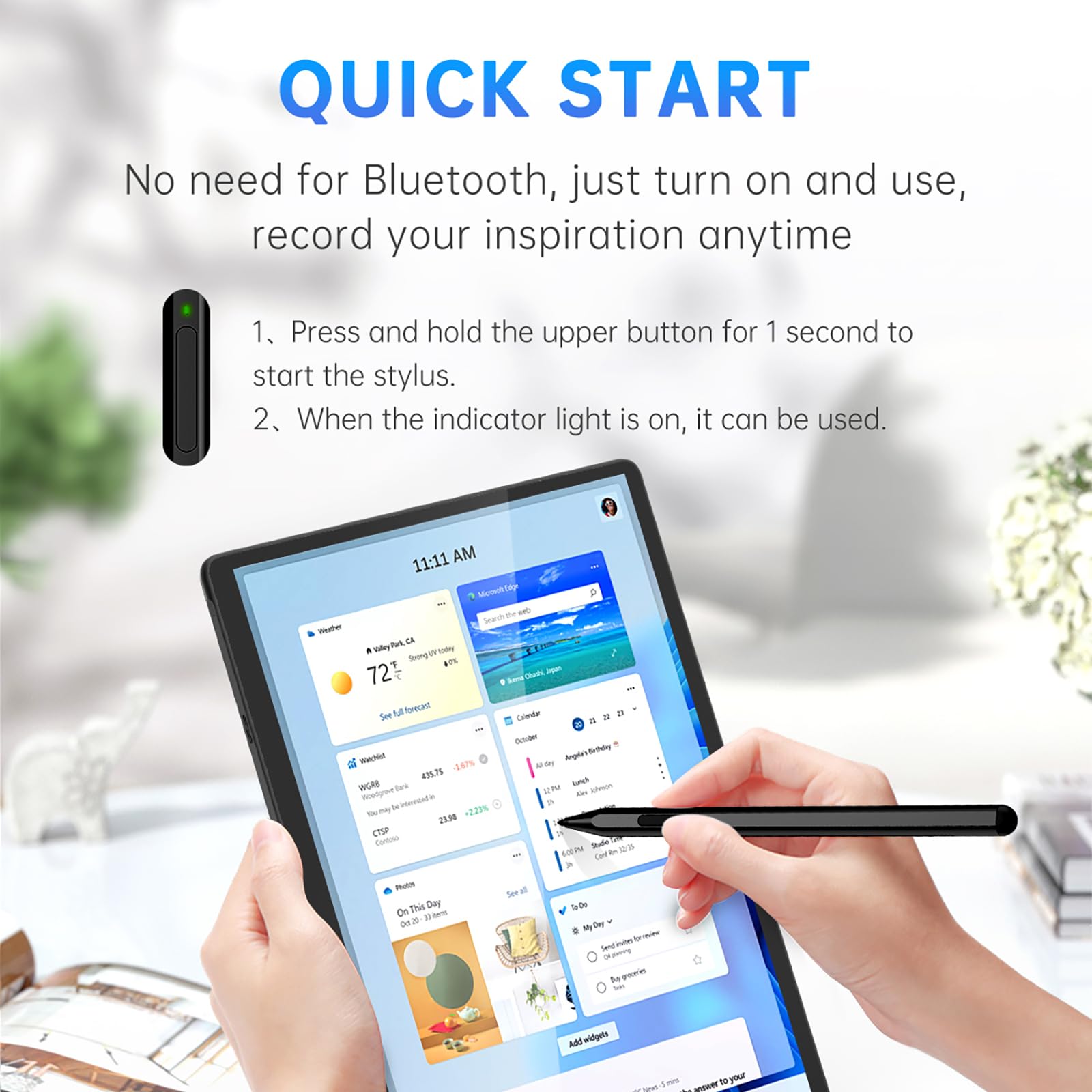
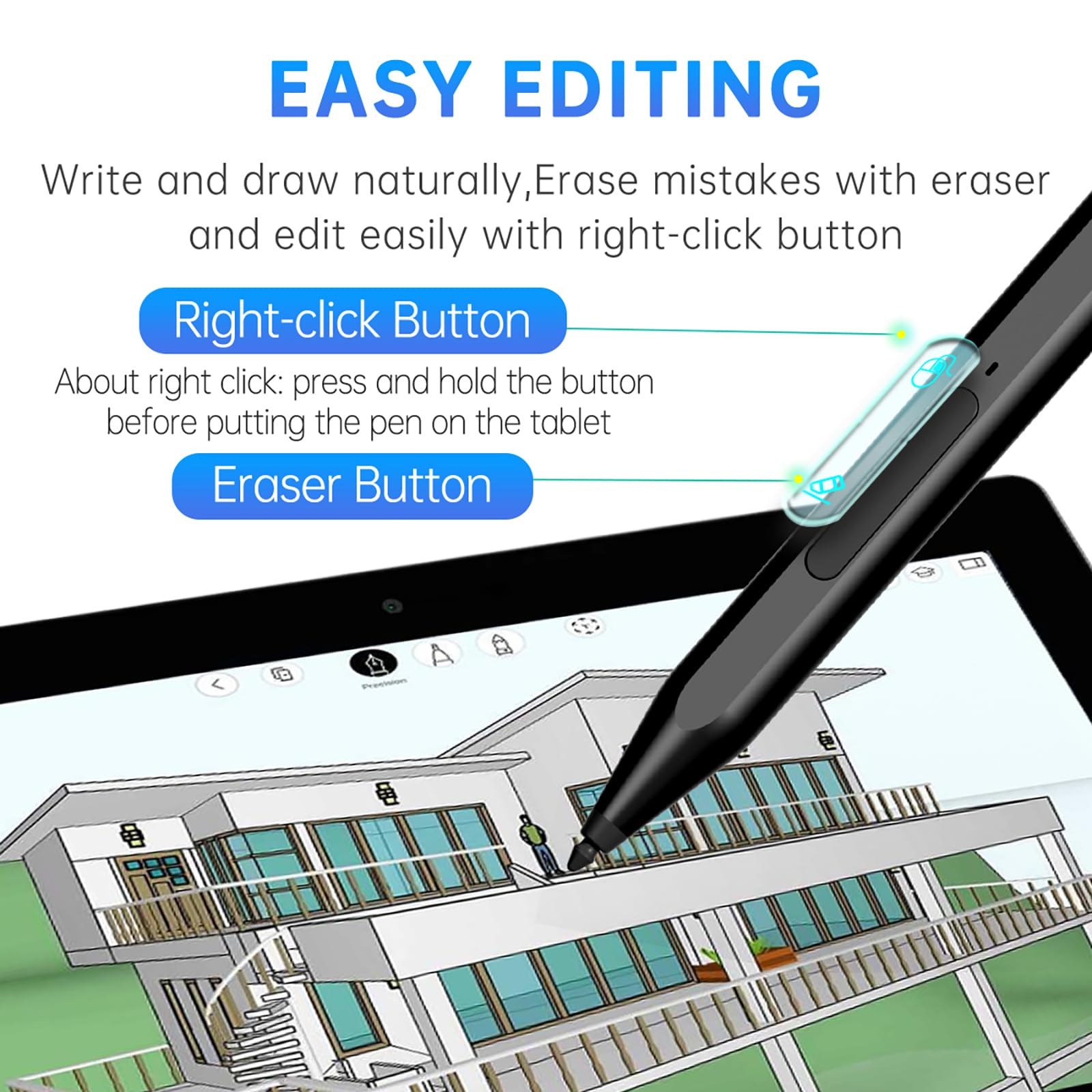
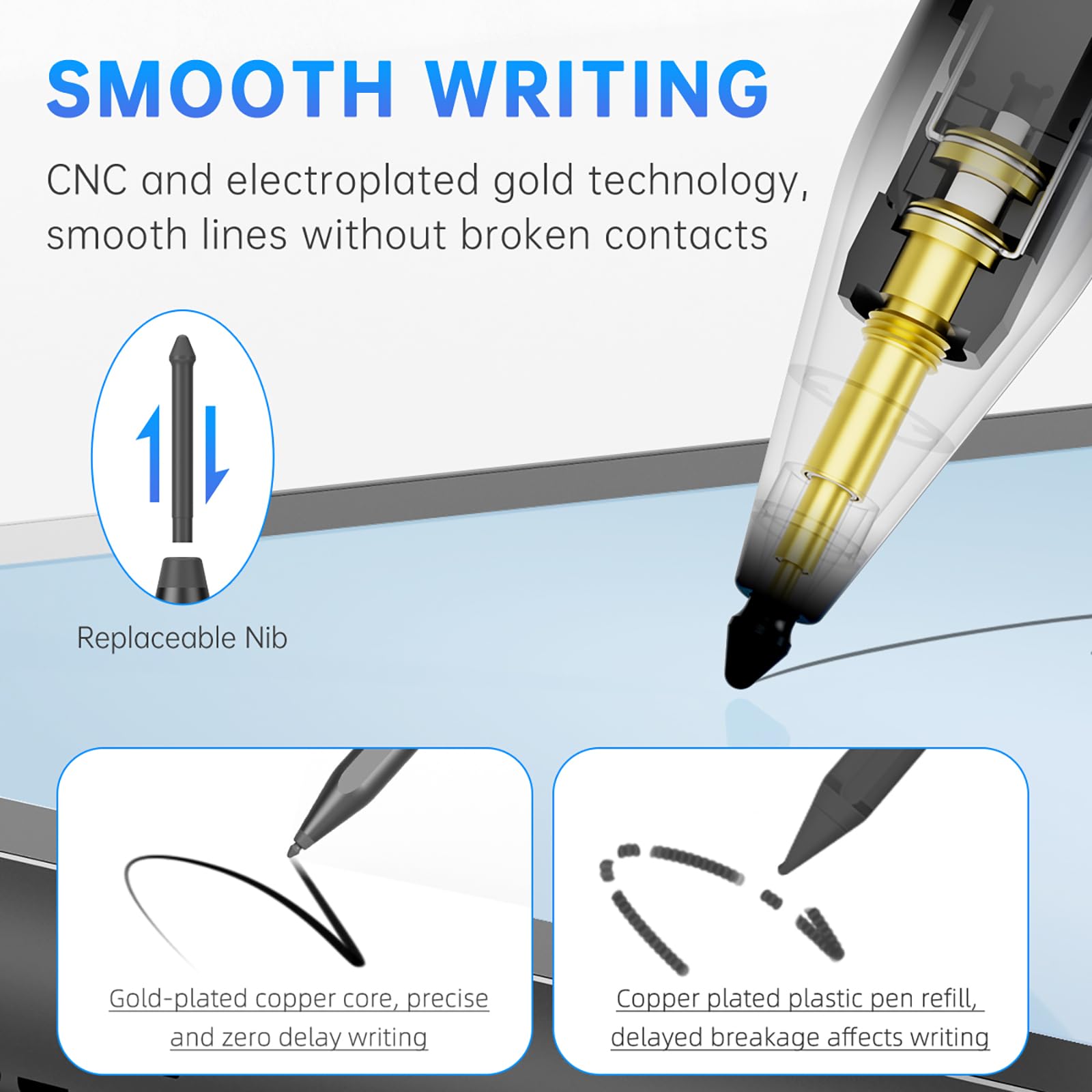
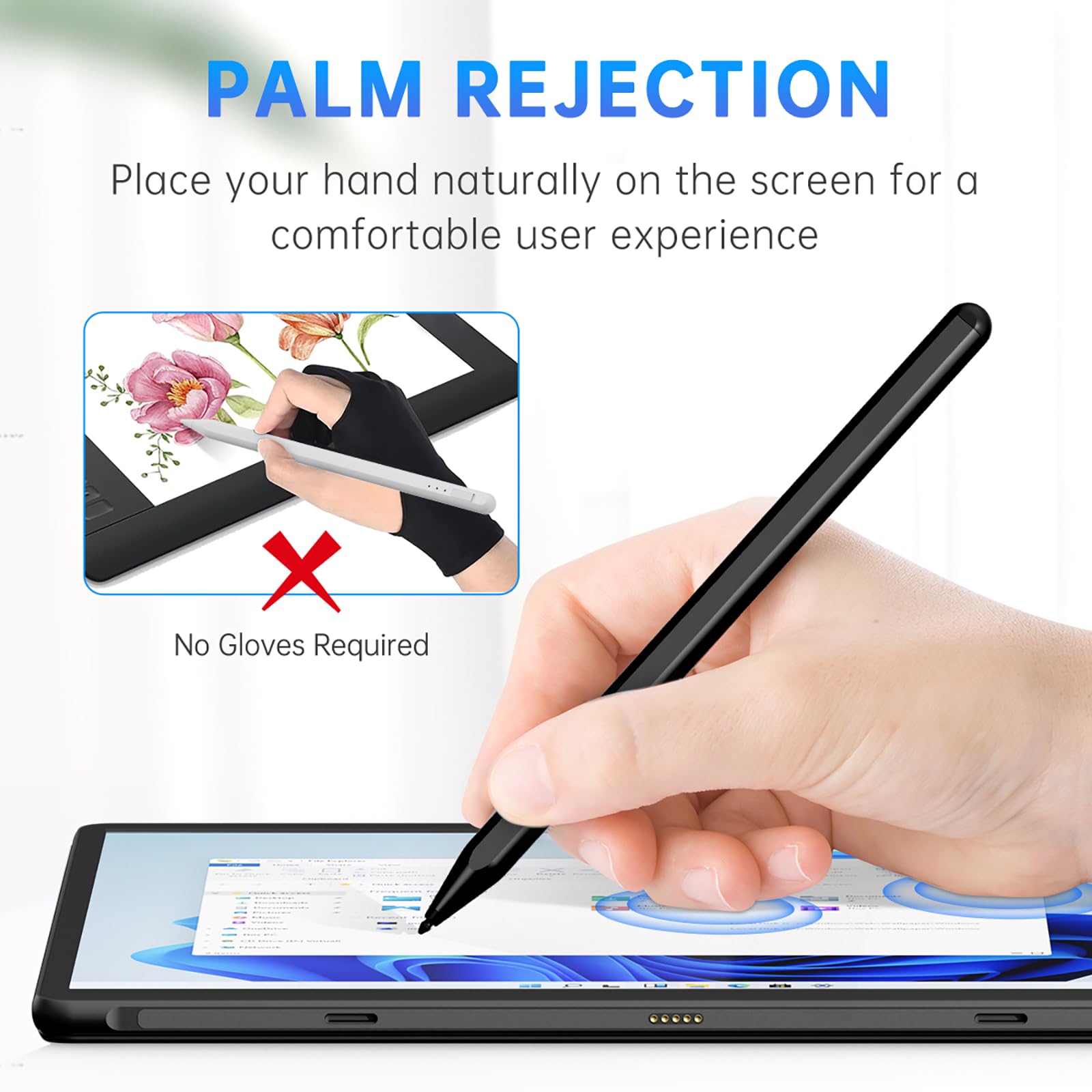
✒️ Elevate your Surface game—write, draw, and create without limits!
The Uogic Stylus Pen is a rechargeable, precision tool designed for Surface Pro (3rd gen and later) and Surface Go devices. Featuring 1024 levels of pressure sensitivity, palm rejection, and dual-function buttons for erasing and right-clicking, it offers a seamless, lag-free writing experience. With a durable aluminum body, magnetic attachment, and fast USB-C charging providing up to 80 hours of use, this stylus is engineered for professionals seeking reliable performance and enhanced productivity.


| ASIN | B0D29NH45T |
| Are Batteries Included | Yes |
| Are Batteries Required | Yes |
| Battery Average Life Standby | 80 Hours |
| Battery Description | Lithium-Ion Polymer |
| Best Sellers Rank | #49,932 in Cell Phones & Accessories ( See Top 100 in Cell Phones & Accessories ) #1,085 in Styluses |
| Brand | UOGIC |
| Charging Time | 40 minutes |
| Color | Black |
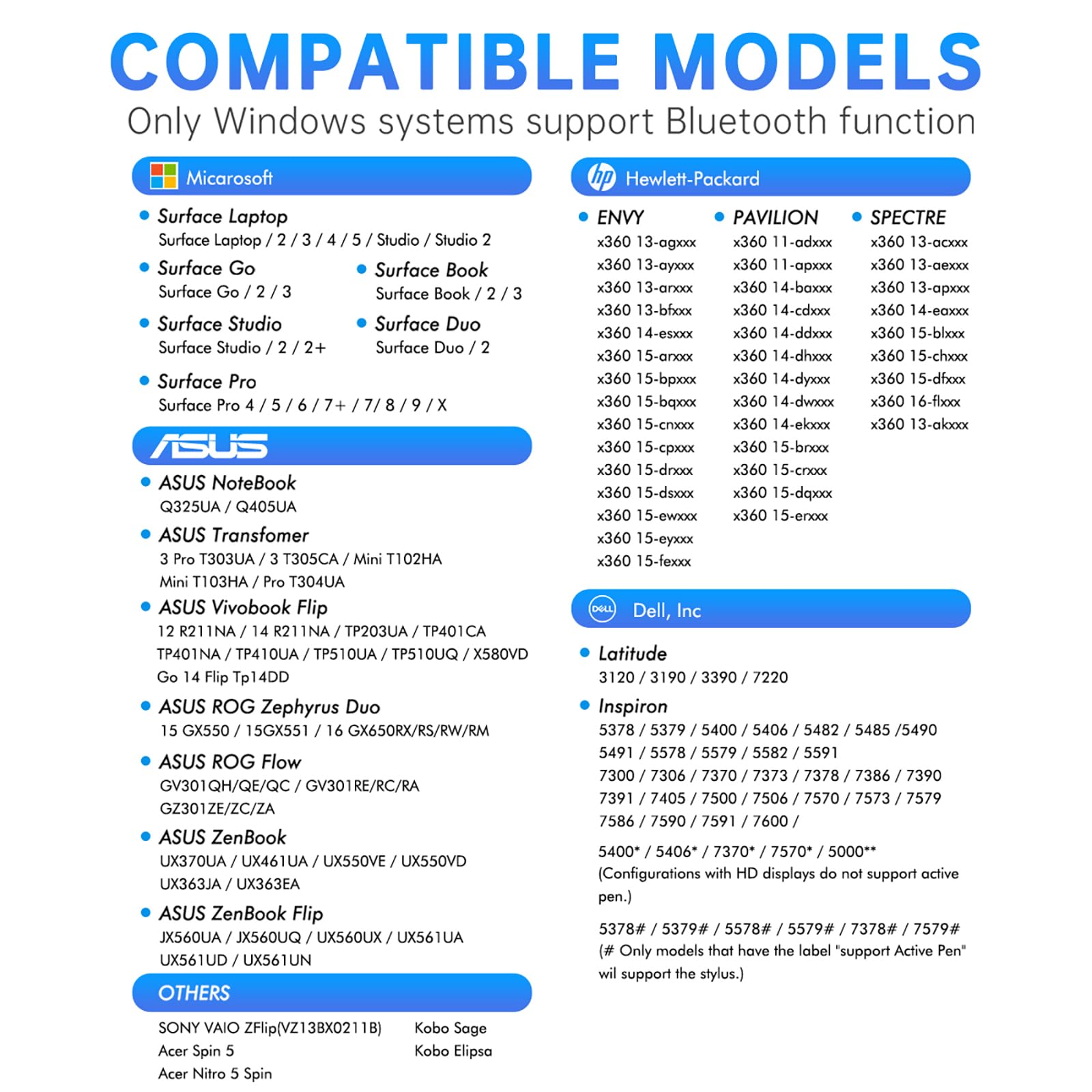
| Compatible Devices | Microsoft Surface Pro (3rd/4th/5th/6th/7th/7+/8th/9th/10th/X generation), Surface Duo (1st/2nd generation), Surface Go (1st/2nd/3rd generation), Surface Book (1st/2nd/3rd generation), Surface Studio (1st/2nd/2+ generation), Surface Laptop (1st/2nd/3rd/4th/5th generation). and others running Windows 10 or 11 and with MPP 1.5 or 2.0. |
| Customer Reviews | 4.4 out of 5 stars 1,062 Reviews |
| Enclosure Material | Aluminum |
| Item Dimensions | 6.22 x 0.35 x 0.33 inches |
| Item Weight | 14 Grams |
| Manufacturer | Uogic |
| Material | Aluminum |
| Model Number | F97 |
| Number of Batteries | 1 Lithium Polymer batteries required. (included) |
| Unit Count | 3.0 Count |
| Warranty Description | 1 Year Manufacture |
G**S
Pen
Bought before, it’s great and one of the only ones that works with my laptop, bought a second time in black and received gray, nothing major but a surprise lol. If tips moves it does make the pen go crazy for a bit but goes away after a few seconds
H**O
Amazing pen
Even after 1 year it is going strong. Battery life is unbelievable. I literally charge it like once in 2 weeks. Nibs could be better but its fine. I love this pen.
J**K
A great stylus!
Just a Tad large for my case, but it had two compartments on either side of the spot for the stylus that I assume were there for just this sort of occation. So I opened up one, and notched the other, and it now fits perfectly! As for the stylus itself, I've been very happy, and turned off the touch screen when I'm using the stylus. (In Windows 10 Settings under Display.) So now my hand can rest on the screen while I write or draw! Charges quick, lasts for days. In fact, I haven't had to charge it since that first day. It even has a magnet to hold it to the Surface Go 3. Which I am glad I never was tempted to use, because I think its likely to get knocked or rubbed off. I've even attached it to the super strong magnets for the keyboard, and it DID eventually fall off. (AFTER I lost track of it!) There are a few piddiling things that could have been done better, but I can't even remember what they were. Must not be imortiant. Right? Reccomend. Would buy again.
J**L
Yes, but also no,
So i bought this one to use on a surface pro laptop. Specifically for blender 2d animation, however Blender does not support stylus's. obviously this is not uogic fault. Other than that this is a very nice pen and quite affordable too.
W**O
Stylus. Pens
Like
L**E
Perfectly Synced w/Surface Pro 5 (2017) LTE. Intuitive.
My Bride and my son gave me this and the Surface Pro 5(2017) LTE for my birthday & Father's Day which are less than four weeks apart. This "generic" pen works so well, that I cannot imagine what better the Microsoft brand pen would do. The pictures I included are of some things I have done with the pen. The "florals" are sketches from a child we sponsor with Compassion International that I colored in using the pen. The writing sample is my handwriting using the pen. I have fallen in love with journaling all the more, because I can handwrite my thoughts, which makes me flow better AND save it as a digital file. I do not have to incur the psychic detachment between my writing and me that occurs from typing. I use a Microsoft Garage Project app called Journal, which lets me leave it as is or very easily convert pages to text. When I interact with our sponsored child, I do both. I convert it to text for the Compassion International input page, but include pictures I can make using Copy and Paste Special into a Publisher or other file that I save as a JPG or other compatible format. I write for extended periods and I do not feel any discomfort. The only issue I have is the location and style of the buttons. It is a rocker button that when not activated is almost level with the surface of the pen barrel. I do not get a lot of errant button function activations, but it is awkward for these man fingers to operate. I highly recommend this pen as an excellent alternative to the far more expen$ive and co$tly Microsoft pen for the Surface Pro 5 LTE.
J**S
Terrible Product
Terrible product pen tip is hard and doesn't work, avoid at all costs.
E**.
Okay, not the best...
The pen has a great feel to it, very ergonomic. It has a rounded body with a flat side where the buttons are at, so it can rest easily on a table surface or tablet surface without rolling around. The pre-installed nib is a microsoft OEM nib and it comes with two other nibs for different hardnesses. The connection to the surface pro is quick. It does have a internal rechargeable battery that lasts pretty decent amount and has a auto sleep mode if you don’t use it for a certain amount of time. I charged it for the amount it needed and it still lasts a while, I haven’t used it for a month or so, and come back to it and it is still alive and ready to use. My issue with the pen I got, is the usability. It works great when it does but majority of the time it does not want to function correctly, even with palm rejection or wearing a anti-fouling glove. When I am using it for note taking, I think you can call it jittering, not sure, but you can not write consistently without it jumping, tapping on a different part of screen, and trying to open windows ink or the display keyboard. Using sketching apps with this pen is a nightmare, you can’t draw without it jumping, and having it draw up and down lines on the screen, rotating the canvas, etc. It seems to have multiple touch points on the screen, I’m not sure what to call it. I’ve tried it on 3D paint and it works like it is suppose to. I’ve attached video of what I mean about writing. I am not pressing any of the buttons on the side either, I also restarted my surface just to see it was just the tablet acting up, but it came to be the pen acting up and not functioning like it should. I also changed the Nib to see if it makes a difference, but no it does not. I tested on a friend’s newer Surface pro and it does the same up/down zig zag, opening windows ink randomly. I have two different pens on hand and those two do not jitter or jump when using, so it is not my Surface. On the same note, if you have different pens you want to use, the UOGIC pen has to be far away or in sleep mode, in order for you to connect your other pens back, the UOGIC ink, at least mine, will not switch over until it is in sleep mode, which doesn’t take long if you leave it be for a few minutes but, if you’re in a rush, then it will feel like forever until you can use a different pen. To clarify, I use it on mainly on a Surface Pro 3. I tested it on a Surface Pro 6 and 7, but the UOGIC pen I received did the same thing of jumping, etc on the newer generation of Surface pros as well. I gave the pen at first a 2-star rating because it was frustrating to use but I changed it to a 3-star because, when it does work, it works well until it enter sleep mode, and it works on 3D paint the best, but not ideally a program to use all the time. The feel of the pen is very good, it has a good premium feel to it and the rechargeable battery is good, the charge on it stays for a good amount even not in use. It uses a standard USB to charge it, which you can charge for an hour and it’ll be good.
Trustpilot
2 months ago
1 week ago