

π Elevate your home network to Wi-Fi 7 β because buffering is so last decade.
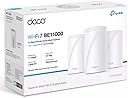
The TP-Link Deco BE11000 is a cutting-edge Wi-Fi 7 mesh system featuring tri-band technology including the new 6 GHz band, delivering ultra-fast speeds up to 11Gbps. Its three-router setup covers up to 7,600 square feet with seamless connectivity, enhanced by AI-powered roaming that supports up to 200 devices. Designed for easy app-based setup and broad device compatibility, it ensures a stable, future-ready network ideal for demanding professional and smart home environments.
| ASIN | B0DCSWHZ79 |
| Best Sellers Rank | 92,311 in Computers & Accessories ( See Top 100 in Computers & Accessories ) 225 in Whole Home & Mesh Wi-Fi Systems |
| Guaranteed software updates until | unknown |
| Item model number | Deco BE11000 |
| Manufacturer | TP-LINK |
| Package Dimensions | 35.99 x 24.1 x 11.99 cm; 3.45 kg |
W**A
Fast, Stable and Exactly as Described
This system is amazing. Iβm using it with a 1Gbps fibre connection and finally getting stable, full speed coverage in every room. Itβs as fast as advertised and has been rock-solid since the initial setup. Just a heads up for anyone buying this in the UK: this is the US version. It arrived quickly from overseas, but you will need to buy your own UK plug adapters as the ones in the box are US-style. Other than that small detail, itβs an incredible piece of kit that delivers exactly what it promises.
A**A
I ordered this 3-pack and also 2 more BE10000 (Deco BE63) units. The entire setup couldn't have been easier. There is no web interface - only a phone app. I thought this was going to be an issue, but after using this system for the past 10 days, I don't miss a web interface at all. The app (in my case, an iOS app) is pretty intuitive and easy to navigate. Whether you're creating static IP addresses on your network, port forwarding, etc., it's very straightforward. Getting the router and 4 additional access points set up took about 15-20 minutes. Once the router is set up, just plug in the access points and they connect automatically. My setup has 4 units in my house and one unit at my daughter's house across the street (150 feet). She works remotely from home and has solid connections. You can see your network topology as a graphic or list. You can drill down to an individual unit and then select individual devices. Each device's IP address, MAC address and upload/download values are clearly displayed. You can also look at the entire client list at once and see what unit it's connected to and whether it's a wired or wireless connection. My last 2 wireless systems were Netgear Orbi systems. I've been a loyal customer for years but I always seemed to be rebooting every week and having problems with firmware updates. It's only been 10 days so far with this system but I haven't had to reboot once. I've also done 1 firmware update and it went smoothly. Overall, I'm extremely happy with this system. I wouldn't hesitate to recommend it to family or friends. My rating method: 1 star - terrible. I wouldn't consider buying it. 2 stars - marginal at best. Doesn't meet the minimum requirements or quality to be useful. Buy it at your own risk. 3 stars - average. Meets the quality and requirements for a product of this type but is nothing out of the ordinary. If the price is good, I'd probably buy it. 4 stars - better than average. Exceeds the typical quality of a product of this type and has a few extra features not usually found on other products of this type. I'd buy it. 5 stars - exceptional - far exceeds the quality of products of this type. Hard to beat the quality and features included. Best value for the money. I wouldn't hesitate to buy it.
T**R
Excellent product as explained
C**Y
Once you get it set up correctly, this system is great. Itβs not as user friendly as some systems, but it works very well once set up and provides great high speed coverage for medium-large homes, including basements.
Z**I
Fast delivery, super easy setup, and amazing performance! Stable speed with no dropouts even with over 30 devices connected. Strong coverage in every room β totally worth it π
P**X
The BE11000 mesh router system is up and running after only about an hour of set up. I put my main unit into my attic and had very few problems with the router itself. The app would sometimes see the router during set up, but still not connect. I had to shutdown and restart the app several times to get the main router operational. After initial set up of the main router, the second router would not connect and the main had gone "red LED" on me. Luckily, this required only a restart of the main and second router. The third router worked without a hitch. Over all, I had to restart the app probably 4 times, and once I had to reset and completely restart the main router. All in all, it was an easy set up, but the app having to be hard shutdown and restarted was a bit annoying. Once the routers are commissioned, the Deco app appears to have almost anything you need to set up your network how you might like. Setting up the guest network in the app is a software switch and a password (or no pw if you want an open guest network). Almost every function is done this way. I don't yet have any 6Mhz devices, but I plan on upgrading my phone soon, which is why I purchased this router. The 6MHz network is not powered on by default, so you'll need to find its switch if you need it. MLO (Multi-Link Operation) is also turned off by default; however, since I'm not yet using these functions, I left them off. This paragraph is how I understand why the router "phones home." I may not have everything right. The 6MHz (Wifi7) requires a call back to verify Automated Frequency Coordination (AFC), if you want full power 6MHz. This is a US government reg, and also similar in Canada. This means your router will be calling out every day to refresh itself on the database. This is TP-Link complying with US/Can (and maybe others) requirements. If you don't like the call back, you can disable it and your 6MHz will operate at the "acceptable" lower power mode. If you are in the same room with the router and have no walls between you and the router, then lower power might suffice. If you're going through almost any barrier, then you will probably need higher power. This is because higher frequencies are "Line of Sight," and don't penetrate obstructions very well. Going through some 3/4 inch plywood decking and the drywall ceiling, my connection speed is down to about 25% of the speed between the router and the modem, using the 5MHz band. Walking around doesn't affect my connectivity much; I noticed no dropping or serious lags without disconnecting/reconnecting to Wifi, which I had to do regularly with the router I replaced. Going through a single piece of hardie plank siding, with the router wirelessly connected through roof decking and shingles, I got about 35% speed. After everything was set up, I performed a "live" firmware update. In less than 2 minutes, I was back online. I needed to do nothing except initiate the update and wait. Once I was set up, I had many strange devices on my network. I was able to identify some of them, but others were more difficult. I resolved this by block the IP of my devices and then seeing which ones stopped working. Some of them, I could look up the IP address, which made identifying them a little easier. Once they were identified, I changed their name in the Deco app, so now I can see at a glance what is and is not connected. As an iPhone family, the "Andriod" connection was the most alarming. It ended up being a programmable picture frame. All in all, I'm quite content with this mesh router set up. My old router left several blind spots, and now I haven't found any areas in my home that are not covered. The annoyance of the app during set up did not warrant a star loss in my rating, but it was definitely annoying.
Trustpilot
2 weeks ago
2 weeks ago