We remain fully operational. Our teams are working around the clock to ensure your deliveries continue safely.

DOWNLOAD THE APP


Customer Services
Copyright © 2025 Desertcart Holdings Limited
DOWNLOAD THE APP
Buy anything from 5,000+ international stores. One checkout price. No surprise fees. Join 2M+ shoppers on Desertcart.
Desertcart purchases this item on your behalf and handles shipping, customs, and support to Hong Kong.
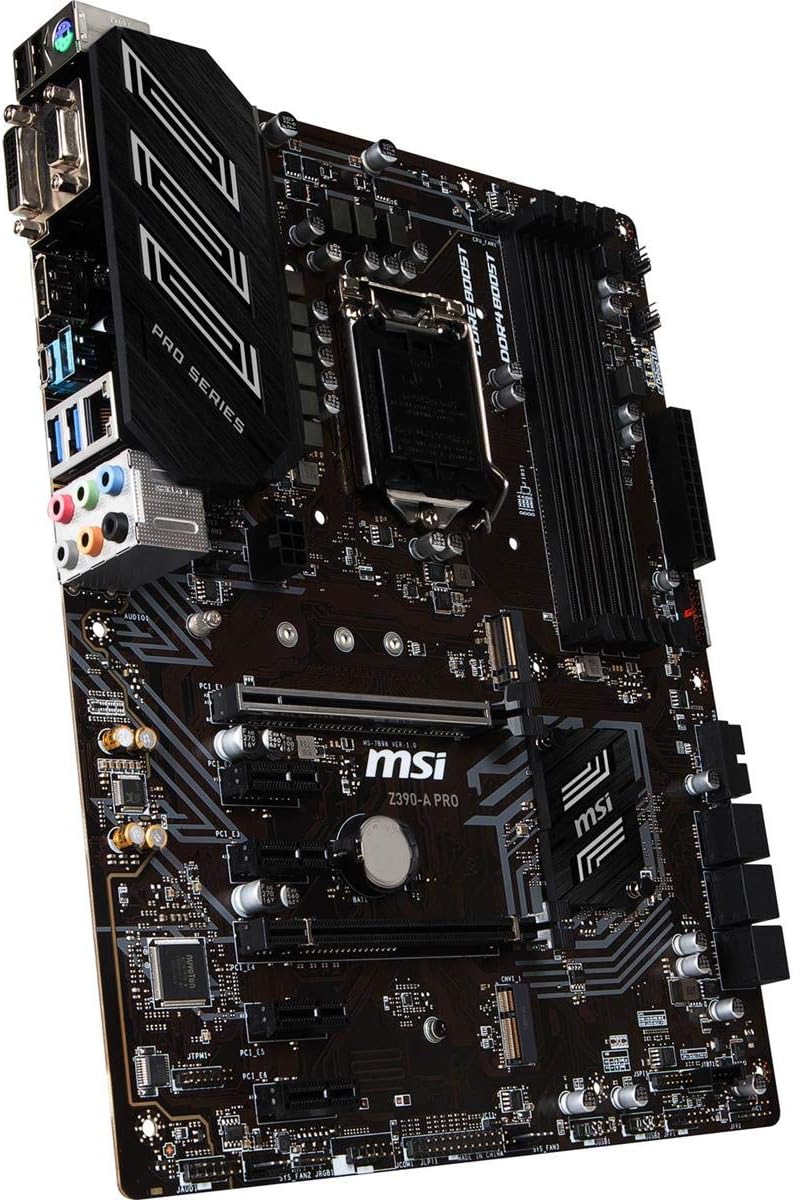
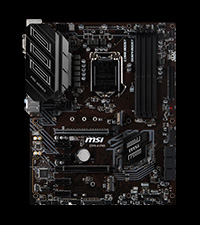
⚡ Elevate your build with MSI Z390-A PRO — where pro power meets unstoppable speed!
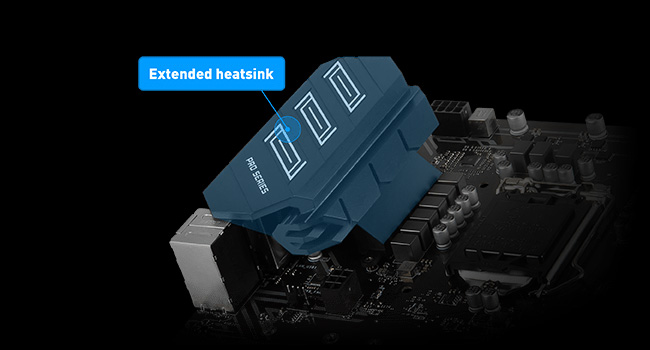
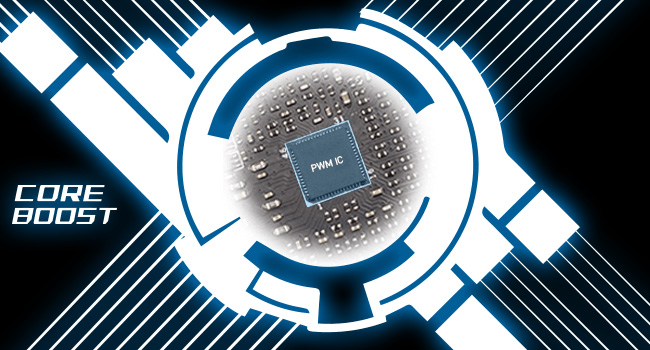
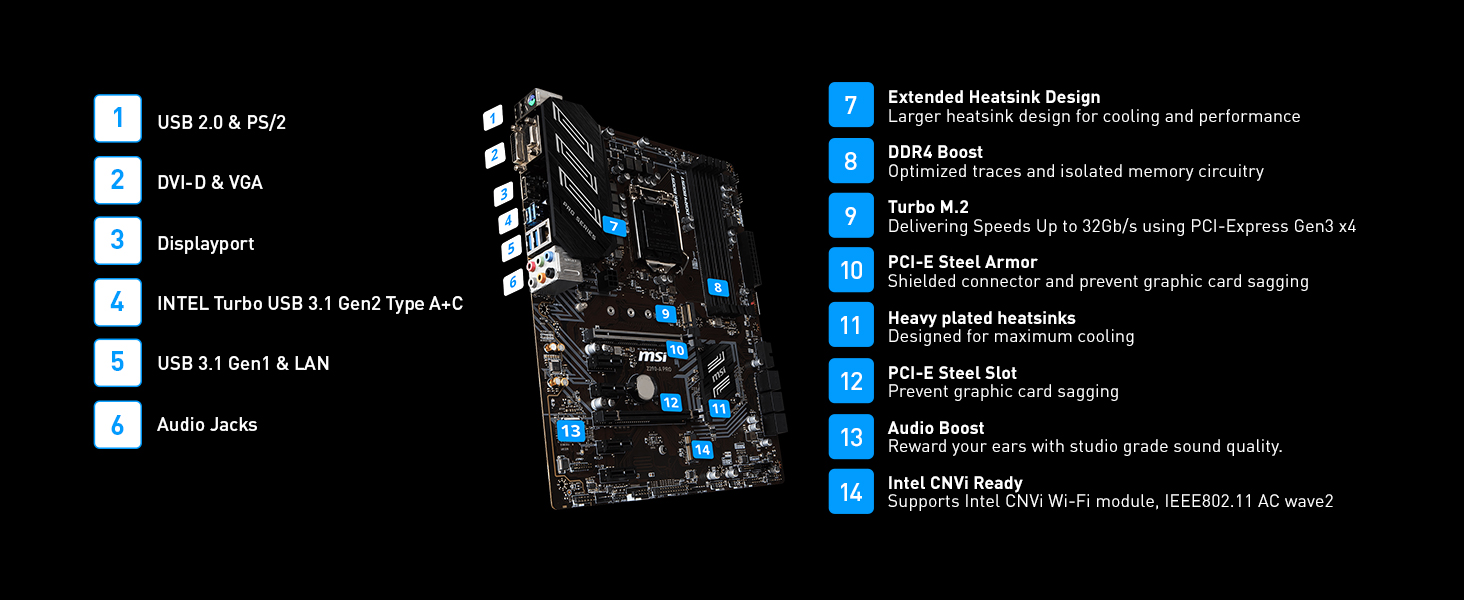
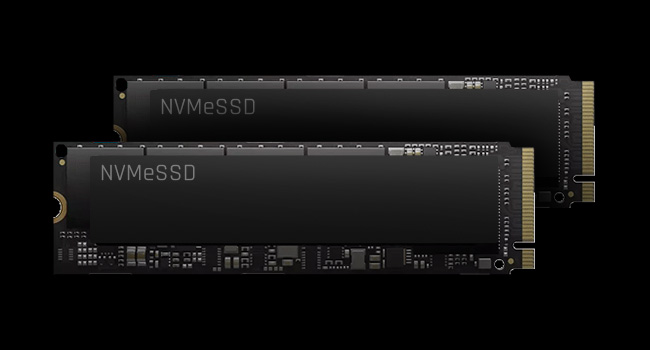
The MSI Z390-A PRO motherboard is a robust ATX platform designed for 8th and 9th Gen Intel processors, supporting high-speed DDR4 memory up to 4400MHz (OC) and featuring Turbo M.2 PCIe Gen3 x4 slots for ultra-fast NVMe SSDs. Built with enhanced cooling and Core Boost technology, it ensures stable performance for demanding professional and gaming setups. With Intel USB 3.1 Gen2 and dual Gigabit LAN, it offers cutting-edge connectivity, making it a reliable choice for productivity and multi-GPU configurations.






| ASIN | B07J6Z9KJ2 |
| Best Sellers Rank | #199 in Computer Motherboards |
| Brand | msi |
| Built-In Media | Gaming motherboard, cables and connectors, quick setup guide |
| CPU Model | Pentium |
| Chipset Type | Intel Z390 |
| Compatible Devices | Gaming Console, Personal Computer |
| Compatible Processors | 8th Generation Intel Core, 9th Generation Intel Core, Intel Celeron, Intel Pentium Gold |
| Customer Reviews | 4.6 4.6 out of 5 stars (4,827) |
| Global Trade Identification Number | 00824142169544 |
| Graphics Card Interface | PCI Express |
| Item Dimensions L x W x H | 9.6"L x 2.5"W x 12"H |
| Item Type Name | Z390-A PRO |
| Item Weight | 100 Grams |
| Main Power Connector Type | ATX |
| Manufacturer | MSI Computer |
| Memory Clock Speed | 4400 MHz |
| Memory Slots Available | 4.0 |
| Memory Storage Capacity | 64 GB |
| Model Name | Z390-A PRO |
| Model Number | Z390-A PRO |
| Number of Ethernet Ports | 1 |
| Number of Ports | 17 |
| Platform | Windows 10 |
| Processor Socket | LGA 1151 |
| RAM Memory Technology | DDR4 |
| Ram Memory Maximum Size | 128 GB |
| S/PDIF Connector Type | Optical |
| System Bus Standard Supported | SATA 3 |
| Total Number of HDMI Ports | 1 |
| Total PCIe Ports | 5 |
| Total SATA Ports | 6 |
| Total Usb Ports | 12 |
| UPC | 824142169544 |
| USB 2.0 | 6 |
| Warranty Description | 3 Years |
A**T
The budget z490 series board gamers need!
If you want a great budget board for your new 10th gen Intel core cpu, this is the one for you! MSI has a great BIOS layout, quick BIOS flash options (so easy even I can update the BIOS), and rock solid build quality. All connections went well, two available M2 slots (once way down on the board away from heat sources), and plenty of system fan connectors (all can be smart controlled) make this board a nice and simple platform for any build. Sure, its not flashy, but it has all the features that the falshy-er MSI boards have at a lower cost (who really needs RGB on a mobo?). Zero problems on first boot, easily OCed my 10600k to 5GHz dynamic clock, 45 ring ratio, 1.29v w/ adjustable voltage and enabled XMP without issue. Running Valorant at 400+ fps average, no drops below 250 in-game. Core System: MSI z490 A-Pro i5-10600k Noctua NH-U12S cooler MSI 5700xt
J**B
Great budget board for multiple gpu's
I'm currently running six graphics cards with this board and it's working perfectly. The installation was quick and easy. It did not come with a manual however any information you need can be downloaded from the company's website. The BIOS made most of the settings simple to manage due to how intuitive it is. I haven't played any games with this board so I can't attest to how it would handle them. I've only used this board for a few weeks now and will update my review if any changes occur. So at this time it's a great buy for the price and is a quality board I'd recommend to anyone.
C**E
Great product
It was sipped fast, it was nicely packaged and everything was right there, it’s a good motherboard and it’s great if you need something that fits a case
R**N
Smoothest upgrade ever in 40 years of bulding computers
Upgraded from an early model Z370 series motherboard that didn't support series 9000 processors or ram faster than 2666 MHz. I was a little leery since I am running Windows 11 developer's preview version and didn't want to do a full clean install. But as it turned out, I had no reason to be concerned. The first boot into Windows went smooth as silk. My M.2 Intel SSD boot drive and the existing install were immediately recognized. Windows 11 found and installed all drivers without a hitch. I did have to update a couple of them but otherwise no issues. The next step was to see how easy it is to overclock. The documentation that comes in the box is limited to a graphic Quick Start sheet that is pretty much useless. But I located the manual on the website and gained enough info to get the job done. Novice builders beware. If you are new to building systems I would recommend a different board with better documentation. Also don't waste your time with Dragon Center, the manufacturer's Windows utility. That is about the most worthless piece of junk software I have ever seen. But I have turbo boost set to 4.8 GHz on my i5-8600K CPU. And I am only running 16 GB of 2666 MHz DDR4. But the benchmark scores are fantastic. And I haven't touched the CPU base clock yet. Price was great. Install smooth. Performance excellent. Next step, upgrade to 3200 MHz ram and eventually an i7-9700K. Update 3-7-2022 - Well, the prices on an i7-9700K are totally ridiculous but I found a sweet deal on a 9700KF so I grabbed it up. The only difference between the two CPUs is the KF doesn't have integrated graphics. I have a discrete card so that wasn't an issue. I am currently running OC'd at 5.0 GHz and my Passmark benchmarked over 35% higher than with the 8600K. Also have my memory running at 3060 Mhz instead of 2667. Temps don't exceed the mid 60s C running CPU-Z stress test. Not bad on an air cooler. Final note - I did switch back to Windows 10 Pro 64 bit. Still the way to go with Windows period.
F**R
Solid 10th gen motherboard
This review is for the MSI Review Rebate Program. I was looking to upgrade my 8 year old MSI motherboard to a 10th gen board. That board was solid for me, so I decided to stick with MSI, rather than Gigabyte. (Plus, the Gigabyte 10th gen boards were more expensive.) While I'm not a hard-core gamer, I do plan on playing games with this PC. As I don't really care about RGB on the board, I opt'd out of the Gaming Plus board for this cheaper Pro model. From what I can tell RGB is the only notable difference in the two. Edit - 8/8/20: The ALC1220 audio codec on the Gaming Plus board is supposedly better than the ALC892 on this Pro board. The Gaming Plus board also has an S/PDIF audio connector. As the MSI web site says, this is a well-constructed board. I could tell just by taking it out of the box. Installing a board is installing a board - pretty straightforward, if you've done it before. The user guide is pretty decent for being a foreign-based company - i.e. English instructions are pretty good. Plus, there is a lot of good detail in the manual. One thing they could improve on in the install instructions is providing clarity on CPU power. Instructions imply you need the 8 pin and 4 pin power connectors, but you only need the 8 pin, unless you are going to do some very serious CPU overclocking. (multiple articles on the internet on this) I'm using an NVME card as my primary storage. Installing that under the FROZR shield was a piece of cake, especially since multiple m.2 screws are included. When the board booted, it had no problems with the NVME card or any other component for that matter; the board just booted up fine. Something I find slightly odd... when booting up, the logo displays, but the options to boot into BIOS or Boot Manager only blip on the screen for .5 seconds. I'm not sure if this is because I have a fast NVME drive and CPU, or if its a flaw in the design of the board. I installed Windows 10 (2004) on this PC. I seem to be having some issues with the onboard Realtek audio drivers. When I try to install the latest from the MSI site, they don't seem to stick - the Microsoft drivers stay there. I called MSI tech support and they couldn't really figure it out. So, I'm hoping either Microsoft or MSI comes out with a patch for this. I personally think Dragon Center is a bloated piece of software. It installs multiple components that do not apply to me - e.g. mystic lighting. Also, the "scenarios" feature I found to be harmful, in that as soon as you click on a scenario, it changes your BIOS settings (e.g. memory speed). On the surface, that sounds like a good idea. However, the scenarios customization does not allow you to customize key aspects (like memory speed). You have to go back into BIOS. It turns out Live Update is all I really needed, so I uninstalled Dragon Center and downloaded Live Update from the MSI web site. (It is not on the install disk included with the motherboard.) Everything considered, this appears to be another solid board from MSI at a decent price-point. Update (8/7/20): While the initial install of the Realtek drivers did not work well (install package kept reinstalling), I did eventually get it to work by cancelling out of the reinstall. Part of the issue was that I originally got a bad tech support person at MSI. His immediate and only advice was to reinstall Windows, which I had just installed. He didn't bother to understand the issue. When I later got someone who knew better, he clarified that only the "Sound, video and game controllers" device shows an updated driver. The devices under "Audio inputs and outputs" still show an older Microsoft driver. This is how it is supposed to work according to MSI. Audio is working fine, which leads me to a point... I'm not clear what the "Audio Boost" feature does. The sound from this board is no different than what I got from my 8 year old MSI board. BTW - Both times I called MSI tech support I waited less than 5 minutes and both techs were clearly English-speaking - likely in the US like me.
A**S
Honestly I'm not an MSI fan. I've had boards of theirs fail far too many times over the years. However at the price point, it was worth taking a chance and hoping that MSI had finally gotten something right. And they have. The Z590-A Pro is a great board, well designed with a solid layout and a simple black and grey color scheme. Component layout for SATA ports and the included 3 M.2 slots is excellent. Just keep in mind you cannot use the first M.2 without an 11th gen chip. The only complaint I have with the Z590-A Pro is the BIOS/UEFI is cluttered and not very friendly to overclockers. Lots of options are hidden in menu after menu and voltage adjustment options make very little sense. It's not the worst BIOS layout I've ever encountered, that crown goes to Gigabyte still, but it's not on the level of Asus' high end designs or EVGA. So overall, this motherboard is a success. A few small complaints here and there but they do not ruin the overall experience. Also works well with Windows 11, however the TPM is not turned on by default.
L**D
Had some difficulties with space between motherboard and tower case, making it difficult to install video card, so I bought a GIGABYTE Z390 AORUS PRO Wi-Fi (Intel LGA1151/Z390/ATX/2xM.2 Thermal Guard/Onboard AC Wi-Fi/RGB Fusion/Gaming Motherboard) a better motherboard.
C**O
Todo está muy bien y si acaso estaría bien tener un poco de rgb en el chipset o un pequeño ventilador pero de allí en fuera es muy buena la calidad .
J**E
Bought this a s replacement board for my 8th gen I7 as after 2 years my Gigabyte board decide to not work on PCIE x 16. As this was a maintenance replacement I wasn't expecting much but was surprised by the performance. The vendor was extremely friendly and customer oriented and gave great pre-sales advice on this product. 5 Stars to the seller for being honest and helpful.
G**E
Amazon description is incorrect as this motherboard does not have onboard Wifi 6. Neither does it have the Key E m.2 slot needed to add an Intel Wifi 6 module - you'll need an adapter to fit it to one of the two Key M slots or to pcie. Otherwise a good mobo though.
Trustpilot
2 days ago
3 weeks ago