
DOWNLOAD THE APP


Customer Services
Copyright © 2025 Desertcart Holdings Limited
DOWNLOAD THE APP

🎥 Elevate your video presence—because first impressions happen in pixels.
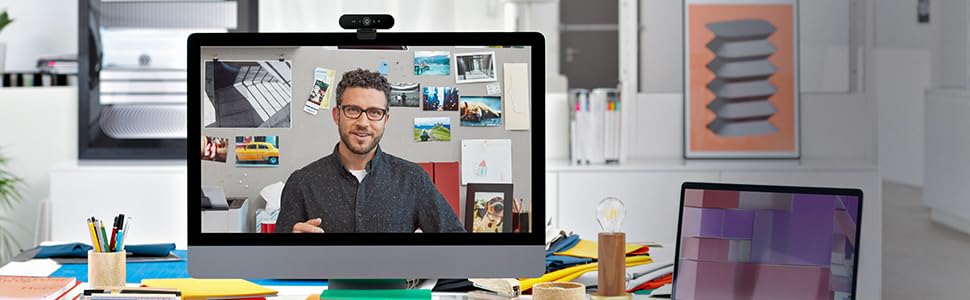
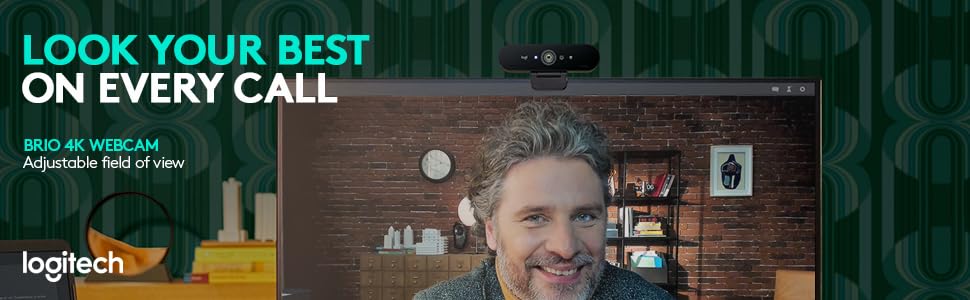
The Logitech Brio Stream is a premium 4K Ultra HD webcam designed for professional-grade video calls and streaming. Featuring 5x HD zoom, RightLight 3 HDR auto light correction, and a noise-canceling microphone, it ensures crystal-clear visuals and audio in any environment. Compatible with major conferencing platforms and equipped with Logi Tune software for easy control and updates, it’s the ultimate tool for remote work, streaming, and high-quality video collaboration.


| ASIN | B01N5UOYC4 |
| Best Sellers Rank | #3,983 in Computers & Accessories ( See Top 100 in Computers & Accessories ) #21 in Webcams |
| Country of Origin | China |
| Generic Name | Webcam |
| Importer | Importer AddressSavex Technologies Private Limited, S1, Gala No:1-2, 101-102, Perana Industrial Complex, Anjur Phata- Mankholi Rd Village, Bhiwandi District, Thane, 421302, Maharashtra, Registered Add: Savex technologies Private Limited, 124, Maker Chambers - III, Nariman Point, Mumbai 400021, Maharashtra India. |
| Included Components | webcam and Quickstart User Guide |
| Item Dimensions LxWxH | 25 x 25 x 102 Millimeters |
| Item Weight | 336 g |
| Item model number | 960-001105 |
| Manufacturer | Logitech, Logitech Asia Pacific Ltd, Unit no. 1003, Tower 1, Cheung Sha Wan Plaza, Cheung Sha Wan Road, Kowloon, Hong Kong. |
| Net Quantity | 1 Piece |
| Packer | Logitech Asia Pacific Ltd, Unit no. 1003, Tower 1, Cheung Sha Wan Plaza, Cheung Sha Wan Road, Kowloon, Hong Kong. |
| Product Dimensions | 2.54 x 2.54 x 10.16 cm; 335.66 g |
G**E
Premium Webcam - Satisfied With Purchase
PSA!! Please make sure this is connected to a USB 3.0 port or else highest available resolution would be 1080P and not 4k. Most USB 3.0 ports have a thick blue tab inside the port if you are having a hard time finding which one is it. Do not use any kind of USB extensions or docks with this webcam. Directly connect it to one of the USB3.0 motherboard ports. If you are calling with Google meet or zoom, please make sure you have selected highest available send and receiving resolution from the video options in call - and have not selected auto, otherwise no point getting a premium webcam only to transmit a watered down version. Picture quality is definitely better than a lot of webcams out there, HDR seems to be weak but there, which is a welcomed addition. The camera itself seems to be struggling a lot when it is outputting @4k. My graphics card (RTX 3070 OC edition) usage becomes around 60-70% and the video seems to lose its fluidity just a bit, I have a top of the line gaming PC and rest assured it is not a bottleneck. It is a well known thing with Brio. I dialed down the resolution @1080 (FHD) which is a nicer picture compared to C920 FHD because for Brio it is super sampling from 4K. Colors are very nice with a lot of detail preserved in shadows thanks to the HDR. The logitune software is great for updating the firmware and additional color correction. Some minor tweaks later I did not even have to apply a lut or anything inside OBS, it was fine as is! Which is very convenient. I did not want to fiddle with a DSLR, capture card and battery adapters. So I got this and I'm happy with what I got. If you are someone who needs to present themselves professionally through video a lot this is a great tool to add to your video calling setup. Recommended!
D**Y
Go for it
Best decision. Best camera. Supreme quality of video. Software by logi makes it even more useful.
N**N
Better than the laptop webcam, but costly.
My Dell Latitude webcam was pathetic and I was using a DSLR as webcam. The DSLR had limited battery time, so I decided to buy this model. Even though Brio wont give DSLR picture quality it has decent performance and I am satisfied. DSLR hadn't much settings available. Brio has more setting available to adjust the picture quality. Works good in low light also without need for studio lighting.
S**M
totally worth it
best web camera for 4k 30fps and simple to use great for video calling.
S**U
Flicker issue
For the cost not worth, it has a consistent flicker issue. The way around is to keep FaceTime on while doing google meet, slack huddle. Disaster for this cost
D**R
Good webcam, But not the video quality you expect
When i hear 4k and consider the pricing point (16k), I thought it will provide me a mobile camera grade video quality in streaming. But actually its not. It will be on good video quality compared to other webcams and built in one. But not at the 4k quality you shoot on your mobile camera or not even at the full HD quality you see it on youtube. Its not only with logitech, almost every premium webcam does the same. In Mac, iphone as continuity webcam offers very great quality. I would say only that is 4k. But we can’t do it all the time due to fast battery drain for long usage and the price we paid for the iPhone. If you are in good lighting conditions, the quality of the video will be good on brio compared to the normal webcam. I tried with both mac and windows and . No difference in quality. With FaceTime quality is worse. I know it is due to mac os degrade the quality in facetime. In teams and zoom video quality is ok but it comes with very great limitations that video streaming will be decided by the video streaming application by lot of factors like network bandwidth, CPU and memory capacity of computer etc. Eventhough all the conditions are satisfied, participants in the meeting should have good internet to see the same quality video which your system is sending. i have 60mbps bandwidth and i7 cpu which rarely gives me full hd streaming and most of the time it sticks at 720p. This is the same case with Mac M1. It’s getting hot when used for more than an hour My Conclusion Considering the price paid for this webcam, its not value for money. But almost every webcam does the same and not much options available to get the actual 4k or full HD Quality. I bought this for 3 reasons. 1. Need good quality videos in teams and other video meetings because my built in web cam is very bad in lenovo and bad in mac m1 2. This product offers infrared cam which is good for windows hello face unlock. It actually works, but not at the speed of apple face id. I am not sure its the limitation of windows or webcam itself 3. Product should be a future proof (i guess in future, teams or other providers may offer 4k streaming) Overall its a good product, but not value for money.
A**R
heating issue & no windows hello support
Please don't get me wrong. The webcam is excellent, lookwise, built quality is top-notch. I'd say I'm slightly disappointed. 1. heating issue 2. no windows hello support Update:- working fine, so far so great. 👍 If you want to make a video/conference call or like to stream at 4k 30 or 1080p 60 & you don't have any USB c port on your desktop or laptop, then you have to purchase a belkin usb a to USB c high speed cable. I bought and finally 4k 30/1080p 60 has become possible. Before that only 1080p 30 or 720p was possible. Now here comes the big BUTTT...... It's getting really hot while streaming or making video calls even at 720p. HEATING PROBLEM IS THERE. 🥺 OTHERWISE IT IS EXCELLENT 👌👍
R**M
For a better picture quality as online trainer I purchased the Logi Brio 4k. Setup was done after connecting it. There is some Logitech Software for the cam - but its not really necessary. I was impressed how much better the picture quality - especially under low light/non optimal light - improved in comparison to my Logitech c925e - which is already a very good one. As a bonus for me does the cam support login via Windows Hello - to login in Windows with your Face. Works really well for me. It's on the bigger side - compared with others. But ok. And its tripod mountable. Thats helpful sometimes. Also prolonging the cable to around 5m was no problem (had my share of problems with a Elgato Facecam Pro here). One thing - the included privacy flap - I didn't realised what the included plastic thing was for at first. Then I got it - you are supposed to clip it on top. An included privacy flap like in the c925e would have been nicer and easier to use. The only thing I regret is that I didn't bought it earlier ;-) ...
S**S
First off, there is no other webcam available to me that I could compare it to, so this is a biased opinion. Secondly, it does a very decent job at serving its main purpose: Logging into a modern Windows 10 desktop PC via Windows Hello facial recognition. I think whenever Hello doesn't work efficiently it's the fault of Windows 10 (amongst this OS' *many* other shortcomings!). Re: the 3 features: It does a good enough job at auto-focussing, I think, again with no other webcam available to compare it to. However, there is a bit of lag even on a machine with 8GB RAM and an 8700T CPU. (VERY IMPORTANT: Note the "T" in the CPU. Maybe if it was the higher-end 8700MHz CPU there wouldn't be any lag. I just don't know.) The Picture quality is decent too, but I find it a bit grainy when using software like OBS. As I am writing this, I changed the Low light rating to 5**, as I think it does an excellent job in medium to low lighting. The mic's quite good on it too. I think unless you're doing really high-end computing (perhaps professional YouTubing), this webcam's mic would serve you very well. I've only had a month to intermittently test it, but I *can* say this: Whether you're using Logitech's own Capture software or something like OBS for recording or streaming, you *will* tax your system. On the desktop PC described, CPU usage went up to over 30% - with its fan going like a jet engine's! The PC's built-in Intel UHD630 goes to 98.5% and up! I'll definitely have to look into what can be tuned on the PC, e.g., graphics RAM allocation (a BIOS thing), etc., to make this webcam work more smoothly. The PC is new too so there could be some tweaking to be done to make things more harmonious. Any proven suggestions that worked for you would be welcome. Oh, and one more thing: If you'll be using this for Hello, USE LOGITECH'S LATEST DRIVERS otherwise you’ll be *extremely frustrated* as to why the feature isn’t working out of the box! That was a lot to say, and it’s only scratching the surface, but it gets the main points across I think.
T**.
Excellent camera with gorgeous quality. It was setup in seconds on my Mac and the app provides so many options to get the perfect video for any setup and lighting. People are constantly commenting on how good the video quality looks with my video calls.
M**A
there was a brief time period where this camera was the go-to option of many, that period is long gone and much better alternatives are available for less than half the price. Would I buy it again? don't think so
N**L
Incroyable qualité et fait très bien le focus doit rajouter des lumières pour une qualité optimale.
Trustpilot
2 months ago
1 month ago