We remain fully operational. Our teams are working around the clock to ensure your deliveries continue safely.

下载应用程序


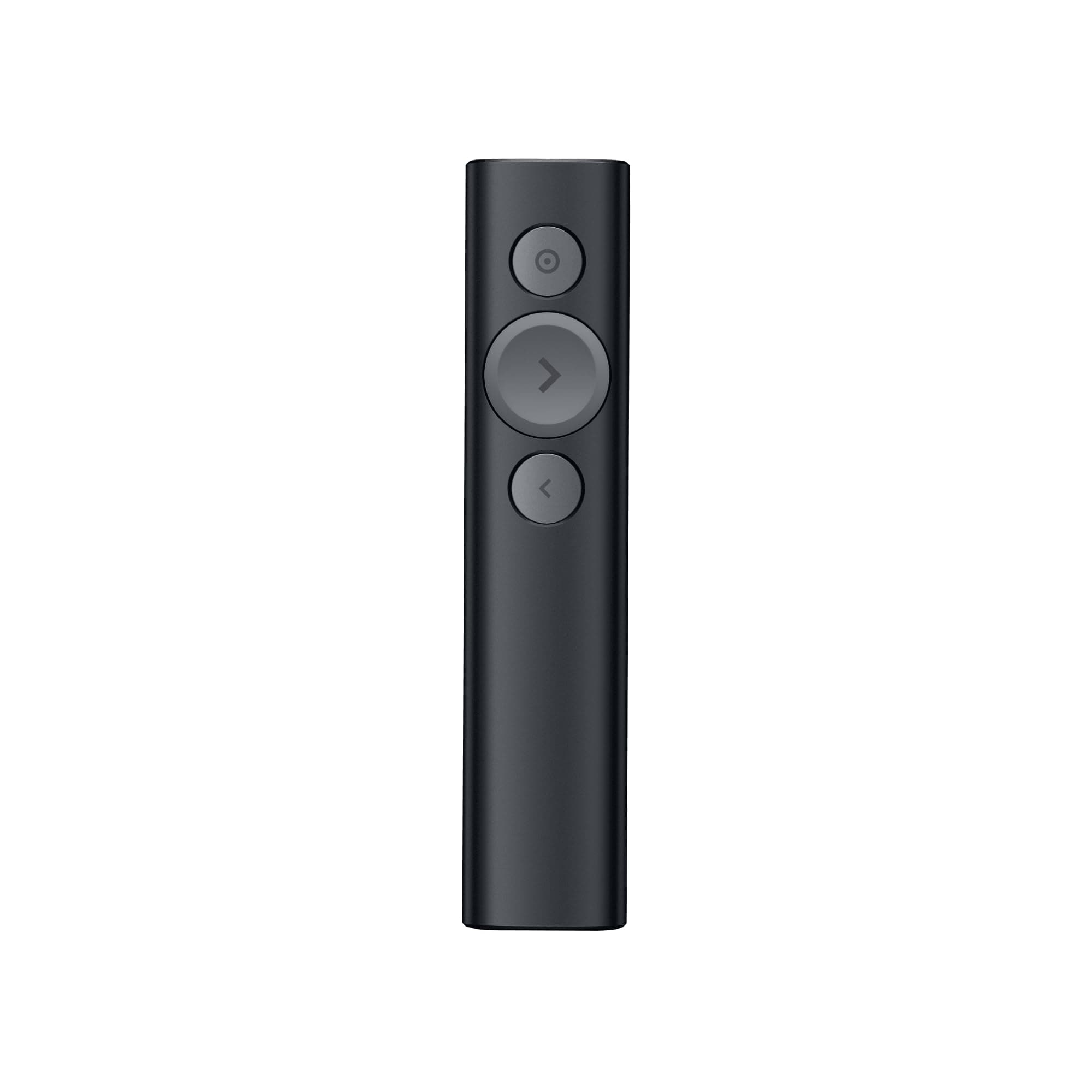

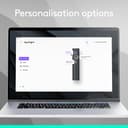
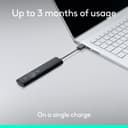
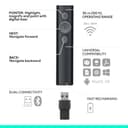
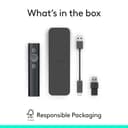
🎤 Spotlight your brilliance, anywhere, anytime.
The Logitech Spotlight Presentation Remote redefines professional presentations with its advanced digital highlighting, 30-meter wireless range, and dual USB/Bluetooth connectivity. Featuring quick charging, smart vibration timers, and universal compatibility across major platforms and software, it empowers managers and professionals to deliver flawless, engaging presentations with ease and style.


| ASIN | B07S5HMQBH |
| Additional Features | Ergonomic |
| Battery Type | Lithium-Ion Polymer |
| Best Sellers Rank | #7,486 in Office Products ( See Top 100 in Office Products ) #10 in Office Presentation Remotes |
| Brand | Logitech |
| Button Quantity | 5 |
| Color | Black |
| Compatible Devices | Personal Computer |
| Connectivity Technology | Bluetooth |
| Controller Type | Button Control |
| Customer Reviews | 4.3 4.3 out of 5 stars (1,201) |
| Global Trade Identification Number | 00097855152756 |
| Item Type Name | Logitech Spotlight Presentation Remote - Advanced Digital Highlighting with Bluetooth, Universal Presenter Clicker, 30M Range and Quick Charging – Black |
| Item Weight | 49.2 Grams |
| Manufacturer | Logitech |
| Maximum Number of Supported Devices | 1 |
| Maximum Range | 30 Meters |
| Mfr Part Number | 910-005749 |
| Model Name | Spotlight Presentation Remote |
| Model Number | 910-005749 |
| Number of Batteries | 1 Lithium Polymer batteries required. (included) |
| UPC | 097855152756 |
| Warranty Description | 1 Year Limited Hardware Warranty |
H**R
Wireless Wizardry: A Closer Look at the Logitech Spotlight Remote
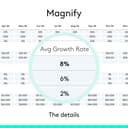
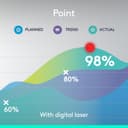
When it comes to presentations, finding the right tools can truly make a difference. Enter the Logitech Spotlight Remote—a game-changer that's transformed how I handle my presentations. After putting it to the test, here's what I've discovered. This is by far the best presentation remote I have ever used. In fact I lost the receiver and I purchased another remote! The Logitech Spotlight Remote is all about simplifying presentations. With a range of up to 100 feet, I can navigate slides and interact with on-screen content effortlessly. It's like having complete control from anywhere in the room. The customizable timer is a standout feature for me. Vibration alerts sent directly to my hand keep me on track without disrupting the flow. But the real magic lies in the advanced pointer system. It allows me to highlight and magnify areas of focus with pixel-perfect precision. You can also easily blackout the screen with a tap. This level of detail is essential when delivering impactful presentations. What's more, the remote offers gesture-commanded scrolling, panning, and volume control, giving me all the tools I need to crush every presentation. One of the impressive aspects is its long-lasting battery life. A full charge lasts up to three months, which is a relief during back-to-back presentations. The remote is plug-and-play on most devices and platforms, which makes setup hassle-free. The Logitech Presentation App is a great companion that unlocks additional capabilities. In summary, the Logitech Spotlight Remote has truly elevated my presentation game. Its range, customizable timer, advanced pointer system, and additional features offer a comprehensive package for presenters. If you're seeking a remote that simplifies and empowers your presentations, the Logitech Spotlight Remote is definitely worth considering.
D**L
Simply one of the best pointers for presentations
I've used this type of pointer for over 4 years. One of the biggest challenges with pointers while delivering presentations is that you don't know what your viewer's eyeballs are looking at. You want to connect to your viewers, but when you project slides - you want to make sure they are looking at what you are talking about. The pointer makes it extremely simple to blank the screen, so your viewers are looking at you when you want to be connecting to them. Then when you project - this pointer has a "spotlight" function which dims the slide and allows you to highlight exactly what you want them to be looking at. It takes a USB charge quickly (approx 2 min to give you a full presentation of battery life. It's small. 3 buttons which can be reprogrammed. The newer unit supports a Bluetooth connection. Supports Mac and PC. The manufacturer has produced high quality peripherals for decades.
S**E
Best clicker out there. Beautifully-designed, easy to use, USB-rechargable, and all-around awesome.
Looks great. Feels great in my hand. Easy-to-use. Boosts my confidence when I go out on stage. I'm a professional speaker, and so getting a new clicker for my talks was bizarrely one of the most exciting things I've done this year! :) I chose this one because it has a good range (100ft/30m) which means it'll work well if I'm presenting in a big ballroom and my laptop is at the back of the room with the A/V station, and I'm at the front of the room on a stage. The clicker looks good and feels nice in my hand. Well-balanced, and just a nice finish on the metal. The buttons are simple and there's no confusion with accidentally pressing the wrong button. No laser, but that's ok because there's an even better feature: Spotlight. Point your clicker at the screen, hit the "highlight" button, and the screen darkens just a little, save for a spotlighted area that you're pointing to. It's like magic. Really impressive tech, and it's easy to set up and use. Love, love, LOVE it! I'd recommend this clicker to anyone. And I've used a lot of different types in my time. Unless you're spending $900 on a professional Cue clicker system (which some big Venus have for their A/V teams) this is about the best you'll get out there. Long range, reliable, beautifully-designed, ergonomic, simple to use, and with great features. And NO MORE BATTERIES! The clicker charges with an included USB cable. And if you get to a presentation and find it's dead, you can charge it up enough in one minute for three hours of use. Terrific. Get one!
W**B
BEST TOOL I EVER BOUGHT
It's the simple things in life that give us the most pleasure. I foolled around with cheap remotes for year before finally finding one that allows me to fully integrate my graphics into my 2.5 hour presenatation. As a professional speaker you must be fully comfortable to be able to totally concentrate and speak freely. Fumbling with slides distracts attendees from your point, and eats into your credibility. The Spotlight device is easy to use, reliable, strudy and well crafted with lots of additional features if choose - functioning so smoothly that it's almost second nature. Charging is a snap and battery life is extraordinary. If you're a pro - get this thing. I cannot recommended it more highly.
A**X
Nothing like that on the market, it’s a great tool. Just wished it had a mouse click option, it would be the perfect air mouse.
D**E
I don't understand how this works, but it does. When I'm teaching, I have my laptop, the lecture room monitor and the projected image. It works on all 3 screens. It's also great for practicing at home on your flat screen where you regular laser pointer won't show up. Definitely worth it IMO .
P**N
Very cool product. Easy to integrate and understand. Battery life is great. Range is as promised. Features are useful and well thought out. My favourite purchase on Amazon so far
A**D
Very good product
S**A
Good pice of gadget to provide more glow to power point or desktop presentation