


🧹 Elevate your clean game — because your floors deserve a smarter shine!
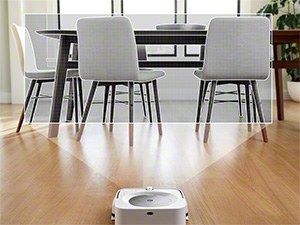
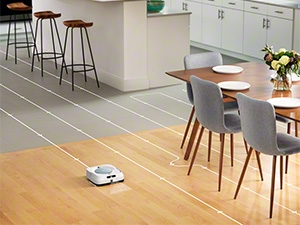
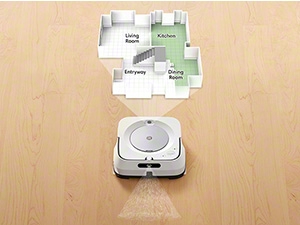
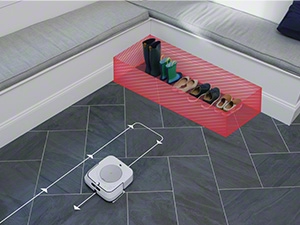
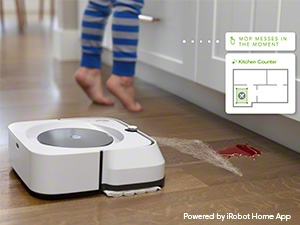
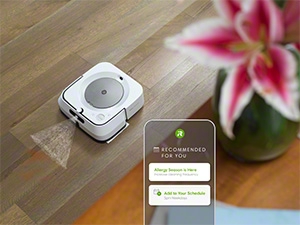
The iRobot Braava Jet M6 is a Wi-Fi connected robot mop designed for hardwood, tile, and stone floors. Featuring precision jet spray technology and advanced iAdapt 3.0 navigation with smart mapping, it efficiently tackles sticky messes and grime across multiple rooms. Compatible with Alexa and Google Assistant, it offers hands-free control and automatically recharges and resumes cleaning, making it an ideal solution for busy professionals seeking effortless floor care.












| ASIN | B07QNM91NQ |
| Batteries are Included | Yes |
| Battery Life | 150 minutes |
| Battery Type | Lithium Ion |
| Best Sellers Rank | #47,568 in Home & Kitchen ( See Top 100 in Home & Kitchen ) #53 in Robotic Vacuums |
| Brand | iRobot |
| Brand Name | iRobot |
| Color | White |
| Compatible Devices | Amazon Echo |
| Control Method | App |
| Controller Type | Amazon Alexa, vera |
| Customer Reviews | 3.9 out of 5 stars 10,853 Reviews |
| Filter Type | Cartridge |
| Form Factor | Robotic |
| Global Trade Identification Number | 00885155019615 |
| Included Components | 1 Braava jet® m6 Robot Mop, 1 Charging Dock, 1 North American Line Cord, 2 Single-Use Dry Sweeping Pad, Cleaning Solution, Docking Station, Mop Pad |
| Item Dimensions L x W x H | 10.6"L x 10.6"W x 3.5"H |
| Item Height | 3.5 inches |
| Item Type Name | Robot Mop |
| Item Weight | 4.85 Pounds |
| Lithium Battery Voltage | 3.6 Volts (DC) |
| Manufacturer | iRobot |
| Manufacturer Warranty Description | 1 year limited. |
| Model Name | iRobot Braava jet m6 Wi-Fi Connected Robot Mop |
| Model Number | m611020 |
| Other Special Features of the Product | Ultimate Robot Mop- Wi-Fi Connected, Precision Jet Spray, Smart Mapping, Works with Alexa, Ideal for multiple rooms, Recharges and Resumes |
| Power Source | Battery Powered |
| Product Dimensions | 10.6"L x 10.6"W x 3.5"H |
| Special Feature | Ultimate Robot Mop- Wi-Fi Connected, Precision Jet Spray, Smart Mapping, Works with Alexa, Ideal for multiple rooms, Recharges and Resumes Special Feature Ultimate Robot Mop- Wi-Fi Connected, Precision Jet Spray, Smart Mapping, Works with Alexa, Ideal for multiple rooms, Recharges and Resumes See more |
| Surface Recommendation | Hard Floors |
| UPC | 885155019615 |
| Unit Count | 1.00 Count |
| Voltage | 100240 Volts |
K**M
Cleans good but the wheel marks are a real bummer
Like a lot of reviews say, there are definite wheel marks. Weird, because I have a stand up heavy floor cleaner and it doesn't leave wheel marks. I haven't pin pointed why it does this. It is really quiet. If it weren't for it playing a jingle announcing that it has started, my dog would probably leave it alone lol. Wish I could turn that off, because its jingle is what triggers my dog into attack mode, so I only run it when I am sleeping with my dog in the bedroom. other than the wheel marks, it does a good job freshening up the floors. I have my app set up to run the roomba first, then an hour later the braava starts cleaning. I don't have the roomba that you can sync with the braava, so I just set the schedule in the app, which works out just fine. I don't use it to dry clean, as I have the roomba and I would have to switch out the dry mop for the wet. But honestly, it would cost a lot of money in disposable dry pads. I have no desire to try to clean reusable dry pads full of dog hair. And you can't just throw a swiffer cloth on it because the pads have a sensor so it knows if it is wet or dry cleaning. The older model that I had used a swiffer cloth. The app allows you to set zones to avoid, or I guess if you had a bigger house than mine, to clean certain areas only on certain days. But it is not as smart as you think, because it sometimes gets stuck trying to get out from under the dining room table even though I move chairs out for it before I go to bed. It will use up the entire battery life going in circles trying to escape from under a chair sometimes, which even the bigger, clunkier roomba can get out of. Don't mean for this to sound like a negative review. I would purchase this again if I needed to. Just letting you know that it does have its limitations. It does a good cleaning job, it is quiet, but it gets stuck once in a while. And if you are in bed when it is running, you don't realize until you get up to find that your floor is only clean under a chair when it had plenty of room to get out lol.
S**N
Trash. More Maintenance Than You Think - A Very Critical Issue I Wish I Knew Before Buying.
Update 5/25/25 - I’ve finally had enough of this device. After endless support issues and software bugs causing it to spin in circles the moment it leaves the dock, it became too much for me to even consider keeping. Support was no help at all regardless of how often I explain my situation, they didn’t seem to understand. Understand this reader, this device is utter garbage. It wasn’t good out of the box but it got worse in time. I put it in the trash and I’m moving on. I’ll do my own mopping. Edit update 4/21/24 - I rarely use this device anymore. After some firmware updates, it gets lost frequently and spins around in circles until it's redocked and told to end it's job. It only works maybe 20 percent of the time now and no matter how many times I reset, remap, recalibrate; it has become useless. I do not recommend this product. Here is what to expect when your purchase this model (M6 white or black), this is NOT a set and forget kind of situation, you will tend to it almost every day. Not just to fill the tank or change the mop pads. Trust me. 1. It will get stuck on rugs of any kind. When it performs its first few map-runs, be sure to go into the app and immediately add "Keep out zones" or you will constantly find the mop stuck. Even then, it may still get stuck on a rug once and a while. It's just part of the game. 2. Buy extra reusable microfiber pads. You will wash them frequently and they stink like mildew in only about 2-3 days. 3. The lid of the device is finicky, sometimes I get a red ring which tells me to "fill the tank" but it's already full. I discovered it's just the lid to access the tank. I must open and close this once or twice and we're back in action. 4. All the other reviews saying that this machine streaks their floors are 100% accurate. My floors are darker, so I don't notice them unless light shines directly in through my windows but to be honest with you, they don't bother me as much as some people here. There is a couple ways to reduce streaks. You'll want to setup a "favorite" mopping schedule. Basically, you'll have the mop, slowly make its way back to the dock as it cleans. You don't want it to drag the wet mop (anymore than it does already) back through an area it just cleaned. If you use distilled water and just the right amount of solution, you can counter this but it's still going to streak a bit. Also, imagine how much distilled water you'll be going through... 5. THE BIGGEST ISSUE: The reason I came to write a quick review. In less than 8 months, the device began having issues docking itself after a mop session. After some troubleshooting and Google searching, I discovered this was due to tire deterioration. The right tire was quickly falling apart, I could even rub my finger over it gently and pieces of rubber would be left in my finger. This is when I made a really critical discovery. YOU CANNOT BUY NEW TIRES THROUGH ROOMBA WEBSITE, YOU MUST CALL. You read that right. They will replace through warranty but you cannot buy them separately. Getting the tire replaced is just about as bad as you've heard others mention. It took over 1.5 hours of a phone call (40 minute wait). The man was nice but very slow to handle the issue. I had to take pictures of my device, as well as the tires. Nothing too difficult. In the end, they shipped me some new tires (I just got off the phone, so I expect to see these in 7 business days, if not...I'll be back to update this). Since I am still under the year warranty from the manufacturer, I was not charged any fee. I forgot to ask him how much they would be in the future when these fall apart too. I find the tire situation to be very unacceptable and poorly designed for a robot mop that is actually not as stupid as other reviews have claimed. It's on the more expensive side but the application benefits you get in addition to the link-clean feature (so it will run after your iRobot vacuums) was of a great importance to me. Had it not been for this issue with the tires, I would have given this a higher review. The fact that I have never used any unapproved cleaning solution outside of what iRobot suggest (Bona) and this has been an issue in less than 8 months, is just not ok. Yes, they are sending me new tires; however, we'll potentially be in the same boat in less than a year from now? Time will tell but since the customer service rep said they were sending me the same tires, I take it that I am most likely going to be calling them for more tires soon. I don't mind buying them once and a while because I love this mop and it makes my life a lot easier but they need a more permanent fix for this. For the record, I did have a temporary solution for this. You can spray anti-slip chemical on the tires and base but you'll be doing this frequently and it can get a bit messy. This isn't really something consumers should have to do though. Overall, if you're on the fence, I would say hold out for a newer model. While they do have another model to coincide with the newest vacuum, I have also heard similar issues with that one (the one with the gold lid). iRobot is smarter than this, they need to go back to the drawing board with the tire design and material.
B**E
Cleans well
My kitchen and bathroom are vinyl and laminate flooring. It does a good job of cleaning them both. My floors are much cleaner since I can regularly run this mop. I bought this mop before I bought the vacuum a few days later and I prefer using the combo so that the vac can sweep the floor first. Otherwise if you schedule it, you need to remember to go in before it and sweep. Pros - You can schedule it to regularly mop - You can customize how much liquid is sprayed - to a degree... there are three levels - It can detect where it's messier and suggest making that a spot you can have it focus on it in the future like in front of the stove - It has a reusable mop pad that can be thrown in the washing machine - It cleans in a linear pattern Cons - You need to remove the pad after it cleans. I didn't realize that the pad wouldn't air dry while it's on the docking station. When I checked on it a day later it was still wet and starting to have an odor because it wasn't drying out fully. For those times I forget to remove the pad, I bought a pack of reusable mop pads so that I could let one dry and add a clean one for the next scheduled cleaning job. -If your cabinets have a kick space or lip at the footing it may not be short enough to go underneath and it may get stuck. But you can set a keep out zone to avoid the areas it gets stuck... but then that area has to be manually cleaned by you... defeating the purpose. Fortunately there's only one spot where it catches the foot of the counter in the kitchen. - So far it's only had one technical issue where it had a docking problem after having it a few weeks. It detected a cliff while it was sitting right in front of the dock and refused to pull forward so I had to manually put in back on the dock once. - I haven't seen it clean around the docking station. It does all the floor except the space around the dock. - It doesn't travel across thresholds like the vacuum can so in order to clean my bathroom I have to manually move it to the bathroom since I have carpeting in the living room. - I wish I could use my own cleaning solution. It recommends not using other cleaning products other than the one recommended so that you don't risk the nozzle clogging. I saw some say they tried Mrs Meyers products which is my preferred choice but I didn't want to mess up the mop so I stuck to the one they suggested. Although it does have its cons, many of them can be overlooked in my opinion. I love having something that does the moping for me and allows me to clean my floors more often.
G**S
Works well, after a frustrating initial setup
We got a Roomba i7+ a few months ago, and absolutely love it. The week we got it, we did two or three mapping runs, which took a couple of hours each, and it was ready to go. It mapped my entire apartment, I set up the rooms and no-go areas on the map, and that was it, I could easily tell the Roomba to clean specific rooms or specific areas of the apartment and it works great. It's cut down the amount of time cleaning significantly. So when I read about the Braava, how it uses the same app and the same Imprint mapping technology, and how it can team up with the Roomba to first vacuum and then mop the floor, I was sold. Unfortunately, it hasn't panned out the way I hoped; I've had this thing for almost a week and I have yet to successfully mop the floor, largely because I can't seem to get it to map my apartment. First of all, it's a little baffling that although they share the same app and the same network and the same technology, the Roomba and the Braava cannot share the same map the Roomba already generated; Braava needs to do its own mapping runs. Maybe the Braava gathers different data, or something. In any case, I didn't think too much about it because doing the mapping runs on the Roomba didn't take that long. However, I've been doing this for days and I can't get the Braava to generate a map of my apartment. In fact, I can't seem to get it to complete a mapping run at all. My Roomba takes about 3 hours to do a full cleaning of my apartment (including a battery charge in the middle of the run), or about 1.5 hours if I set it to do a training run. Meanwhile, Braava's non-cleaning training runs seem to take hours and hours. The first time I did one, it took over three hours, and I'm not sure it completed. Yesterday, it took 4 hours and 20 minutes to do a training run, with me monitoring it, and it immediately aborted it after it got stuck in the bathroom without giving me a notification or a chance to free it (as an aside, it's also significantly more prone to getting stuck in places than the Roomba; its bumpers seem a lot less sensitive, so it tends to get wedged in places or push doors closed, while the Roomba would simply back off as soon as it makes contact with something). A subsequent attempt at a training run ended instantly, and appears in the app as a successful, zero second mapping run. At this point I'm wasting hours of my day following this thing around my apartment hoping that at some point I'll be able to have a full map so I can tell it where it can and cannot go. I'm going to give it one more shot today, and if I still don't have a map, it's going back for a return. UPDATE: As a last-ditch effort before giving up and returning it, I did a full factory reset, started over from scratch, and that seemed to fix my issues. After I did this, I did a mapping run and right off the bat it seemed to navigate my apartment much, much better. After a couple mapping runs (which took around 2 hours each), I finally managed to have a complete map I could customize. I'm leaving the rest of the review, in case someone else runs into the same issue. With that issue out of the way, the robot actually does a pretty good job of mopping the floor. I was a little skeptical that it would be able to clean some dried stains I had in my kitchen, but it actually left it spotless. I particularly like that, like with my Roomba, I can set up clean zones and no-go zones in the map. For example, I have it set up to avoid the cat food bowls, and I have a clean zone under my stationary bike. It's pretty nifty that I can easily tell it to clean the floor under and around the bike after a workout. I also like that it can work with the Roomba, so that it mops the floor after the Roomba vacuums it, although not as efficiently as I hoped: the Roomba must finish the entire vacuuming job before the Braava even starts. I was hoping that once the Roomba moved to the next room, the Braava would mop the first one. This makes sense because they don't share maps, but in effect it makes the full cleaning job take twice as long. Overall, here are my impressions: Pros: - Does a pretty good job of cleaning floors, better than I expected. It does multiple overlapping passes, and then cleans the perimeter, so it doesn't seem to miss any spots. - Very, very quiet. It's nice to be able to do some cleaning while I'm working. - Long battery life. My Roomba usually needs a recharge mid-cleaning. Since the Braava doesn't have a vacuum, it lasts a lot longer. - Can work together the Roomba to vacuum and mop floors. - The wet mop it comes with is reusable and machine-washable. Cons: - It seems slightly worse than the Roomba at navigating; it's gotten lost in my small apartment a couple times, and was unable to find the home base. Hopefully it'll get better as it learns and improves the map. - As mentioned above, the bumpers seem less sensitive than the Roomba's, so it has a tendency to get wedged under my desk chair, or push doors closed, which the Roomba doesn't do. - It has a hard time docking sometimes. The base is very light and not very grippy, so it slides around when it's trying to dock. Sometimes I end up just doing it myself, it's a little maddening to see it try in vain over and over. - While I'm glad it ships with multiple mops (a reusable wet mop, and a couple disposable dry and wet mops), I'm a little disappointed it ships with a tiny bottle of cleaning fluid. It didn't last a week.
M**N
These are amazing and for a good price
These work very well and they supplement robot vacs. I find that mixing the mopping and vac technology into one product limits the quality of the overall cleaning. For that reason we use these for mopping and the I-Robot J-7 vacs to do the floor cleaning. They actually work so well that I have purchased these for family members also. They clean well and run almost silently. They also nicely avoid carpeted areas and floor rugs automatically. They easily create mops so you can identify specific rooms for cleaning and you can do the cleaning on a schedule if you want. We find that we don't need to mop as often as we use the robot vacs. The robot vacs run daily on schedule to clean specific rooms and this robot mop is used just two times per week. Twice in the kitchen area and once to do all of the hard wood floors. Too much water on hard wood floors isn't a good idea so that is one reason that we mop less frequently.
D**R
Good for routine maintenance, but not hands-off like the Roomba.
The Braava M series robots are okay. Not great, but also not terrible. The good, it handles routine mopping. This thing will NOT do any kind of deep cleaning. In other words, you still will want to do "manual" mopping yourself every once in a while where you can really use some elbow grease to get the floor really clean. And that's about it for the good. The bad. It will NOT go over carpet. I don't mean it won't mop carpet, I mean it won't travel over carpet between rooms. My kitchen, dining room and hallway are all tile. It handles that just fine. However, the master bathroom and guest bathroom have carpet between them and the common area. The Braava will not ever be able to mop those rooms. Sure, I could pick it up and take it in there and press the manual clean button and then pick it up, take it to the next room and do the same. But the whole point of this is for it to be hands off. There IS a reason for this, which is that the mopping pad is always in contact with the floor so if it did go over carpet it would just dirty the carpet. But more on this later. Next, the fluid container BARELY has enough fluid to cover my common area (which according to the robot is 450 square feet). This means I have to fill it manually every time it finishes mopping. Now, I did recently find a setting which allows me to control how much fluid it uses and have lowered it, so we'll see if that is better. But I'll comment on this further later in the review. The mopping pad. You can get either single use ore clean and re-use pads to attach to the robot. The nice part is that it will detect the type of pad. The bad part is that, either way, you have to manually intervene again after each mopping. Either to throw away the pad and attach a new one or to clean the pad and re-attach it. All 3 of these issues to me bring it down to a 3 star rating at it's current price. I got it on sale for $360 and I still feel that is too much money for these issues. If all your hard floor is connected with no carpet between then you could probably figure a 3.5 or 4 star rating. How could iRobot make this better? Couple things they could do, and hope they will consider for the next generation. 1) Make a docking station like the new J series has. When it docks, it empties the robots dirt into a larger container that you empty once every few months. They need to do something similar. There is a docking station for the Braava, but all it does is charge. It needs to have a large fluid reservoir big enough to complete 3 or 4 moppings. Personally, I think if they kept it the same size of the J series dock, they could easily push that to 8 to 10 moppings. This would be a HUGE difference. 2) Find a way for the robot to travel between rooms over carpet. There are a couple ways they could do this, but the most obvious would be a way for the wheels to lift the robot about an inch off the ground so it can travel over most carpet. Obviously, there would be some shag carpet that it can't go over. But an extra contact sensor would account for that so it doesn't accidentally dirty your thick carpets. There are some other things they could do, such as some kind of "skid plate" that slides into place when it transitions to travel mode that covers the wet pad so it doesn't drag on the carpet. 3) Pad maintenance. They need some way for this thing to complete multiple mopping runs without having to change the pad. The reusable pad might work out for this, but I suspect if you have a full family or pets even one run would be too dirty. For me, a single 450 sq ft run leaves the pad looking dirty and I live alone with no pets. That said, it tells me how dirty my floors really are even when they look clean. I'm using the reusable pads because it's cheaper for me to spend 30 seconds cleaning the pad. I mean, if I have to pull the pad off and put a pad on, I might as well just spend 30 seconds rinsing it before putting it back on. But, I would spend extra money on throw away pads if they were automatic. Meaning, find a way to make the docking station hold a half dozen clean and dirty pads. When the robot finishes it somehow detaches the pad into the dirty bin. Before it starts, it attaches a new pad from the clean bin. Then once a month or so I can just pull the dirty pads out and trash them and drop in a set of clean pads. If they could fix any of these 3 issues, I would recommend this product. But all three of these issues make a $400 robot kind of a waste of money. The amount of time I spend on maintenance, I could complete a good chunk of the mopping myself anyway. So why am I spending money AND time on a robot that is supposed to take care of the job for me? As I said earlier, if you don't have any detached hard floors thus making one of these issues moot, then it's probably much closer to a worthwhile investment. I hope iRobot fixes at least two of these. I'm not sure how to fix the pad replacement issue, but the fluid and travel issues are fixable and frankly should have been considered by them already.
D**C
Better than expected
I was prepared to not like this. The cost alone made me suspect. However, after using the included wet mop pad (stay with the branded versions and you won’t regret it) I was amazed. Ok, it didn’t get the edges of the baseboard. It’s not a vacuum. It functions best as a wet mop. The dry sweep function does pick up an embarrassingly large amount of dust and dirt on the floor but it can’t pick up anything that is larger than that which can stick to the pad. That’s a built in limitation. If you need a vacuum, and we all do, this doesn’t do that. But it does an AMAZING job of wet mop. And the mapping feature is far better than I expected. It doesn’t get it right on the first pass but it does add to its learning when it mops according to the map. One thing I will say - the app needs help. It’s not easy to work with. But it is what you have. The iRobot takes a very long time to mop our 2000 sq ft floor plan. But we set it when we leave and it does its thing. The app gets points for letting me know where it is and how it is doing with progress. I do wish the fluid reservoir was larger - it runs out of juice before it finished the floor and it does seem to spray more than is really necessary. We were going to give it a week and then we’re very prepared to return it. But after looking at the job it does and the time we save, it’s worth the price.
T**O
Wasted Money… Doesn't Clean or Save Time
Im cutting & pasting the honest review of another buyer who said it all perfectly. I have the same problems… Needs constant babysitting and just pushed the dirt around vs. cleaning it. Waste of money. I end up swiffering the same area to clean up after this product. Detailed review below… Non-Existent Mapping Abilities Despite being advertised as a “smart” robot mop, the Braava Jet m6 seems to have no real sense of space or location. It roams around in a seemingly random pattern, often failing to cover the entire floor. Any claims about its mapping feature feel misleading at best; I’ve yet to see any reliable evidence that it truly learns or adapts to my home layout. Constant Pad Replacements One of the most frustrating design flaws is that the mopping pad relies solely on gravity rather than being attached to any mechanism or actuator that can apply force. This means you’ll be constantly replacing or reattaching the pad during cleaning sessions. Not only is this expensive over time, but it’s also a huge hassle—especially when you expect a “robotic” device to be somewhat autonomous. Inconsistent Mopping Performance Because the pad barely adheres to the robot by gravity and there’s no actuation to really press down and clean, any dried spills or slightly stuck-on stains remain untouched. When the pad does get wet, it seems to just smear dirt around instead of actually lifting it. This leads to patchy cleaning and sometimes even sticky spots on the floor afterward. Wasted Investment For the price tag, you’d expect a polished, well-thought-out design. Instead, you end up with a product that feels half-baked. The ongoing costs of pads and cleaning solutions add insult to injury—every time you mop, you’re essentially burning money. Wish I Could Still Return It Perhaps the biggest sting of all is that I’m now stuck with it. Had I known just how poorly it would perform (and how “stupid” it truly feels in action), I would have returned it in a heartbeat. Unfortunately, the window for returning the product closed before I fully realized how inadequate it really was. In summary, the iRobot Braava Jet m6 is a major letdown. Its so-called “smart” features don’t work as advertised, it lacks a proper mechanism to handle dirt effectively, and it drains your wallet with constant pad replacements. If you’re thinking of getting one, save yourself the frustration and look elsewhere. I wish I could take mine back and get a real floor-mopping solution instead.



