We remain fully operational. Our teams are working around the clock to ensure your deliveries continue safely.

下载应用程序


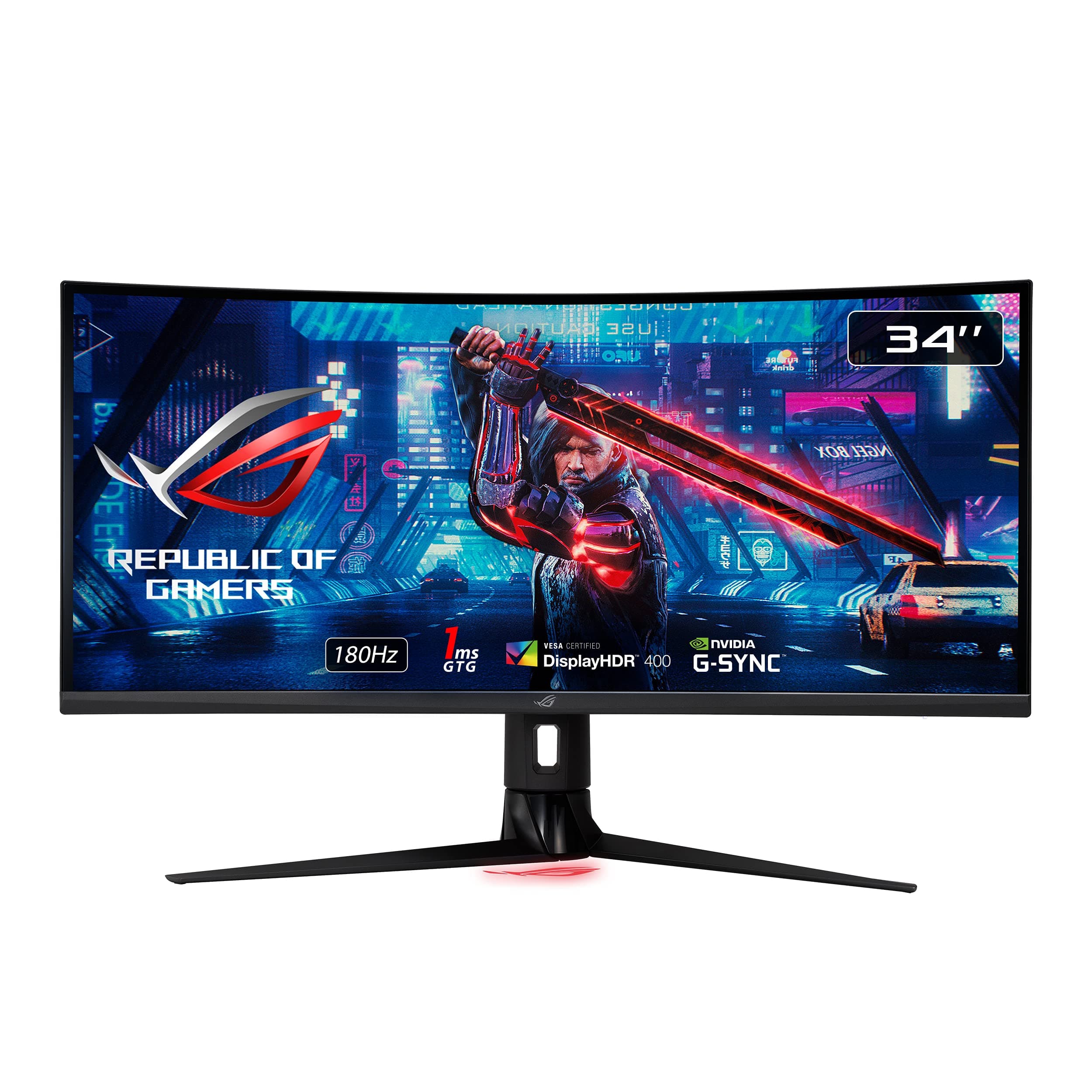
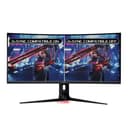
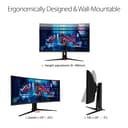
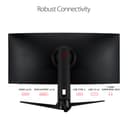
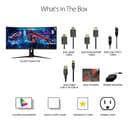
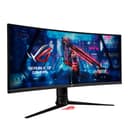
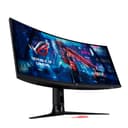
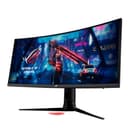
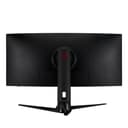

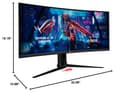

🚀 Elevate your workspace and game with ultra-wide speed and color precision!
The ASUS ROG Strix XG349C is a 34-inch ultra-wide curved gaming monitor featuring a UWQHD 3440x1440 resolution, an overclockable 180Hz refresh rate, and a rapid 1ms response time enabled by Fast IPS technology. It supports ASUS Extreme Low Motion Blur Sync combined with G-SYNC compatibility to deliver tear-free, blur-free visuals. With 135% sRGB color gamut and DisplayHDR 400 certification, it offers vibrant, professional-grade color accuracy. The monitor includes versatile connectivity options such as USB-C, DisplayPort 1.4, HDMI 2.0, and USB 3.0 hubs, making it ideal for both high-performance gaming and productivity setups.



























| ASIN | B0966ZFKJK |
| Adaptive Sync | G-Sync |
| Additional Features | Blue Light Filter, Flicker-Free, Height Adjustment, Swivel Adjustment |
| Aspect Ratio | 21:9 |
| Best Sellers Rank | #2,504 in Electronics ( See Top 100 in Electronics ) #112 in Computer Monitors |
| Brand | ASUS |
| Brightness | 360 candela_per_square_meter |
| Built-In Media | HDMI cable; DisplayPort cable, Power cord & adapter, Quick Start Guide, USB Type C cable, XG349C Monitor |
| Color | BLACK |
| Color Gamut | 1.35 |
| Connectivity Technology | HDMI, 2x USB 3.2 Gen 1 Type-A, USB-Type C, Display port |
| Contrast Ratio | 1000:1 |
| Customer Reviews | 4.3 4.3 out of 5 stars (239) |
| Display Resolution Maximum | 3440 x 1440 Pixels |
| Display Technology | LCD, LED |
| Display Type | LED |
| Hardware Connectivity | DisplayPort, HDMI, USB, USB 3.0, USB Type C |
| Has Color Screen | Yes |
| Is Electric | No |
| Item Dimensions D x W x H | 16.18"D x 32.09"W x 10.98"H |
| Item Weight | 20.28 Pounds |
| Manufacturer | ASUS |
| Model Name | XG349C |
| Model Number | XG349C |
| Mounting Type | Wall Mount |
| Native Resolution | 3440x1440 |
| Number of Component Outputs | 4 |
| Number of Height Positions | 34 |
| Picture Quality Enhancement Technology | TÜV Flicker-free TÜV Low Blue Light VESA DisplayHDR 400 G-SYNC Compatible |
| Power Consumption | 4 Watts |
| Refresh Rate | 180 Hz |
| Resolution | QHD Ultra Wide 1440p |
| Response Time | 1 Milliseconds |
| Screen Finish | Matte |
| Screen Size | 34 Inches |
| Shape | Rectangular |
| Specific Uses For Product | Business, Gaming, Personal |
| Total Number of HDMI Ports | 1 |
| Total USB 3.0 Ports | 2 |
| Total Usb Ports | 2 |
| UPC | 195553024051 |
| Viewing Angle | 178 Degrees |
| Voltage | 240 Volts |
| Warranty Description | 3 Year Warranty with ARR |
J**M
Excellent monitor. You get what you pay for!
I need to start by saying that I just recently purchased a different, cheaper 34in 2k monitor from an off brand here on Amazon, and I was so appalled with it after a day of trying to get the colors to look correct, and the HDR to work, and a dozen other issues, that I wrote a multi paragraph review expressing my discontent and returned the monitor. So that brings us to the Asus Rog 34in 2k OLED, which I bought as a replacement. Yes, this monitor is very nearly 3 times the price of the one I just returned.... But the old adage that you get what you pay for is never more obviously apparent than when dealing with monitors, as I've just learned. The difference in quality is staggering. I have been blown away by this monitor. Deep contrast, absolutely no color or gradient banding, seamless HDR support without any fuss (literally just enable HDR in windows display settings and done), the colors are fantastic, the OSD menu is the best I've used on a monitor (I love the little joystick button on the bottom for menu navigation), the 180hz refresh rate still being available at full resolution AND HDR enabled was actually surprising (usually you can have HDR or the max refresh rate, not usually both at the same time)... Also my AES mount fit right into the recessed space on the back (other monitors require standoff spacers because the recessed area isn't large enough) This monitor looks amazing, and you won't be disappointed. If you're looking at cheaper monitors, especially off brands to save money, just stop. I just learned my lesson, so I'll pass this wisdom on to you. Cheap out somewhere else. The monitor is not the place to do it. As far as criticism, not much to be honest. I guess if I was splitting hairs, the cable guard removable panel on the back is a little annoying. There's a cable guard panel that pops off on the back with a small cutout to funnel the wires through at the top of it. (It's a half circle cutout at the edge of the panel, not a hole) While it doesn't hurt anything, and does keep the wires bundled together, you have to bend the cables at an uncomfortablly tight angle to get them to fish through the cutout. And, for those who are unaware, bending DP and HDMI cables is a no no. It would have been nicer if that cutout was placed lower on the removable panel so the cables didn't have to bend as much to make it out. But if you don't want to chance it, just leave the cable guard panel off. Either way it isn't a major deal, just something I kind of mumbled some words about as I was setting it up. But that's really it as far as the negative goes. The resolution is amazing. HDR is extremely good. Refresh rate paired with Nvidia gsync is flawless. The OLED contrast is game changing for cyberpunk 2077. It's curve angle is spot on. I have it wall mounted with a fairly narrow desk, so I was worried I'd be sitting too close (about 22in measured from my eyes to the screen), but it's actually very comfortable to use the full width of the monitor. I did roll my chair back to where I was 32in away to see if people with a deeper desk would have issues but it feels comfortable at that range too. I rarely leave positive reviews (about the only time I'll leave a review is when a product really ticks me off, and those aren't typically positive reviews) But for this, I felt it was necessary to share my thoughts. Asus deserves it. Especially since I'm not easily impressed when it comes to gaming PC hardware and devices. I really was genuinely impressed with it. And I'm not just saying that because it came with some fancy RoG Strix stickers lol
J**N
Amazing monitor.
ROG, awesome monitor. This is the best monitor I’ve ever owned. Hands down, I would recommend.
D**.
Great UW display with USB-C and KVM
Seriously great IPS ultrawide display. The fps is high and consistent, it can deal with brighter ambient light better than VA or OLED panels. Also great for laptops/work with the USB-C and KVM switch. The KVM/Input could be better (i.e. There is a dedicated KVM button that changes both in the Gigabyte M27Q), but it's relatively easy to program the OSD buttons for quick Input/KVM control.
B**D
Great Gaming Monitor - HDR is a little Over Saturated - KVM is Nice, but not Perfect
Was looking to get into the gaming monitor action with a high refresh monitor. I was having a hard time choosing between the various models at a sub $800 price point. I wanted a G-Sync Ultra but price eliminated those, so G-Sync Compatible was next choice. What sealed the deal for me was the color rating, the refresh rate (180Hz with 100Hz for HDMI), and the final push was the KVM. I installed this at my wife's desk to replace a Dell U3417w so that she could use it for work and I'd game on the weekends. The KVM helped to reduce wires as she connects her work laptop via USB-C for key/mouse/video/USB. It all works great and does what I need it to do with a few limitations or things that I notice: 1. The HDR settings look overly saturated -- reds and oranges for sure. I've played with the Windows 10 slider and have it set far to the left to reduce HDR brightness. At the middle or right settings make it look really strong. The oranges remind me of the 2021 World Series when TBS broadcast an Astros game in HDR over their app and the orange of the astros looked insanely bright and saturated. 2. The KVM works -- but you have to manually switch the USB control between USB-B and Type C each time. I guess it's not that much worse than a manual KVM that you'd press a button or keystroke, but I have a dell with KVM built in and it auto switches with video signal. Again, not the end of the world, but something that wasn't clear in the manual before hand. Would have been nice to know I had to do this manually. 3. Only two USB ports total. Again, I knew this going in, but feels like a limitation. At the $799 price point, would have been nice to have four. Again, my dell with KVM has at least four USB ports that work with the KVM. The screen is high quality and the picture is nice. I have been gaming at 180Hz and enjoying it. Wasn't as drastic a change as my friends hyped for me, but that could just be me. If you are thinking about this monitor for its KVM and don't need it for the high refresh, definitely look at a Dell monitor. Also, one other issue, which is not the monitor's fault -- but my wife's HP Z book over USB C has a really annoying issue. The screen goes black for a second or two when opening emails from Outlook (Pro Office) if the emails are launched and display on that monitor. So Strange. Happens in excel sometimes, but always when opening emails from outlook. Put outlook on the laptop screen and open them there and no black flashing screen. Again I attribute this to the laptop and it's USB C port. Doesn't happen when connected to the monitor over HDMI -- but I bought this to be a KVM and the laptop is likely the weak point here. Good luck.
R**H
3 months in screen is having major issues
After 3 months of ownership, the screen began having incredibly bad image retention issues. If my desktop would remain static for just 10 to 15 minutes, my desktop and its icons would be visible when I opened other applications. I also was experiencing the display resetting or changing the color profile when it would boot up. This would lead to the colors and contrast drastically changing each time the monitor turned on. During the 3 months that it was working, the display looked exceptional and on par with most LG IPS panels. Nice vivid colors, good contrast and blacks with little light bleed. I was impressed by the stand and overall design aesthetic and was very disappointed when it started to exhibit these major issues so early into ownership. This display does have a 3 year warranty, and I knew that buying this as the current landscape of ultrawide monitors seems to be ridden with lemons and only 1 year warranties. Right now the monitor is with ASUS repair and I hope they can return a product that lives up the expectations of their brand. At this moment, I cannot recommend buying this product. Even if I do receive my monitor back in working order, I do not have the confidence it will work for years to come.
M**H
recommended! Watch YouTube reviews.
E**T
Amazing display for it's price. The colors are great out of the box and just get better with a bit of tweaking. I had no quality issues, dead pixels or coil whine. Gsync worked right out of the box and didn't have any issues useing elmb-sync. Only cons are that the blacks are just ok, nothing spectacular but expected with an IPS panel. HDR is underwhelming but it's expected at 400 nits.
M**O
Su calidad es impresionante! No tiene problemas de flickering y se ve realmente fluido, muy satisfecho con mi compra
J**S
El 4k es excelente, la imagen y el ajuste automático pffff muy bueno de los mejores monitores que e usado curvos
B**L
Es un monitor excelente para juegos, tiene muy buena calidad de imagen, el único problema es que el puerto HDMI es 2.0 por lo que no te da los 120hz. Si quieres sacarle todo el provecho debes usar DisplayPort
TrustPilot
1 个月前
1 个月前