
下载应用程序





🎯 Label Smarter, Not Harder — Stay Ahead in Cable Management!
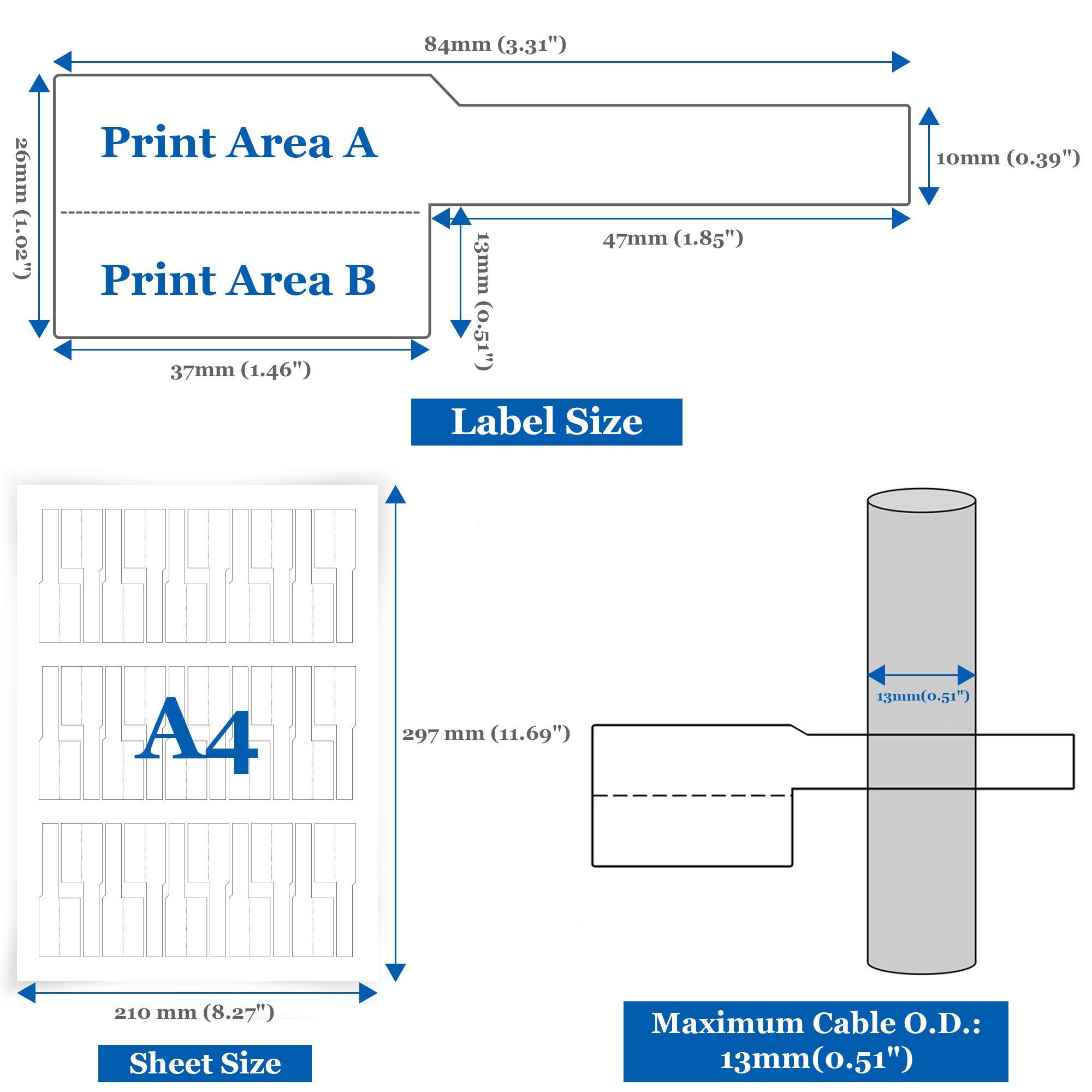
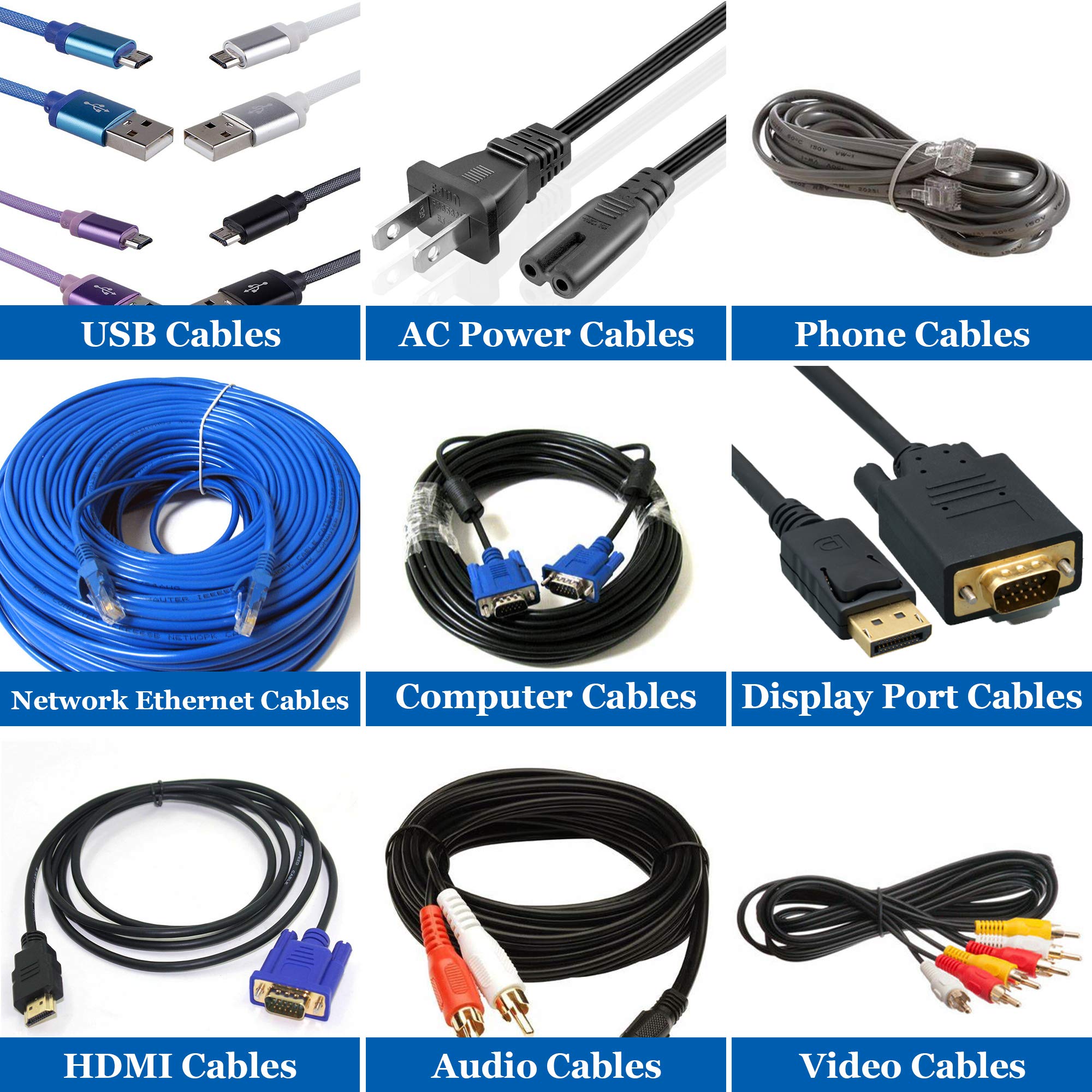
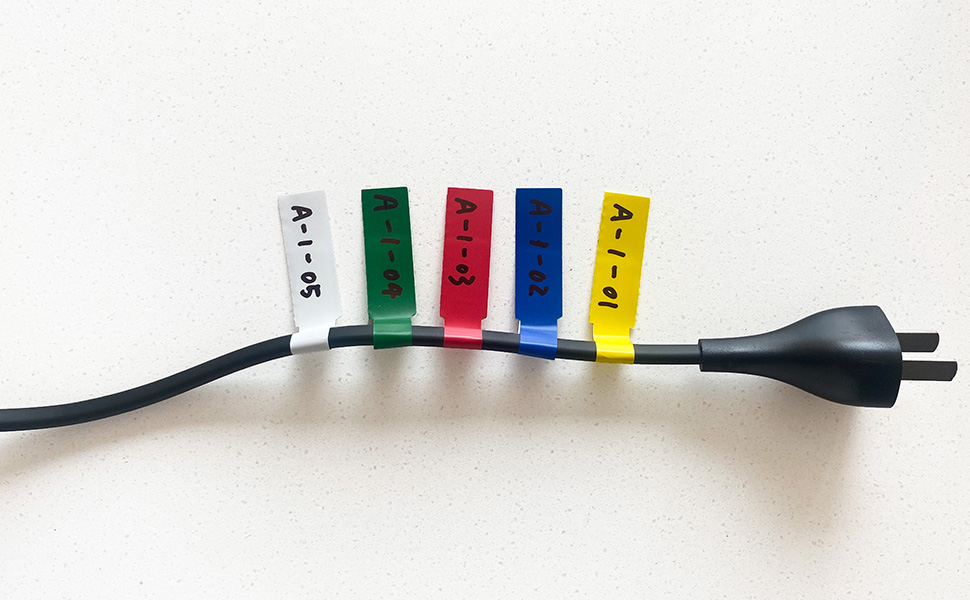
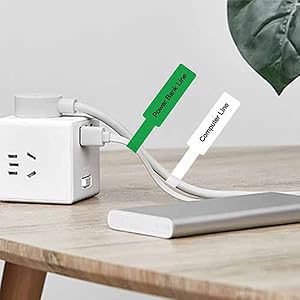
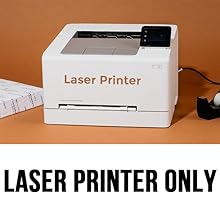
Mr-Label® US Letter Sheet Self-Adhesive Cable Labels offer 300 durable, waterproof, and tear-resistant labels across 5 vivid colors. Designed for laser printers and enhanced with a free print tool featuring 30 device icons, these labels streamline cable organization for professionals who demand efficiency and lasting quality.



| ASIN | B01K6MJWLE |
| Best Sellers Rank | #73,266 in Office Products ( See Top 100 in Office Products ) #719 in Laser & Inkjet Printer Labels |
| Brand | MR-LABEL |
| Color | 5 Assorted Colors |
| Customer Reviews | 4.3 4.3 out of 5 stars (822) |
| Date First Available | August 10, 2016 |
| Is Discontinued By Manufacturer | No |
| Item Weight | 2.4 ounces |
| Item model number | LAP20032L |
| Line Size | Standard |
| Manufacturer | Mr-Label |
| Manufacturer Part Number | LAP20032L |
| Material Type | Paper |
| Number of Items | 300 |
| Product Dimensions | 11 x 8.3 x 0.4 inches |
| Shape | Rectangular |
| Sheet Size | 8.5-x-11-inch |
| Size | 10 Sheets (300 Labels) |
A**E
Good product! The material is either plastic or paper/plastic ...
Good product! The material is either plastic or paper/plastic and is very tough. I have no reason to question their claim to being waterproof. The Word template from the seller's site worked just fine. I've printed one sheet so far and it fed and printed just fine on my HP workgroup-grade laser. The labels also separated from the backing sheet easily and cleanly. They are big enough to easily take two lines of 12 point type. I'd guess they are about 18 characters x 12pt. wide. One interesting thing: There is some hocus-pocus in the instructions about moisture content of the sheets and a caution about not printing on a sheet twice. This is the way I routinely use label sheets. I'll print a few labels and remove them from the sheet, then some time later will print on some of the remaining labels. I have never had issues doing this with business-grade laser printers. I suppose it is possible that smaller consumer printers will bend the sheets more sharply and cause problems but that is only speculation. I'll try to report back after I've tried it with this product. Of course, if I was selling sheets of labels I would also discourage my customers from printing more than once on a sheet, too.
R**N
Excellent cable labelling product!
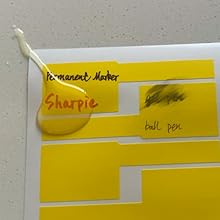
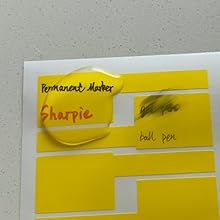
Used these for a home network cable project. These work great and are super easy to use. I had originally thought I'd use my laser printer to add the message, but it became far easier to just use a permanent marker to write directly on it. They are difficult to tear and stay in place when applied. Love them and have used these for anything that needs labeling. Highly recommend!
K**D
Convenient way to label cords
I've tried a lot of cord labeling methods over the years, mostly of my own making. I decided to try these to see if they'd work better, and I like them. Mind you, I don't put them through the printer. I use them to stick Avery thermal labels on. That way they last longer and you don't have to worry about lining them up right, etc. The only thing I'd do different is make them in different sizes or larger with the ability to cut down.
C**E
Online template is very easy to use
Labels are great. Mr Label's online template (for use if you don't have MS Word) is very easy to use and worked perfectly the first time I used it. All printing registered perfectly on the labels with my HP LaserJet printer. Just run a test sheet on plain paper to ensure that all the print fits on the label with your chosen font size (which is selectable on the template. Very impressed!
L**Z
Prints well, but test it first
I downloaded their label template from their website and had minimal problems printing from Word to the labels. It's very simple. I'd recommend printing a "blank" sheet of paper, first - that will let you know if you're in the ballpark (I was). Then, fill out a whole sheet of labels and print them to an actual label sheet, just to see if there are any surprises. You'll probably waste a sheet, but this allows you to "fine tune" the final product. Even though you can enter two lines per label cell on the computer template, and it looks perfect, when you print them, you may find that the second line is halfway off the label, especially at the bottom rows of labels. This is all easily fixable by abbreviating or changing to a smaller font. Good product, easy to use.
G**S
Probably a good product for experts in using templates
It is probably a good product for experts in template handling. First off, in the online print tool, if you want to print on US standard sheet format, 8 1/2x11, MR's code MR183, you will need some luck finding it because it is not an option offered online; they all push you to MR182, which is the A4 sheet format. Second, if you manage to discover the right format and download it in say, Microsoft Word, you get a template but unless you are already an expert in dealing with templates you are on your own about how to proceed. No instructions here or even a reference to a source where you can find some guidance. Again, probably a good product but good luck finding the MR183 and knowing how to deal with a template once you get it.
A**N
Please remember that this is not recommended by the company at all
Although, these tags are clearly not supposed to work with an inkjet printer, I found a way to make them work with my HP Officejet.. Please remember that this is not recommended by the company at all. It's just something that I tried with my fingers crossed because I really wanted to use the tags. :) What I did, is to print the labels as you would if using a laser printer. As expected, the ink did not adhere well. So, I set the page aside to allow it to dry overnight. The next day, it was still tacky to the touch. I decided to spray clear coat acrylic on it and let that dry for an hour or two.. It worked!! :) My tags are all working like a charm! No smearing or anything :)
J**E
Just what I was looking for
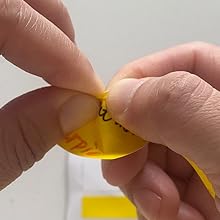
I purchased a pack of yellow labels and a pack of red labels to tag audio XLR cables and DMX XLR cables and be able to very quickly differentiate between them without having to squint and read the print on the cables themselves. Now I can tell which is which at a glance from a distance. Acquiring and using the Word template was simple. The label sheets need a slight bit of coaxing to get them through the straight-feed path on my laser printer (an old HP LaserJet 5P), but that was only a momentary setback. The resultant printout was perfect. Applying them to the label involves wrapping the tail back onto the lower half of the label, then folding the upper half over the top of the tail/onto the lower half...very easy to do. Once applied to the cable, I can tell the label is quite durable. I don't expect to have issues with color-fading, as the cables are stored in the dark and are used in a room that gets virtually no daylight.
F**N
Se rompen facilmente desde las primeras que se sacaron comenzaron a safarse del resorte. Muchas ni siquiera un uso
P**L
Adheres well
A**M
ممتازة لكن حجم الورق Latter متعب في الطباعة لو كان A4 لكان ممتاز
A**R
These are a good size to go around cables. They don't tear and take a marker well.
A**R
Good
TrustPilot
2 个月前
2 周前