We remain fully operational. Our teams are working around the clock to ensure your deliveries continue safely.

下载应用程序




Buy anything from 5,000+ international stores. One checkout price. No surprise fees. Join 2M+ shoppers on Desertcart.
Desertcart purchases this item on your behalf and handles shipping, customs, and support to Hong Kong.
🎯 Level up your retro gaming with precision and plug-and-play ease!
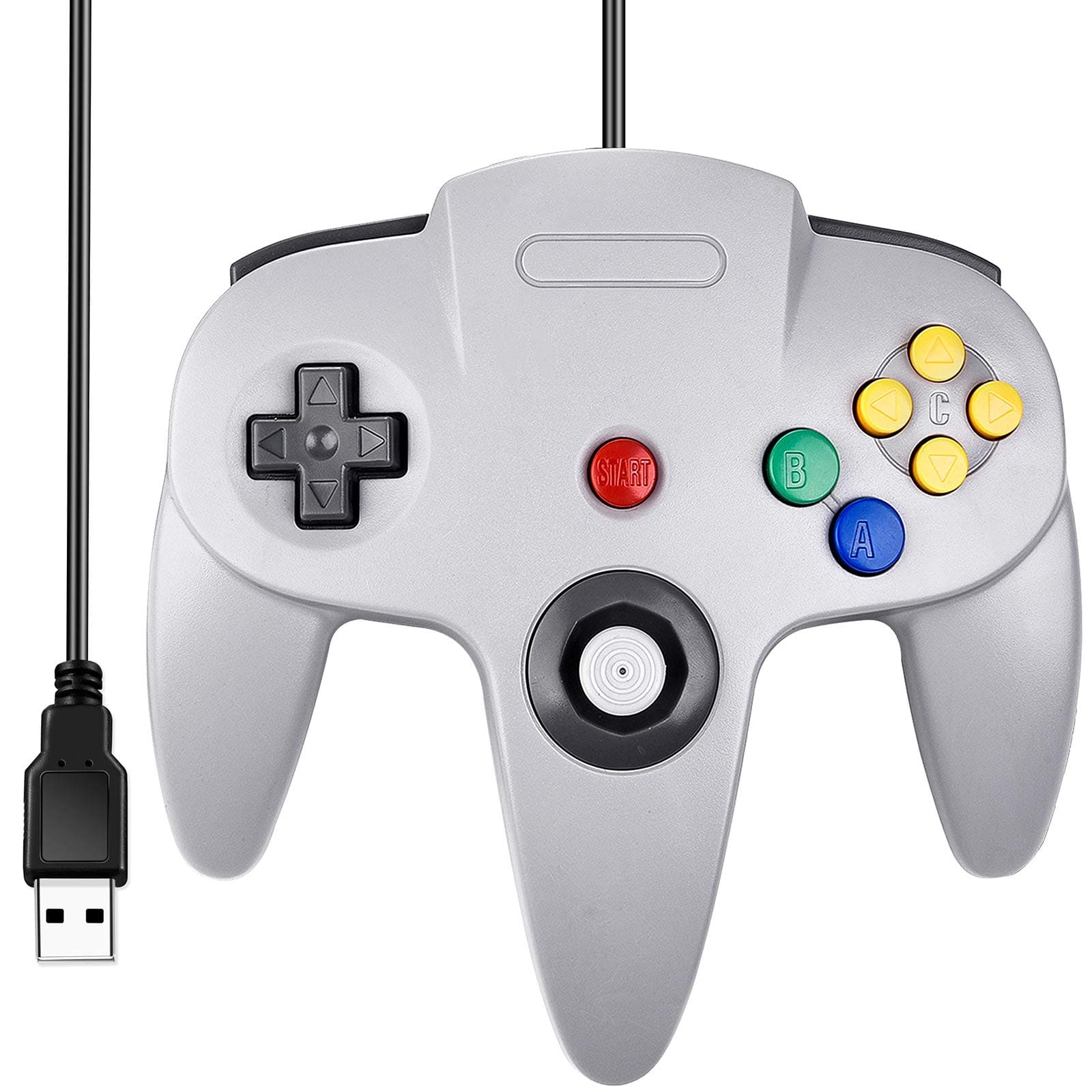
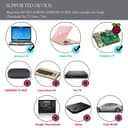
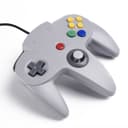
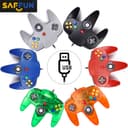
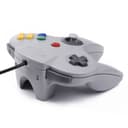
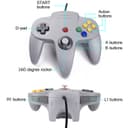
The SAFFUN Classic N64 Wired USB Controller delivers authentic retro gaming vibes with modern convenience. Featuring 14 ultra-responsive buttons and a 5.9 ft USB cable, it supports a wide range of operating systems including Windows, Mac, Linux, and Raspberry Pi. Perfectly optimized for N64 emulators and other retro platforms, this plug-and-play joystick offers hassle-free setup and precise control, making it a must-have for nostalgic gamers and tech-savvy millennials craving that vintage edge.


| ASIN | B07449HLKJ |
| Additional Features | Touchpad |
| Best Sellers Rank | #2,661 in Video Games ( See Top 100 in Video Games ) #15 in PC Game Joysticks #47 in PlayStation 4 Controllers |
| Brand Name | SAFFUN |
| Button Quantity | 14 |
| Color | Wired Gray |
| Compatible Devices | Mac OS X and beyond, Nintendo emulators, Raspberry Pi ; Raspberry PI 2 model B ; Retro Pi OS., Windows 98/ME/Vista/2000/2003/XP/7/8/8.1/10/LINUX |
| Connectivity Technology | Play,Plug,Usb,Usb Port |
| Controller Type | Joystick |
| Customer Reviews | 4.2 4.2 out of 5 stars (2,266) |
| Global Trade Identification Number | 00885926455697 |
| Hardware Platform | PC |
| Included Components | 1 |
| Item Dimensions | 6.5 x 4.3 x 2 inches |
| Item Weight | 7.2 Ounces |
| Manufacturer | SAFFUN |
| Package Quantity | 1 |
| Power Source | Corded Electric |
| UPC | 885926455697 |
| Warranty Description | 1 |
M**D
Works well.
Plug and play on windows, but I had to add the drivers on Linux via Terminal. Just use chatgpt or brave browser ai to figure it out. Well made, responsive, and works with n64 emulators. Good price, worth it.
W**S
Great value, easy to use
Feels authentic, though a little lighter and the buttons are significantly more rigid and "hard plastic-y" feeling. You'll know what I mean if you compare this to an original N64 controller. That said, for 15 bucks, this is great value. It feels just like playing N64 on a high quality but still noticeably third party controller. You know the one, its what your mom bought you from KMart, meaning well. It's what you'd make your little brother use and he would blame the controller when he lost at Smash but after trading controllers you still won. That controller. We all had one back in the day. For people having issues getting this to work, here's my experience with Project64 on latest Win10 build - I first plugged it in using a non-active USB extension cable, the PC saw the controller but I don't think the connection was the greatest. Project64 did not see the controller, guessing the controller didn't like the extension (USB connections greater than 15 feet on non-active cables are pretty unreliable). Plugged it directly in to the PC, everything works great. After the initial driver install which Windows did on its own, no input from me required, I put it back on the extension cable and it worked fine. Plug and play with Project64 is a pretty accurate though I did still have to go into the controller config and map all the buttons, but after that everything worked great. Recommend using an active USB extension if you need one. BlueRigger sells some quality active USB extension cables.
W**Y
Not Bad For The Price
It's not awful. It feels like and fragile, but it gets the job done. I'm not sure as to why they included the save pack slot. It doesn't do anything. There's literally no chip in it for a save pack. The sensitivity is really good. My first game with it was Star Wars Pod Racer 64, and it was extremely responsive. The cord length could be better, but my PC is on my desk, so it's not bad. I like that they sent an extra joy con. I'm not sure if I should be worried about one not being enough, but who knows? I was able to get Project 64 to recognize the controller almost immediately, and all of the buttons worked well. Over-all, you get what you paid for. It's an inexpensive way to enjoy old games on your PC. It would be interesting if the manufacturer included a rumble function. That might add some weight to the controller to make it feel a bit more robust.
Y**S
Works fine
Love it as it works fine
F**Y
It'll do, but it's not great. (UPDATE)
UPDATE: Shoulder buttons have failed completely. They dont register commands at all no matter what i do. Very light, very cheap feeling. It does work decently. The only 2 problems are that the shoulder buttons aren't well made. Sometimes they dont register commands as they should. The analog is also not fantastic feeling. Ultra light and the feedback is hit or miss on platformers and shooters.
J**.
Best bang for you buck!
Best 20 bucks I've spent on a generic n64 controller! You can easily adjust the controllers on any emulator out there and yes, it does detect it once you plug in via USB.
A**Z
Compatibility Issue with the START Button
I am still fairly new to emulators. I just downloaded Project64 (Version 2.3.2.202) on my Windows 10 PC. I ordered 4 of the iNNEXT N64 controllers with USBs so that I can play the ROMs with the old school feel instead of the keyboard. I've watched a bunch of YouTube videos on configuring buttons for a USB controller, and it looked very simple: Plug in the USB wired controller, open Project64, click "Options", click "Configure Controller Plugin...", and then one-by-one click each button option to assign a new input, and within 10 seconds press the corresponding button on the controller. It worked for most of the buttons, but for some reason when I try to configure the START button, it doesn't work. It just keeps coming up as "Unassigned". Because it's "Unassigned", when I hit START on the controller while running Project64, all it does is go back and forth between making the emulator full screen and exiting the full screen. This one YouTube video I watched didn't have that issue. The guy in the video just pressed the START button, and it calibrated as "Gamepad: Button 9". So I'm just confused as to what I'm doing wrong. Normally I'd presume the controller is broken, but as I said, I ordered 4 of these controllers, and it doesn't calibrate the START button for any of them. Unless, of course, all 4 are broken. Can someone help?
C**Y
Perfect n64 controler just as i remember growing up using it on my mac and love it the feel and respons is Perfect ty I will consider buying more products from you Canada
I**A
Este control lo reconoce la consola como si fuera un control pro genérico ya que usa un dongle para la sincronización, por lo que es necesario entrar a ajustes y establecer que la comunicación con el pro controller sea por cable. Las instrucciones las encuentran en la caja o bien, leyendo la descripción del producto aquí en Amazon. Se juega y se siente bien, ni se nota que no es el control oficial ya que todas las funciones son iguales y la sensación de los botones es buena. Tengo el control oficial y quería un control extra para cuando viene visita sin tener que gastar una fortuna, y hasta el momento he usado más este control que el original para ver si presenta alguna falla de algún tipo; ya llevo varios meses y sigue como nuevo. Por defecto, los botones C están mapeados de forma incorrecta, pero para solucionar esto se deben presionar los botones START y A al mismo tiempo hasta que 2 de los leds del control prendan. Una vez hecho esto, la consola reconocerá las funciones de los botones C de forma correcta y se podrá jugar sin problema. Juegos como Zelda, Pokémon o Mario Kart usan los botones C para varias acciones, por lo que antes de iniciar cualquier juego es recomendable hacer este truco. Solo se debe hacer este proceso cada vez que se prenda el control, no con cada juego. Otro plus de este control es que viene en color negro, ojalá estuvieran más colores disponibles, como los viejos tiempos. Estoy planeando comprar otros 2 controles más para cuando se armen las partidas con 4 jugadores. Recomendado sin duda alguna!
H**N
Works fine after mapping but analogue stick is not analogue. Also specs say it’s Grey and I received White
R**L
It appears that one of my dongles cuts out every second or so which causes the signals of the first controller to skip input. (Currently charging the second controller) I was hoping to do couch co-op. Alas, another solution might pop up and I might have to return this product. One controller+dongle worked well. The second seemingly not so much.
T**Y
The analog stick has perfect "pressure" or "resistance" when moving it to the left, but when moving it to the right, it has barely ANY, which means just a small touch and the joystick goes all the way to the right! This makes playing games rather unbearable unfortunately. There's also quite a lot of rattle noises, so the build quality is not very tight. it was cheap, sure, but I will never use it the way it is, so what's the point?
TrustPilot
2 周前
1 个月前