We remain fully operational. Our teams are working around the clock to ensure your deliveries continue safely.

下载应用程序


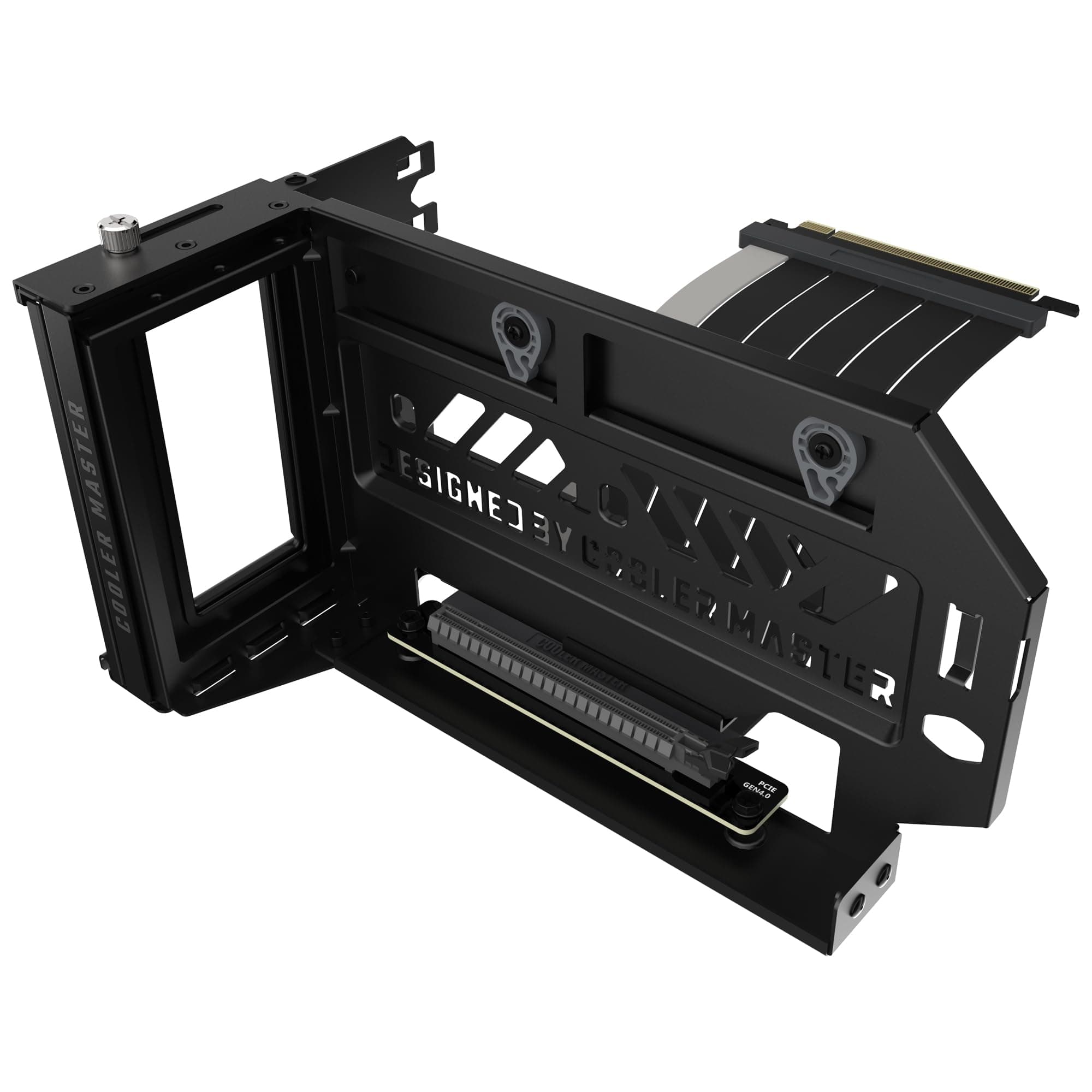
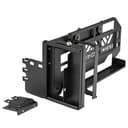
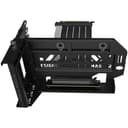
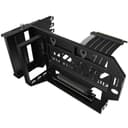
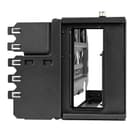
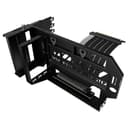
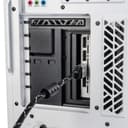
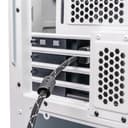
🖤 Elevate your rig’s style and strength with Cooler Master’s Vertical GPU Holder V3!
The Cooler Master Vertical GPU Holder Kit V3 is a premium, modular vertical mount designed for E-ATX, ATX, and mATX PC cases. Featuring a ventilated thick SGCC steel bracket that boosts durability by 42%, it supports heavy GPUs up to 3.5 kg without sagging. The included PCIe 4.0 x16 riser cable (165 mm, 90° angle) ensures high-speed, reliable data transmission. Tool-free adjustments up to 65 mm front and 30 mm side improve build flexibility and airflow, making it a must-have for millennial pros seeking both style and performance in their custom rigs.
| ASIN | B0B7NY5TSY |
| Best Sellers Rank | #593 in Computer Cases |
| Brand Name | Cooler Master |
| Color | Grey / Black / Purple |
| Customer Reviews | 4.2 4.2 out of 5 stars (1,523) |
| Finish Types | Powder Coated |
| Global Trade Identification Number | 04719512127100 |
| Item Depth | 0.98 inches |
| Item Dimensions | 6.69 x 10.63 x 5.91 inches |
| Item Type Name | Vertical Graphics Card Holder |
| Item Weight | 810 Grams |
| Manufacturer | Cooler Master |
| Manufacturer Part Number | MCA-U000R-KFVK03 |
| Material Type | Alloy Steel |
| Model Number | MCA-U000R-KFVK03 |
| Mounting Type | PC Case Mount |
| Unit Count | 1.0 Count |
A**N
Great Mount
Great mount. Very rigid and well made. It's a little tricky when installing a large GPU but worth the effort. I added this to my build for astethics but I do believe that this orientation is better for bulky cards (no sag, no stress on the cards pcb). Zero cooling issues for the GPU but that's also dependent on the GPU you are using and the computer case dimensions. In my situation I performed a 10 minute stability test on the GPU in Cinebench and never exceeded 60° C.
J**1
Solid
I should take a star off because I never received the color I ordered (made two attempts to exchange for a black one, always got a white one) but that’s not on CoolerMaster. It’s a solid component that fits my case perfectly and really supports my gpu. No issues with the riser cable, and its adjustability leaves plenty of space for the motherboard to breathe. I’ve even come to appreciate the color. I’d definitely recommend it to anyone looking for a vertical gpu mount.
P**K
Solid GPU bracket
This bracket seems to be pretty sturdy and definitely makes my case look better. The instructions are pretty clear, but the steps aren't in the easiest order. I found it much easier to plug the cable into the PCIe slot first, then screw in the main bracket, then the inside bracket and finally put the GPU (PNY 4070ti, a pretty chonky card) in. But that's just me. Not sure if it actually improves the airflow for the GPU, but I got it for the aesthetics anyway, and it looks pretty nice. Before and after pics included.
C**Y
Great Fit
Fairly easy to install. Solid construction and looks great. Obviously a large case is a must because this is a large bracket. Had a bit of fan noise from gpu due to tight fit horizontally. Installed this and noise is completely gone and looks fantastic.
R**Y
Work's great after I bent the slots back in place.
Arrived so bent it's useless. Title says it all.. I should of threw my $50 in the street instead. Edit: I bent the pins back into place & got it looking / working decent. The products good, must of got damaged in shipping.
K**A
Good universal mount
Placed this universal vertical gpu mount in a case not designed to have vertical mounts with no difficulty. Even this thick boy OG 4070TI non super is fully supported and held in place. Routing the DisplayPort cables is a little tough, that is due to the PCIE covers on this particular case, but the mount slides forward to help accommodate for them. Good choice if you truly need a universal vertical gpu mount.
J**E
Failed After 5 Months
Worked fine up until about a week ago, when my PC would crash and reboot with the VGA light on. After some testing, it seems like the mount itself was to blame, which is a shame. It looked great, and really helped tie together my PC, but I can’t recommend this based off of it having such a short lifespan.
L**A
Good mount
Works good and is pretty straight forward to install. I've had it for over a year now and it's still holding up strong
J**R
Das Cooler Master Vertical GPU Holder Kit V3 ist die perfekte Lösung, um meine RTX 3090 eindrucksvoll zur Geltung zu bringen. Die Montage war überraschend einfach und dank der vielfältigen Anpassungsmöglichkeiten konnte ich die GPU genau so positionieren, dass sie optimal zur Schau gestellt wird. Die Halterung ist äußerst stabil und bietet eine zuverlässige Unterstützung für meine schwere Grafikkarte. Durch die vertikale Montage kommt das Design der RTX 3090 erst richtig zur Geltung und wird zum Highlight meines PC-Gehäuses. Die hochwertigen Materialien und die durchdachte Konstruktion des Kits sorgen dafür, dass die Grafikkarte sicher und fest an ihrem Platz bleibt. Insgesamt bin ich extrem zufrieden mit dem Cooler Master Vertical GPU Holder Kit V3. Es bietet eine einfache Installation, flexible Anpassungsmöglichkeiten und eine beeindruckende Präsentation meiner Grafikkarte. Für jeden, der seine GPU stilvoll und sicher präsentieren möchte, ist dieses Kit eine klare Empfehlung.
E**N
Ekran kartınızı dikey olarak konumlandırmak istiyorsanız başka ürünlere bakmayın bile. V3 iki eksenli hareket yeteniği sayesinde GPU'yu anakarttan uzaklaştırma konusunda da çok işe yaradı. Böylece m2 için fanlı soğutucu kullanabildim. Kasam GamePower WarCry bu kasaya tam oturdu diyebilirim. V3'ün tek zayıf yanı ekran kablolarını takarken katın geriye doğru hareketine engel olamıyor, ileri geri hareketi kontrol eden papuçlar çok sıkı değil. Tutucu ile gelen PCIe uzatma kablosunun kalitesine ise diyecek söz yok, 4-5 FPS'lik bir kayıp ya var ya yok. Almayı düşünenler için yazıyorum, ekran kartınız kasanıza tam sığıyorsa uzak durun bu aparat ekran kartını 4-5 cm kadar kasanın içine alıyor, yani kasanızda ekran kartınız için olması gereken alan kartınızın toplam uzunlığuna + 5 cm aksi takdirde kasanıza kartınız sığmaz, uyarmadı demeyin.
M**S
Love the bracket but because the gpu has a 2nd bracket,(these 2 bracket do look impressive btw), BUT with my DeepCool CG530 4F which is a ATX middy tower the PCIe cable has to be twisted to connect to the motherboard which has dislodged and separated the cabling from the the gpu connecter.
P**S
je le mis sur mon pc et la carte graphique il résiste même pas il es tordu parce que la carte et trop lourd pas de précision sur l'annonce ni rien de tout je attendu pour rien a pas acheter si tu as une série 40
R**O
Adquirí este equipo hace unos meses, en Noviembre pasado para ser exactos (en una conocida marca de electronica y personalizacion de equipos), pero ya desde el principio, no dió mas que problemas por una cosa u otra... asi que directamente y tras varios meses de ir y venir el ordenador decidi solucionar los problemas yo mismo, un de ellos era tanto la distribucion/asignacion de los ventiladores y cables asi como su "cableado" y configuraciones, uno de estos problemas fué que el soporte de la grafica, se habia puesto "literalmente" tan encima del conector del hub de los ventiladores que por un lado lo habia deformado tanto por la presion ejercida por el soporte como por la temperatura que le hacia alcanzar en dicha situacion. (como se puede ver en una de las fotos, asi que recomiendo encarecidamente que reviseis este tipo de cosas y sin miedo le metais mano, hay veces que "peor" no lo vamos a hacer). Es decir las temperaturas por las nubes (lógico los ventiladores estaban como y por donde les daba la gana), por mas que intentaba toquetear velocidades y demás... nada... Resumiendo y disculpad... Vi la posibilidad de colocar la tarjeta grafica en vertical y sinceramente , despues de 90439 videos tutoriales y demas... te terminas creando tu propia opinion, y en mi caso y mis componentes ha sido de momento la correcta...es decir poniendo la grafica en horizontal como normalmente la montan, entre la ram , la bomba, pitos y flautas...simplemente imaginando el flujo de aire se veia continuamente impedido por una u otra pieza...asi que decidi mirar diferentes soportes y soluciones... Para empezar lo bueno de este: Al ser en vertical el aire caliente tiene mas superficie para subir "libre" desde la parte baja donde en mi caso y creo que normalmente está la fuente, para arriba encontrandose la grafiaca de perfil (lo que ya ofrece menos resistencia, la ram igualmente ya que suele estar en vertical tambien,etc... Por otro lado los materiales, el soporte está compuesto por dos partes de metal mas el RISER, lo que hace que sea "bastante comodo" instalar, por una parte, primero instalas el soporte de la caja depués atornillas el riser a la parte extraible y movil del soporte. anclas la gafica al puerto. y ahora viene una de las parte que mejor me han parecido... al apoyar el soporte con la grafica, sobre la base en la caja puedes desplazarlo en dos direcciones de mas cerca a mas lejos de la placa (lo cual hace mas comodo conectar el RISER a la placa) y ademas de izquierda a derecha de la caja (o de fondo a frente), lo cual facilita la conexion de los cables por la parte de atras... Ahora los problemas, yo la compré arriesgandome un poco porque viene como válida para la serie 30 de nvidia, pero vi un comentario de otra persona que habia instalado una 40 y tambien cabia... Lo que si se me ha dado es que hay "cosas" que depenerán mucho de tu equipo, por ejemploen mi caso mi torre, al quitarle las barritas de los slots... pues... por desgracia era de las que entre uno y otro quedaban una pequeña "barrra" de metal, la cual si o si hay que hacer de manitas y cortarla (si quieres usar este producto) hay otras torres que segun tengo entendido queda el hueco libre , pero vamos es una autentica simpleza alicates cortas y pista... eso si "IMPORTANTISIMO" aunque te parezca buena idea, "NI SE TE OCURRA" limar la parte donde hayas hecho el corte, ya que las limaduras pueden quedarse por tus componentes y liarse ... pero...asi que... otra cosa es que mi targeta es un autentico ladrillo asi que he tenido que ponerle como se ve en las fotos un "soporte" provisional de foam duro, para que absorba la vibracion, ya que sino al ser tan larga producia cierto ruido. Resultados...llevo 24 horas testeando temperaturas potencias y demás... y... entre el recableado y reconfiguracion ventiladoril y el flujo de aire... lo he probado (no lo recomiendo, en mi caso ha sido puntualmente, pero aun asi mejor no...) con una maquina de "hielo seco" (vamos algos que me marcara visualmente la corriente sin dejar residuos dentro...) y ahora el flujo es continuo y estable desde las entradas delanteras/laterales e inferior, a las salidas traseras y superiores...parecia un tunel de viento de un coche... y en mi caso por lo menos, realizando pruebas de temperatura con el dineb--- y otros... de hecho varios a la vez ni con esas, ha pasado la temperatura de la grafica de 75-80º y unos 80FPS, el procesador en las pruebas de estres si se me calentaba mas pero no llegaba tampoco a los limites de antes. Resumen...Si como yo no eres especialmente fan de las lucecitas y prefieres robustez y calidad... lo recomiendo encarecidamente... y si ademas no tienes miedo a meterle mano al PC... OJO eso si con las medidas, dejo mi caja y grafica para haceros una idea... Por cierto de momento uno de los posibles problemas que habia visto, era que se pudiera "ahogar" la entrada de aire de la grafica, o calentar demasiado la parte de dertas... precisamente para eso es "regulable como he dicho... En mi caso una compra 10... PD: mientras escribi esta reseña caí e que habia unos puertos que podia volver a tapar, al igual que una "plaquita" estraible que venia con el soponte que no se muy bien porque la quité, lo comento porque se me ha ocurrido la genial idea de intentar volver a ponerla...y si con el pc encendido asi que por favor. "CUIDADO" al manejar el PC y asegurarse de que etá apagado Y desconectado de la corriente, no hagan la burrada que acabo de hacer yo que casi me quedo sin dos dedos... Para las medidas de los componentes: Caja CORS...5000Airflow Procesador R9 7950X Grafica 4080 Super Liquida Icue Capelix de 3x120