
❄️ Stay Cool, Game Hard: Unlock Next-Level Overclocking Power!
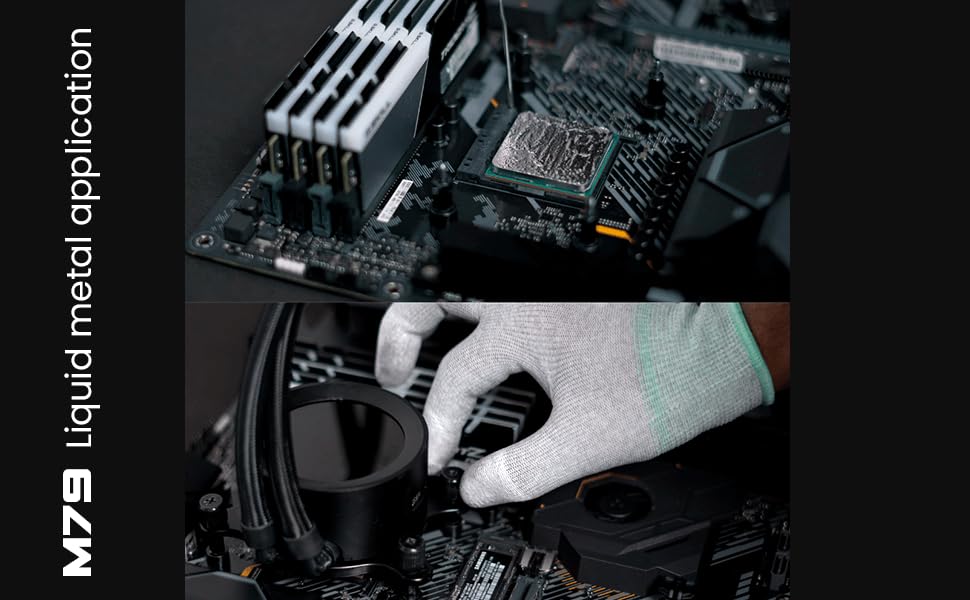
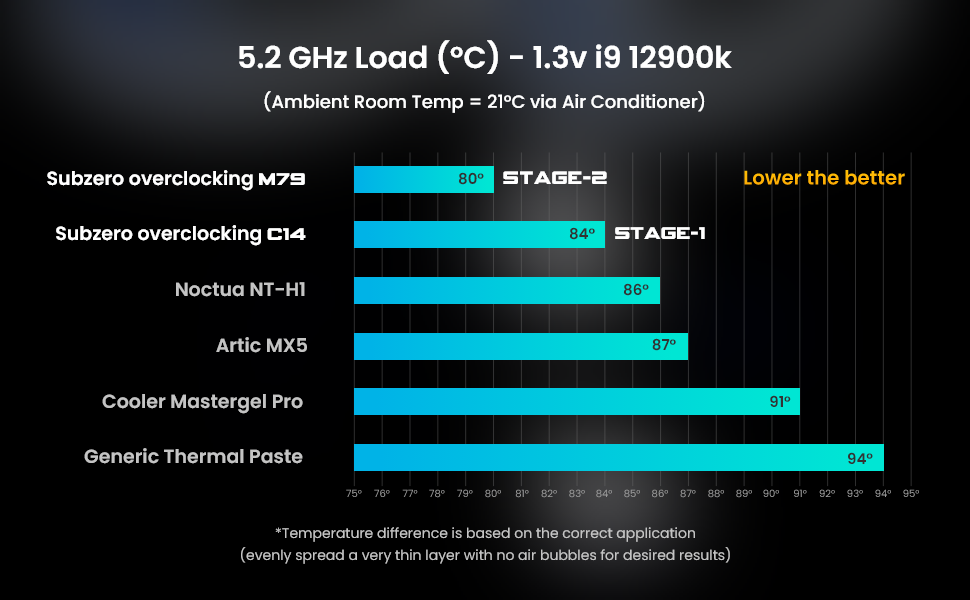
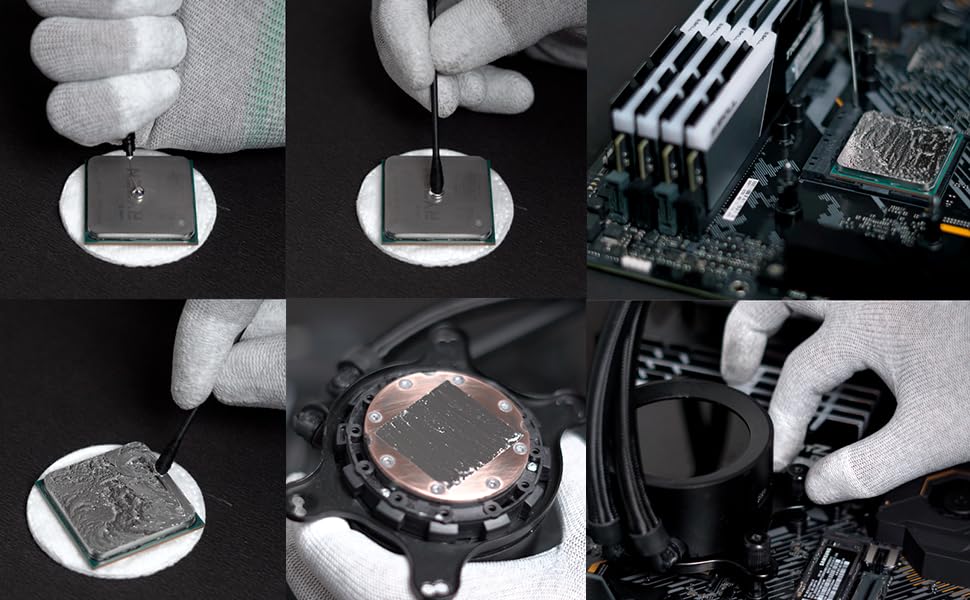
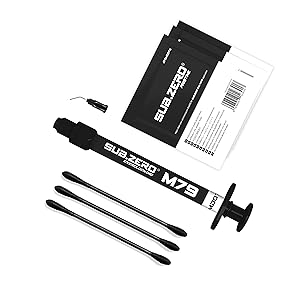
ATOMDOTS M79 is a premium liquid metal thermal interface material boasting an exceptional 79 W/m*K thermal conductivity. Designed for gamers and professionals, it supports subzero overclocking and comes with a complete application kit including semiconductor-grade alcohol wipes. Compatible with CPUs, GPUs, and gaming consoles like PS4, PS5, and Xbox, this 1-gram pack delivers up to 3 precise applications, ensuring superior heat dissipation and stable performance under extreme conditions.


| ASIN | B0BHPK6JHX |
| Best Sellers Rank | #6,723 in Computers & Accessories ( See Top 100 in Computers & Accessories ) #72 in Fans & Cooling |
| Brand | Sub.zero Overclocking |
| Compatible Devices | Gaming Console |
| Cooling Method | Water |
| Customer Reviews | 4.4 4.4 out of 5 stars (131) |
| Date First Available | 2 September 2022 |
| Generic Name | Stage 2 Overclocking KIT |
| Item Weight | 20 g |
| Item model number | Stage 2 Overclocking KIT |
| Manufacturer | Atomdots |
| Material | Aluminium, Metal |
| Model number | Stage 2 Overclocking KIT |
| Net Quantity | 1.00 Count |
| Number of Items | 1 |
| Package Dimensions | 20.7 x 12.7 x 1.7 cm; 20 g |
| Packer | Atomdots Golf Course Road DLF Phase 5 Sector 43, Level 18, One Horizon Center, Gurgaon, Haryana, INDIA 122001 +91 9971253332, [email protected] |
| Power Connector Type | 2-Pin |
| Voltage | 250 Volts |
| Wattage | 79 Watts |
A**R
Best liquid Metal available in India
If you are thinking of buying liquid metal and you are confused between Conductonout and M79 , Don't worry you can buy M79. Performance is top notch. Value for money, Maintain the temperature and manages it. Easy to use. Made in India product so proud of that. Just I wish to buy it little bit lower price as it dosent yet have the brand value near Conductonout, but it will gain that brand value pretty soon, I'm sure. Used in my nitro 5 laptop and working as expected. Cool enough to play any games.
P**A
Worth the buy! Outstanding Results
Straight 10 degrees drop in temperature than traditional liquid metal thermal pastes!
A**V
Review: Good Product - Must Try
Before going into the review, my laptop's model is ROG G17 712QR, Ryzen 9 5900, RTX 3070. Now, I was a bit hesitant to buy this product at first as there are only handful of reviews, however, I tried it anyways. Thinking that I would buy a thermal grizzly conductonaut if it didn't work. It was a new product and to encourage new brands, I decided to buy it. My laptop already was having liquid metal in its CPU socket, and it was already covered with sheet to protect my CPU board, so it was a plus for me. Others if your laptop's motherboard is not having the same, be careful while applying as it can damage the CPU. Watch videos on YT it helps a lot. I had bought my laptop in March 2022, and it had been 2 years, the Temps of CPU was reaching 96c. After applying this and testing for 1 week, the performance remained constant and the temp on playing the same game went between 82-88 degrees. Now, in so far as whether it works like the stock liquid metal that was originally put by Asus when the laptop was manufactured or not. I did an analysis. When I had bought my laptop, in March 2022, I didn't a lot of thermal recordings (courtesy of the inbuilt ROG Crate software), during the month of May 2022 for God of War ultra settings, the Temps were going to 89 CPU. Now, when I had tested the same game with same setting the Temps, after replacing my liquid metal in 2024 (same month) were going between 86-89. So, I was a but relived that the product was working great. However, one thing that I am uncertain of was whether the laptop was in performance mode or turbo while I made the recordings in 2022. When I switch my laptop to turbo, while playing (in 2024 after applying liquid metal), the CPU jumps to 92c. So, this is what I'm uncertain about. So, for the bare minimum what I can say is it works 80% like the original stock liquid metal that Asus had put it my laptop when it manufactured it. Rest, I find the product a good shot, and a must try.
K**H
Details you require
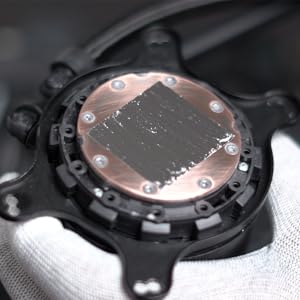
The video and review is just after installing the M79 in my computer. The load I'm putting it is just a normal installation but before the M79 the temperature used to get around 98 102 max. You can check the drastic temp difference. The fans used to become a rocket ship and now they're noticeably silent. A few things I'd like to add.. I don't know how it came to be but the liquid metal had leaked a bit in the sealed packaging. Not much of an issue. While applying, it stopped coming out, I thought it's finished, it was a very small amount I wondered.. but then I opened the needle and it gushed out. Please note to apply veryyyy small amount. If not sure, apply more than twice in very small amounts. It needs to be rubbed a little in the die for it to liquify. Liquify the first very small drop and then apply another if required. Repeat. If it gets around to any other part, that's on you because you applied too much. I had to clean a memory because it did seep around. Apply your heat sink, tighten it, press on it a lil, and then open it again. Do not press more that the pressure of the screws for the final closing. I did this 3 4 times to make sure nothing went wrong and everything was covered. After a month of usage, if you see temps rising.. this means the liquid metal has seeped into the copper heat transfer plate that rests on your processor. And because of the heat, the M79 has hardened. It's bound to happen, so don't worry. This is when you need to open the pc again and apply more m79 on the heatsink after cleaning it. The seeped m79 will be there, just clean it with alcohol pad and do no sand it. This second time application will keep the m79 liquid from then onwards and temps will be like when you applied newly. Also you get a cool sticker.
V**A
Best solution for overheating
My hp omen dc series laptop with 1650 and i7 9th gen used to go upto 98°c and was heating very badly .... It used to crash and I couldn't play games like valorant as it used to crash and I used to get penalty....but after a lot of research I got this...and the result was fabulous....my temp dropped to 55-60°C from 95+°C....for i7 9th gen I changed power setting and decreased the max cpu to 75% and now my temp are 50°c and I am still not able to believe it.
A**R
M79 Liquid Metal Thermal Compound: A Catastrophic Cooling Solution That Destroyed My Motherboard
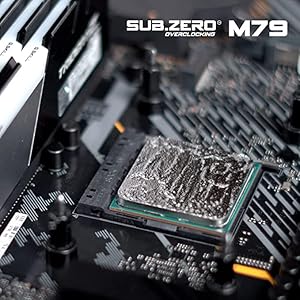
I have to say, the M79 Liquid Metal Thermal Compound was a complete disaster for me. I was hoping for a product that would help me achieve better thermal conductivity and cooling for my overclocking adventures, but this stuff turned out to be a nightmare. First of all, it does not spread evenly at all. Despite following the instructions carefully and using the recommended amount, it just seemed to have a mind of its own. It clumped up in some areas while barely covering others, making it nearly impossible to achieve a uniform layer on my CPU. But the worst part was what happened next. This compound is so runny that it actually seeped through the surface of my processor and onto my motherboard. Can you believe that? It caused a short circuit on my Gigabyte B550M motherboard, and the consequences were disastrous. My motherboard went haywire, and I had to fork out a significant amount of money to purchase a new one. I expected a product that would enhance my overclocking experience, not one that would potentially ruin my entire setup. This M79 Liquid Metal Thermal Compound is a complete waste of money and time, and I would strongly advise against using it unless you want to risk damaging your expensive components. It was a costly mistake, and I regret ever trying this product. :(
TrustPilot
5天前
1 周前



