We remain fully operational. Our teams are working around the clock to ensure your deliveries continue safely.

下载应用程序



Buy anything from 5,000+ international stores. One checkout price. No surprise fees. Join 2M+ shoppers on Desertcart.
Desertcart purchases this item on your behalf and handles shipping, customs, and support to Hong Kong.
🎞️ Turn your vintage vault into digital gold — effortlessly!
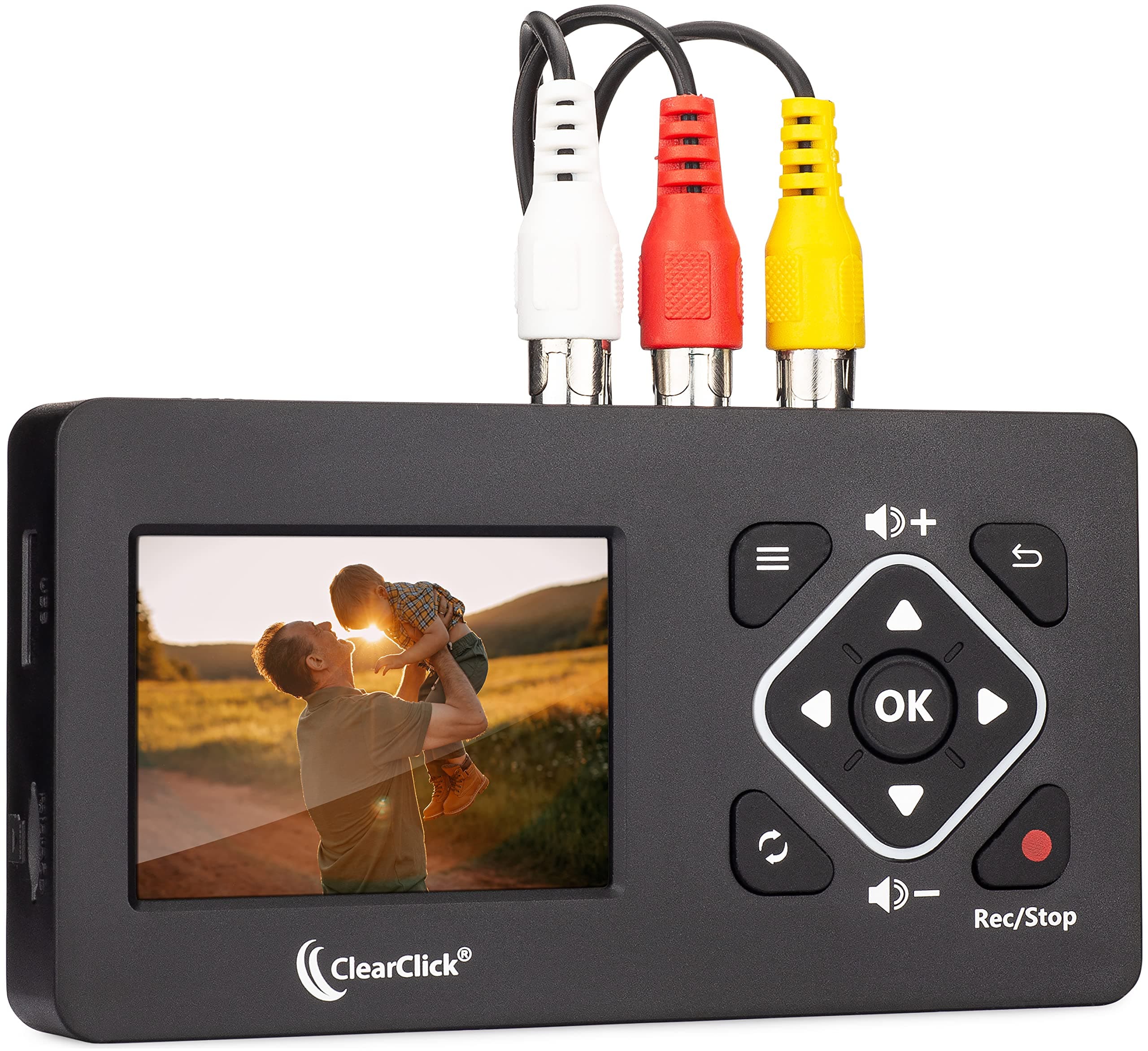
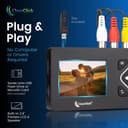
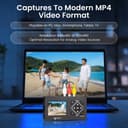
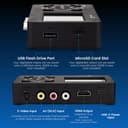
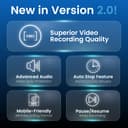
The ClearClick Video to Digital Converter 2.0 Mini Edition is a compact, user-friendly device that converts analog video sources like VHS, VCRs, camcorders, and retro gaming systems into digital MP4 files. Featuring a 2.4" LCD preview screen, built-in speaker, and direct recording to USB flash drives or MicroSD cards, it requires no computer or software. Enhanced with improved audio/video sync, auto stop timer, and pause/resume recording, it’s perfect for preserving and sharing your cherished memories with modern devices. Comes with a 1-year warranty and USA-based tech support.


| ASIN | B0BS8M8968 |
| Best Sellers Rank | 9,544 in Electronics & Photo ( See Top 100 in Electronics & Photo ) 113 in Video Converters |
| Brand Name | ClearClick |
| Colour | ['Black'] |
| Compatible Devices | VCRs, Camcorders, DVD Players, DVRs, Retro Gaming Systems |
| Connector Type | RCA |
| Customer Reviews | 4.5 4.5 out of 5 stars (252) |
| Input Voltage | 5 Volts |
| Item Dimensions | 25 x 117 x 71 millimetres |
| Item Type Name | Video To Digital Converter 2.0 Mini Edition |
| Item Weight | 259 g |
| Manufacturer | ClearClick |
| Model Number | Video2Digital 2.0 Mini Edition |
| Number of Items | 1 |
| Number of Ports | 4 |
| Package Quantity | 1 |
| Power Plug Type | No Plug |
| Product Finish Type | Matte |
| Specific Uses For Product | USB Video Capture Device, Video Converter, Video To Digital Converter |
| UPC | 850012969426 |
| Unit Count | 1.0 count |
| Warranty Type | 1-year warranty |
T**R
A great way to get your video content onto the laptop
Had one or two issues getting it working because my VCR needed a Scart connector, but Brian was super helpful and once I had it set up properly, it works really well. Am working my way through my videos now!
J**K
I bought this for the same reason everyone else would be. To capture old memories. I was in a band for a long time in the late 80s and 90s and I video taped almost every show we did here in Rochester, NY and other cities. To date, I have captured over 50 +/- videos. Some long lengths, some short. It really IS as easy as it is described as. Simply plug in the cables to the VCR or HIGH- camera, or what ever device you have that has video and needs to S-Video and/or AV-Cables (Red White and8 Yellow), press play on the unit, and when you want to start recording, just hit the REC red button on the device. Its a little tricky, though. Sometimes pressing it quickly will just take a snapshot picture and save it to your USB Drive. So, you may have to hold it down for like a second or two to see the counter start on the top left. When you are done, just hit the red button again and stop. Then just repeat the process. The quirk: I noticed when you start a recording a video and then stop the recording, then remove the USB stick from the unit, for some reason or other it doesn't save. No idea why. So, with that said, I tried something. I recorded a 20 minute long video, then stopped the recording process. Then, I started recording more. I did a total of three clips. Then I unplugged the POWER from the unit and then pulled the USB out and inserted it in to my laptop. All the files were there. So, that is a trick I noticed I could do to get around that one quirk. The screen IS small on the unit, but I knew that going in. All you need is an HDMI cable to attach to the unit and in to your TV or whatever. Once you do that, the video on the unit turns off and you can see the video on your big screen. Note: Everything you see on the little screen (the time-code, timer, settings at the top) are displayed on the TV as well. You just have to choose one or the other while you're capturing. The file is an .MP4 video file. What you see on the tape is what you get un-compressed. So, garbage in, garbage out. Good video in, good video captured! The file sizes it creates for a 2hr VHS tape recorded in SP mode on the VHS camera originally came to be 4GB (Gigabytes). I don't recommend using a storage drive like a NAS device or an external drive. Stick to fast USB 3.0 sticks. If you want to see the quality of what I have uploaded, you can look my YouTube page up by searching for @AmerkFlack in YouTube search bar, Have Fun!
V**H
It does what it's supposed to do. I didn't have a chance to directly compare the quality of the VHS original to the digitalized version, but it seems all right. And operating the gadget is incerdibly, absolutely, totally foolproof. (I.e. connect it to your video player plus a storage device, then hit the red record button.)
Y**J
Very doable
M**S
After trying a cheap capture card with expectantly poor results, I decided to buy this device as is one of the most talked all-in-one devices to capture vhs tapes, with usually good reviews. The results are simply unwatchable, as you can see from my video sample. Believe it or not, in the original VHS video, the kids actually faces! You can actually use your smartphone and film the screen, with much better results (stupid as it is, I'm not kidding). I obviously wasn't expecting professional results, but in my opinion this product shouldn't exist at all. I received it yesterday, and I'm returning it today.
C**Z
For the past several decades I've used very expensive professional video capture cards to digitize old analog videotapes. This device is inexpensive, works excellent for SD footage, and is simple to operate. Very pleased.