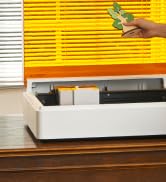
🚀 Elevate your craft with precision power and pro-level safety—because your projects deserve the best.
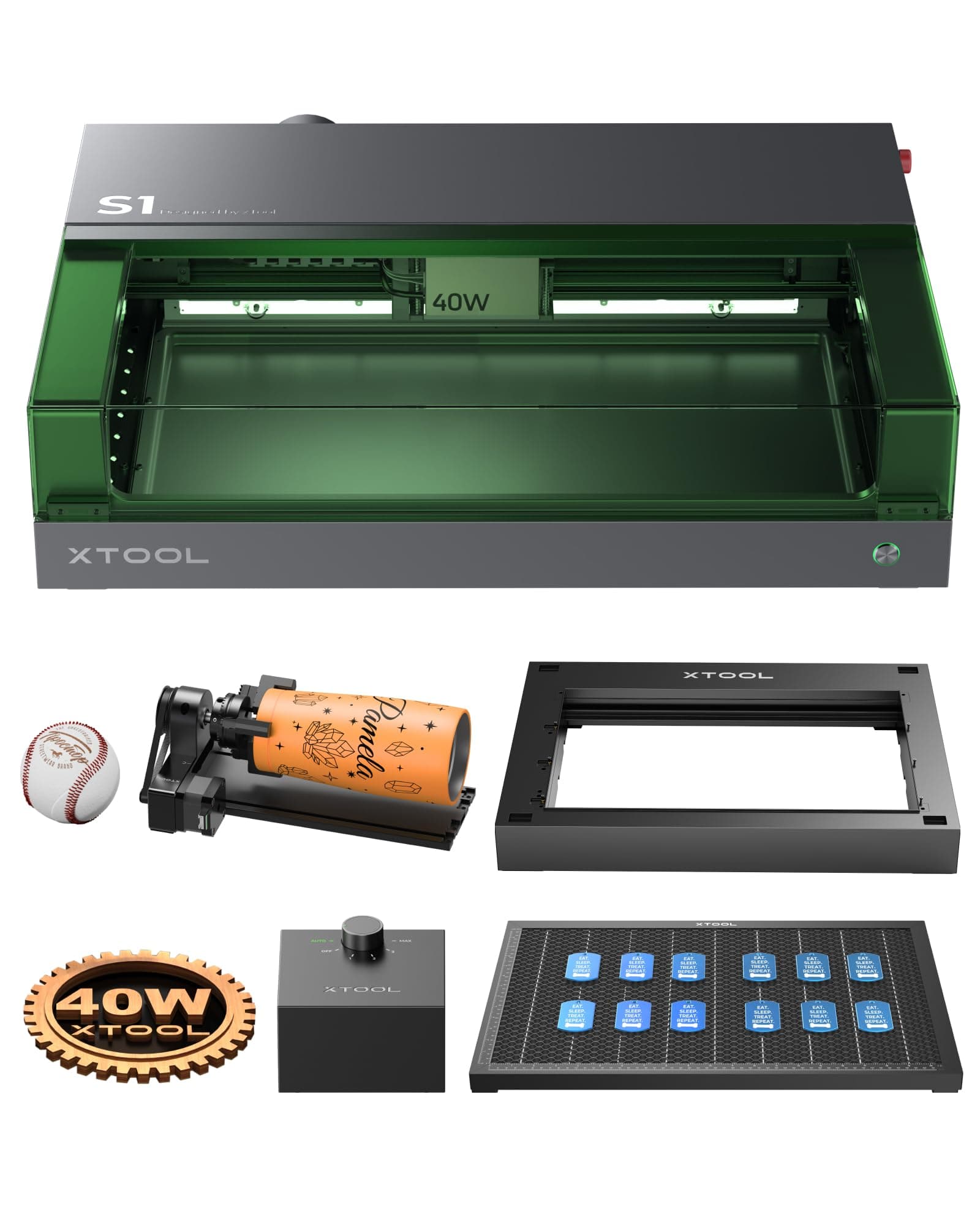
The xTool S1 40W Engraver Machine is a high-performance, all-in-one cutter and engraver designed for wood, metal, leather, acrylic, and glass. Featuring a powerful 40W laser, ultra-precise 0.01mm positioning, and a large 498x319mm working area, it delivers fast, flawless results. Its intelligent air assist, honeycomb working sheet, and riser base optimize cutting quality and versatility. The fully enclosed Class 1 safety design with flame sensors ensures safe operation, while user-friendly software supports both beginners and pros. Ideal for DIY enthusiasts and small businesses aiming to scale with batch processing and multi-material capability.


| ASIN | B0CH3PKZNC |
| Batteries Required? | No |
| Best Sellers Rank | 179,279 in DIY & Tools ( See Top 100 in DIY & Tools ) 189 in Engraving Tools 6,514 in Climate Pledge Friendly: Shop All |
| Colour | Black |
| Customer Reviews | 4.5 4.5 out of 5 stars (30) |
| Date First Available | 1 Sept. 2023 |
| Item Weight | 37.5 kg |
| Item model number | xTool S1 |
| Manufacturer | xTool |
| Package Dimensions | 87 x 66 x 39.5 cm; 37.5 kg |
| Size | Rotary Kit |
| Style | S1 40W All-in-one Kit |
N**S
Great machine. Expensive but worth every penny.
I bought the S1 as an addition to my woodworking shop. I chose the 40w version as most of my work will involve cutting but it’s quite capable of engraving too. The S1 makes easy and quick work of most tasks, cutting cleanly up to 18mm thick material without problem. Being fully enclosed also means it’s much safer to use than many open frame lasers. The built in extractor provides adequate smoke extraction. The air assist is essential in my view as this helps produce clean cuts. An added bonus is the flame detection system. Personally, I connect to the machine via USB. I’d like to see the addition of a RJ45 socket so it can be networked via cable although the machine does come with WiFi. Thoroughly recommended. I've included a couple of photos of the sorts of things I've produced.
M**Y
Amazon you muppets - sent me the 10w laser - READ THE LABELS !!!
This is a really good machine, well built and well packaged. I already have the 20w version and have had no issues at all with it. It works well with either Xtools own XCS software or Lightburn and gives really good results. I would recommend joining the S1 and xtool Facebook community pages as they are a gold mine of info and tips plus you get some great ideas and examples of what you can achieve. The customer support is also excellent - Amazon actually delivered a 10w machine instead of the 40w I ordered and they offered to replace the machine themselves and also offered a compensation package to make up for the delay and inconvenience despite it not being their fault. They also contacted Amazon themselves for an explanation of how the delivery went wrong. If you need them use the Facebook support page, I have never had any issues they couldn’t solve. Definitely happy with my purchase despite Amazon messing up the delivery, it’s not exactly cheap but no laser of this power is and worth the money if you take time to learn how to use the software to get the best from it.
D**.
Quality built in
Bigger than expected but great machine
S**R
Old stock, problems
How many stars should I give? It's a good looking and reasonably specified machine. It looks well made and comes very well packed. But I have to give it three. The reason is despite the ads and the glowing reviews it wasn't easy to get started and wasted a lot of time. Firstly - and I only realised this at the end the package sent to me was manufactured nearly two years ago. Probably that would explain the somewhat tatty condition of the box, and earlier order was resturned unopened as it looked like the box had been kicked around. However, had a I realised this when it arrived, it would have given clues as to why I couldn't get it to work. In short the machine wouldn't talk to my computer. For the first week I assumed I was being stupid or had duff cables or something. I ried different computers, different cables and adaptors, Windows and a Mac. None of the combinations got the xTool software to recognise the machine, the most I got was an error message. In frustration, I contacted xtool support. I have to say they are really good. They took me down a diagnostic path over a series of emails. This led to my 'new' machine being too old for the current xtool software, but also for Lightburn. What worked was going back into their archives, downloading and installing an old version of xtool software and then using that to download and update the formware in the machine. Then the current software could be downloaded and installed again. After all this, which took another week, I managed to get a test cut done. Xtool's own software is fairly basic, and I want to use my files, originated in Adobe Illustrator with it. I saved these is a couple of xtool friendly formats and gave it a go. Another hiccup. A cut that I would have expected to be easy took forever, in fact I gave up after 45 mins when it had done about a third. Lightburn did a better job, but I was getting nervous, especially when I went back to support and they suggested a new control board may have to be installed. There was just two days left on the return window, fearing more chaos I sent the S1 back. Disappointed.
D**N
Is this set the best option for the S1?
Great performance and wow it’s great, easy to use. Only disappointing thing is when you look into larger projects with the feeder. It requires a different base with doors for project to pass through. Having just paid for the round object engraver. That’s very disappointing.
M**Y
Xtool s1
That it is a great machine and fast delivery
M**K
So happy with this diode laser
user info....i have owned the D1 pro 10w for nearly 2 years.. very happy with the unit.. and it was my work horse for all my projects. so not new to lasers.. love wood working and carving celtic art and stone carving.. Setup.... best to have someone around when its delivered.. it is heavy.. but comes with 2 nice straps to help lift it out of the box.. for a new user i would say it would take from 15 mins to an hour to clear space and setup and remove packaging and installing the software.. after removing all the foam and manuals and material test pack.. there are just a few clips to remove inside that locks everything for transporting.. very easy to setup.. safety.... with my d1 pro. i was always worried about fire and my baseplate i got with my honeycomb bed was to small and i had burned into my work unit a couple of times.. and though i had a fire proof box around it. this took up a lot of space.. the S1 unit comes with 5 fire sensors and is fully enclosed.. and gives of a loud alert if detected.. though i only bought the basic s1. you can buy an extinguisher that uses co2 canisters to put out any flames when its detected. works very well. watched an xtool live stream where they showed the s1 and no chance i can burn into the table now due to the solid baseplate on the uni. i love how safe this machine is.. but still never leave a machine running on its own.. software and support and support groups.. if your new to laser engraving you may wish to head to there main webpage and watch some tutorial videos.. or youtube. there are many support groups on facebook for the xtool machines.. they are friendly and offer support with any problems... Xtool support.. i have not had to use there support.. but from what i can tell of the facebook groups there support team are good and helpful.. if your a new user you may want to use the xtool software to start with.. its easy to use.. and there are some good youtube videos showing how to use the software.. its always getting updated and i have had no problems using the software.. if your already using lasers and you have lightburn you can use this software with the s1 laser engraver.. Materials.. there are many that you can use.. though some you should be careful with.. i myself have used stone.. slate.. wood of many types.. bone.. leather.. fake leather... paper.. card.. ceramic tiles.. ceramic plates.. stainless steel " depending on the power you are using you can change the colour of the metal.. you can not engrave. ie remove metal. " coloured acrylic. " you cant cut clear acrylic.. but you can engrave on it if you paint the back of the acrylic with black water paint or a black board behind the sheet " same with glass you need a black background for the laser to hit or it will pass though it.. there are many settings in the software for many materials.. but you can fine tune and save your own settings. there are a few things that the laser cant do anything with like copper and brass.. maintenance.. the s1 comes with all the tools you need and some spare lens covers.. mostly you will need to clean the laser and the lens and fans in the laser unit etc.. this will need to be done often. this is not complicated. you just need some isopropyl alcohol and some cotton buds.. there are videos on the main website on how to remove the laser unit and how to take it apart and clean it and how to grease the rods.. with the supplied lubricant. also worth watching the video on how to replace a fan from the laser as this will show how to open the unit and clean the fan from dust.. dust is the main problem.. it gets everywhere.. and depending on the materials you are using some give off more dust.. mdf woods can be bad for this... if you do not clean remove the laser and clean it often dust can build up behind the unit and drip onto the rails and can cause the laser unit to skip during a project.. if you see any dirt on the rails then you need to remove and clean the unit and the rails.. but do not let it get that bad.. :) but i would say not to be afraid of cleaning.. you get used to it and its done in no time.. i tend to clean mine after 8 to 10 hours of use.. setting up an engraving.. this is so easy.. you place in your wood onto the bed making sure its straight you can use the cross hairs on the laser as a guide.. moving the laser around the wood making sure the part is lined up.. the you move the laser over the wood.. so the laser cross hair is over it.. then in the software you would click on the backdrop and this brings up a menu on the right side of the screen.. you select the cross hairs next to the word distance. and it drops its probe and lowers and touched the wood. and then calibrates the height for the laser and focuses the laser point.. then in the menu on the right side you select start marking... and you select one of the options.. so rectangle.. you then move the laser head to the top left corner of the wood. then click the start button and you get a beep.. then you move the laser unit again to move the cross hair laser to the bottom right of the wood.. and then hit the start button again on the laser.. and another beep. then back to the software and you click done.. then done again.. now in your screen on the software you see a box this is your work space.. also on the right hand side of the screen you have your basic settings for materials.. so your using wood.. so you can select wooden coasters settings or the 3mm wood sheet etc this will give you your basic speed and power.. or you can add your own manually.. you load in your picture.. and move it into your marked work area.. shrink it to fit and then when your ready you can hit the process icon and it will generate the picture then you can hit the start.. and it will send the file to the unit. then you will hear a beep. and its ready hit the start on the unit and wait.. tada you are done.. final views... i have to say i am loving using my s1.. i went for power the basic 40w laser.. though you can buy the rotary and the riser and bed and the air assist and fire extinguisher separately.. you can also buy a 2w infra red laser for metals for the s1. and the 20w laser.. i think if i was to buy again.. i might have gone for the full 20w setup rather than the basic 40w..and got the riser and rotary and bed with the 20w. but do not get me wrong i am loving the 40w.. even though i do not have all the kit yet for it.. and i love how safe the unit is.. and i will be using the s1 for a long time.. i just cant think of a bad thing.. its done what ever i have wanted it to.. and never given me one problem.. and any problems i have had with a bad engraving.. has been ever user error or using bad wood. with a strong grain.. but i tend to do deep engravings to make my projects more 3d with depth so some woods are not good for what i do.. so i hope this helps anyone that is thinking of getting the s1.. sorry its lengthy review.. but if it helps just one person then it was worth it. :) have fun i know i have been.. :)
J**O
Awesome laser machine.
What an awesome machine and thanks Amazon for a massive discount. First laser machine but thought I’d spend more to get quality and I made the right decision. 40w laser cuts through basswood and ply like a hot knife through butter. The way this machine comes packaged is second to none. Xtool have really done their homework. Had it three days and already love this thing 😁😁