We remain fully operational. Our teams are working around the clock to ensure your deliveries continue safely.

下载应用程序


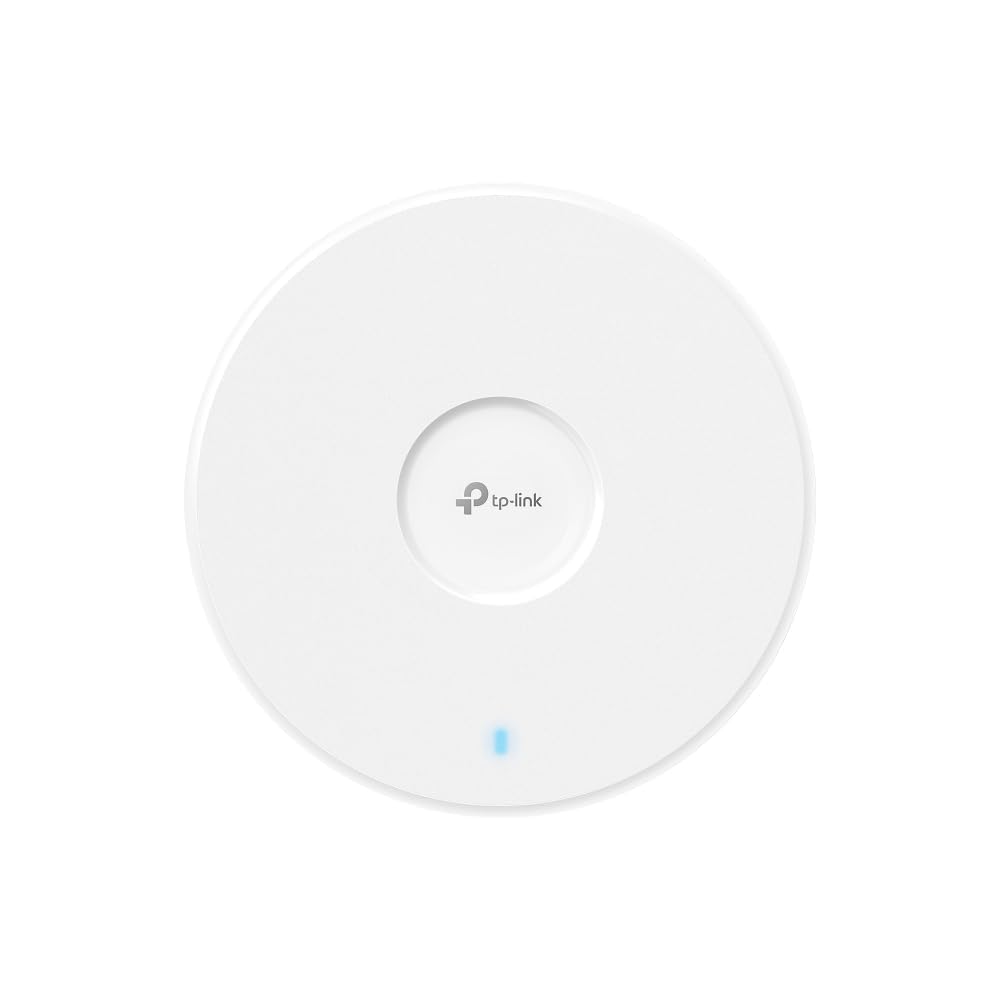
🚀 Elevate your network game with Wi-Fi 7 power — don’t get left buffering!
The TP-Link EAP723 WiFi 7 Access Point delivers cutting-edge dual-band speeds up to 4324 Mbps on 5 GHz and 688 Mbps on 2.4 GHz, powered by a 2.5G Ethernet port and 240 MHz bandwidth for superior multi-device performance. Designed for professional and home environments, it features centralized Omada management, mesh networking, and seamless roaming, all supported by a 5-year warranty. Ideal for bandwidth-intensive tasks like 4K/8K streaming, gaming, and large file transfers, this AP ensures future-proof, reliable wireless connectivity.


| ASIN | B0DT4YP2GX |
| Antenna Location | Business, Home |
| Antenna Type | Internal |
| Best Sellers Rank | #30 in Computer Networking Wireless Access Points |
| Brand | TP-Link |
| Built-In Media | Ceiling/Wall Mounting Kit, EAP723, Installation Guide |
| Color | White |
| Compatible Devices | Personal Computer, Security Camera, Smart Television, Smartphone, Tablet |
| Connectivity Protocol | Wi-Fi |
| Connectivity Range | 1500 Square Feet |
| Connectivity Technology | Wi-Fi |
| Control Method | App |
| Controller Type | Omada Controller |
| Coverage | 1500 Square Feet |
| Customer Reviews | 4.5 out of 5 stars 68 Reviews |
| Data Transfer Rate | 5000 Megabits Per Second |
| Frequency | 5 GHz |
| Frequency Band Class | Dual-Band |
| Has Internet Connectivity | Yes |
| Has Security Updates | No |
| Is Modem Compatible | No |
| Item Weight | 0.9 Pounds |
| LAN Port Bandwidth | 2.5G |
| Manufacturer | TP-Link |
| Maximum Upstream Data Transfer Rate | 2162 Megabits Per Second |
| Mfr Part Number | EAP723 |
| Model Name | Omada WiFi 7 |
| Model Number | EAP723 |
| Number of Ports | 1 |
| Operating System | Omada |
| Other Special Features of the Product | Access Point Mode, Beamforming, Guest Mode, Internet Security, QoS |
| RAM Memory Installed | 512 MB |
| Router Firewall Security Level | High |
| Router Network Type | Wired with Wireless |
| Security Protocol | WPA-PSK, WPA2-PSK, WPA3 |
| Special Feature | Access Point Mode, Beamforming, Guest Mode, Internet Security, QoS |
| UPC | 810142821711 |
| Warranty Description | 5 Year Manufacturer |
| Wi-Fi Generation | Wi-Fi 7 |
| Wireless Communication Standard | 802.11.be, 802.11ac, 802.11ax, 802.11b |
| Wireless Compability | 802.11.be, 802.11ac, 802.11ax, 802.11b |
D**N
Some knowledge of networking is helpful if you want to create multiple VLANs to segment your traffic
I moved from the Netgear ecosystem to the TP-LINK Access points and I will say the performance is better, and they are free to mange through a portal that is more than enough for home users. I have 4 of these access points and they provide great coverage, great throughput, and are so easy to set up. I was able to build 5 VLANs for various purposes, one of which is securing my work related PCs and phones to their own private VLAN. The others are for kids, IOT, TVs, and a test VLAN.
E**R
Amazing value in professional grade HW and SW
I'm using this as our first Omada device. I'm controlling it locally with a docker instance of their software. They offer something in the cloud, but I don't want that for myself. I'm using a capable but aging RT-AX89X as my router, this is just an AP for me. But what an AP! Yes, the hardware is only dual band, but I'm able to get 2GbE from a wifi 6e client through a wall. With a 2.5Gbe backhaul this is capable of providing screeming throughput. For the money, this thing exceeded my expectations. The software is next level. Im sure ubiquity is better, but this is light years more capable than a traditional router. Of course, more capable means so many more options that most consumers won't need. It's still a great AP option and reasonably prices for that. But the software really gives you control if you want it. It was even able to map my property's impact on the wifi signal.
E**.
Great addition to any network
Works well, great range, and is a major improvement to any network
K**K
A good stable access point
Stable AP, ok-ish roaming and Omada Cloud management no issues
R**N
Fast and stable
Wifi 7 features like 160mhz channel bandwidth really sped up my network, and the price made this device a really good value. I use three separate aps at my house on the three separate levels, and separating the channels with this device in the middle really solved my roaming and reliability problems. I do recommend turning DOWN the 2.4ghz broadcast (maybe to 9db) so that the 5ghz is selected by your client more often.
C**E
Buena relación calidad/precio
Equipo AP. Evidentemente no es un Wi-Fi 7 real, eso lo sabía con antelación, además no lo necesito, sin embargo, para una red wifi 6 está perfecto y tiene mejor alcance y características que mi viejo EAP610 y que un 650. Respecto al envío: Fue bastante deficiente y lento, siendo que el comprar algo en China por AliExpress me llega en 1 semana a Chile. Con Amazon se demoran más de 2 semanas y ni siquiera cumplen con el día prometido de entrega. 👎👎
M**.
Great AP !
Great Ap !
A**T
It's not even Wi-Fi 7
Today I'll be talking about this product. Brand: TP-Link Product: masquerading Wi-Fi 7 Model: EAP-723 Missing: 6 GHz not available My final thoughts on EAP-723. Where should I begin The product does not have 6 GHz radio. So it only has 5 GHz radio coming in at 4,324 Mbps. So they're allowed theoretical speeds an extra 240 MHz wider. See the problem here is good luck finding 240 MHz of clean spectrum in a 5 GHz band without interference. You need zero neighbors with Wi-Fi no DFS radar interference and perfect conditions. So that 4324 MB is pure fantasy for 99% of the users. So the true rating would be what the EU is getting 2882 megabytes closer to real world at 160 megahertz. It's easy to set up in value for the money but it's not what I wanted but I got a little closer and it's a shame that we can't really see these in the store so we know exactly what we're getting well box wise but a detail is left out anyway just be careful what you buy The company is that bad I mean they have good products and stuff I used to help them a lot and testing but not anymore I see The stability I guess it works I don't know I haven't used this product. Other products for them and lasted for a long time I'm actually using one of the business access points right now but that is the work with another system I have. Well anyway come on TP-link Get with the program Make something that really works and something with the 6 gigahertz speed.
TrustPilot
2 周前
4天前