We remain fully operational. Our teams are working around the clock to ensure your deliveries continue safely.

下载应用程序


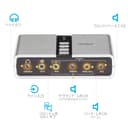
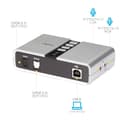
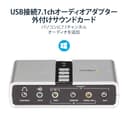
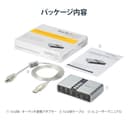
🎶 Elevate your audio game—because your ears deserve the best!
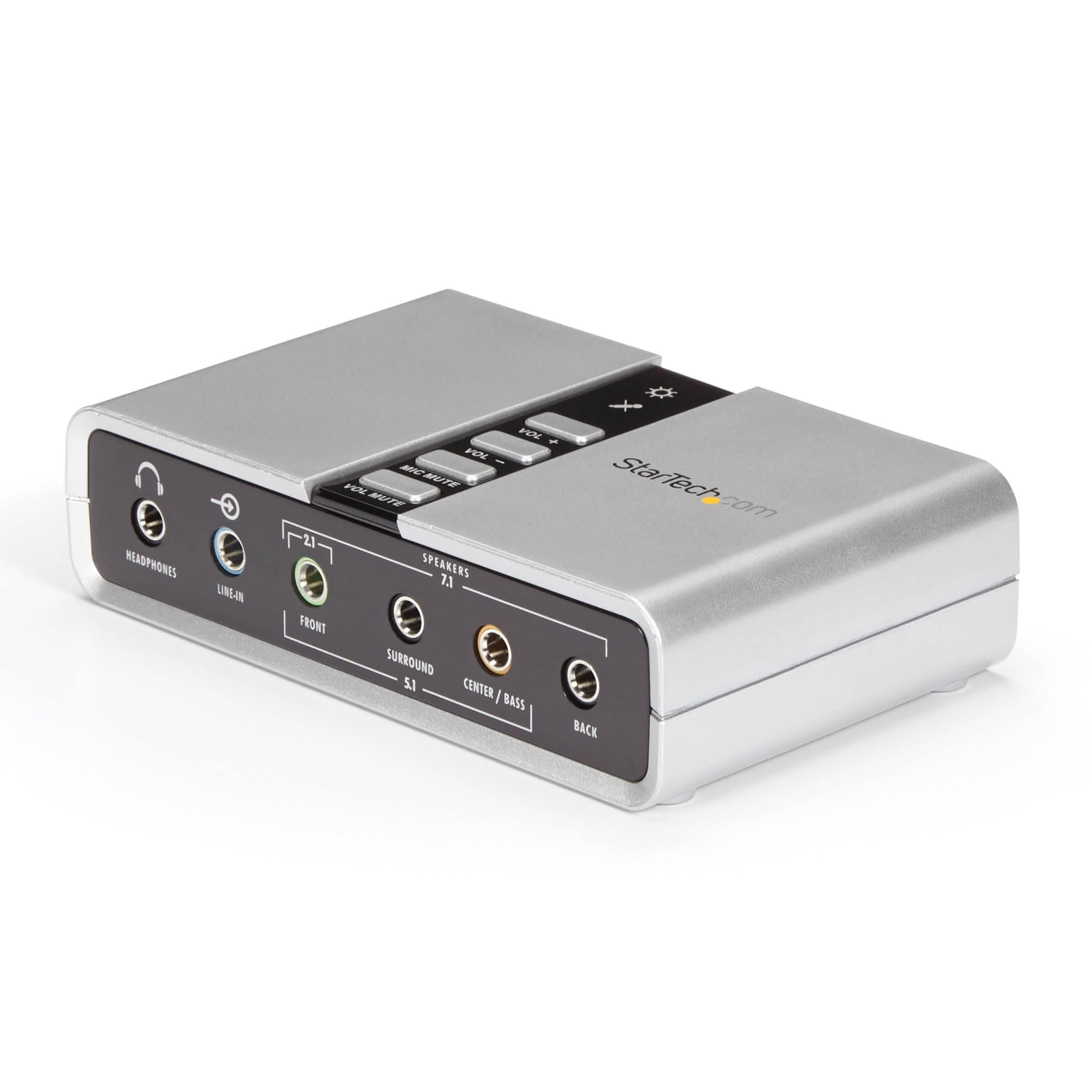
The StarTech.com ICUSBAUDIO7D is a compact external USB sound card that upgrades your PC or laptop audio to true 7.1 channel surround sound. Featuring plug-and-play USB 2.0 connectivity, it supports both analog and digital outputs with 8x 3.5mm mini-jacks and Toslink optical ports. Compatible with Windows 7 through 10, it offers easy volume and mute controls, supports 44.1KHz and 48KHz sampling rates, and comes with a 2-year warranty plus lifetime technical support—perfect for gamers, home theater enthusiasts, and multimedia pros seeking premium sound without opening their PC case.


| ASIN | B002LM0U2S |
| Amazon Bestseller | #69,526 in Electronics ( See Top 100 in Electronics ) #122 in Headphone Amps |
| Audio Output Mode | Surround |
| Brand | StarTech.com |
| Compatible Devices | Headphone |
| Customer Reviews | 4.0 4.0 out of 5 stars (1,892) |
| Global Trade Identification Number | 00065030835466 |
| Hardware Connectivity | USB |
| Hardware Platform | desktop |
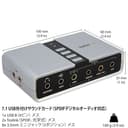
| Item Dimensions L x W x H | 10L x 6W x 2.5H cm |
| Item Weight | 0.09 Kilograms |
| Manufacturer | スターテック(StarTech.com) |
| Maximum Sample Rate | 48 KHz |
| Mfr Part Number | ICUSBAUDIO7D |
| Model Number | ICUSBAUDIO7D |
| Platform | Windows 10, Windows 11, Windows 8, Windows 8.1, Windows Vista, Windows XP |
| Signal-to-Noise Ratio | 120 dB |
| Surround Sound Channel Configuration | 7.1 |
| UPC | 065030835466 |
R**T
PS4で使ってます。 音は確かにデカくなりますが、高音よりな上がり方します。 中低音が上がってほしいとは思いました。 仕様なのかどうかは分かりませんが、 ヘッドホンのとこに刺しても音は出ませんでした。 2.1のとこに刺したら出ます。 PCで使うと充分使えるんだろうと思います。
A**様
Windows11で正常動作しています。 イヤフォンを繋いでも最初は音が出ませんでした。 ヘッドフォン、イヤフォンを使うときはXear Audio Centerで切り替える必要があります(切り替えの設定が隠れてて分かり難い)。音がでない方いらっしゃったら、画像を参照ください。
M**A
Win11でもドライバが当たりました。音質は上々です
池**ん
スピーカの設定はwindowsのコントロールパネルのハードウェアとサウンドから行ってください windows11のドライバーはホームページから落としてこれます。
N**U
Win10(hpに対応ソフトあり)で動作したので、あわよくばWin11にもと試したが、インストーラーが動かない。Win10のpcをあと何年使うか?それが問題。余っていたスピーカーやアンプの有効活用になり、音も迫力を増した。10年以上?前の製品にしては頑張ってる。
T**K
光出力では2chにしか対応していません。使えません。
ほ**ち
メインPCを買い替えた際、ノートPCにしたため 出力がステレオしかなくてそれまで使ってきた5.1chスピーカーシステムが使えなくなりました。 5.1chシステムを生かすため購入。やっぱり映画とか見るときは5.1chが良いですね。 webのゲームとかで、たまに大きく遅延することがありますが、これはPC側の問題かな~?
い**も
電源を疎通すればLED点灯、PCに認識されたら点滅という挙動ですが、個人的には逆の挙動が良かったです。USBのサウンドカードを始めて購入したのでそういうものなのかもしれませんが。
B**A
Cette carte audio externe est pile ce que je recherchais. Le pris est correct (des cartes similaires chez Creative coûtent plus de 100 euros en moyenne). Le bouton sur le boîtier est un plus, même si je ne m'en sers pas, ça fait quand même trois possibilités de moduler le son (réglages Windows, le bouton sur les enceintes et ces boutons sur le boîtier). Le son est très bon puisque j'ai un système 5.1. Cela m'a permis de récupérer du son sur un PC où la carte son interne et intégré à la carte mère a lâché. Le produit est arrivé dans les délais annoncés et bien emballé. Ce fut une joie que de retrouver du son sur mon PC.
R**I
Compatta, solida e soprattutto perfettamente funzionante. Io la uso per giochi e musiche in 5.1 ed è tutto ok, suono e localizzazione perfetti. Per istallarla ho scaricato dal sito (come consigliato nel manuale cartaceo incluso nella confezione) il software "Xear Audio Center" che permette di gestire facilmente input e output. Consigliatissima.
C**H
Device as expected and was extremely reasonable priced. The programs and drivers seem old and the UI looks like its from win95. It isn't necessary for use and can just be a generic usb 2.0 device configured thru windows. It takes a min to configure in win11 but does produce 5.1 surround. Isn't just plug and play, you have to configure it in windows and windows doesn't seem to want to allow you to the menu necessary (No fault of device). I couldn't find the location of the configs in basics system settings menus. WHERE YOU HAVE TO GO TO CONFIGURE: 1-"Open Sound Settings: Type mmsys.cpl into the Windows search bar and press Enter to open the classic Sound control panel.". 2-click on device. 3-configure. Device is great for my use. Computer->EKL Switch->This Device - to transfer my surround between 2 computers using a Logitech 5.1 THX surround. From a gaming standpoint, this functions great and I don't notice a difference between direct motherboard and device sound output. Device shows as DVD quality output.
S**M
I loved this audio card it worked perfectly. I connected my old pin5.1 speakers to my Alienware pc.
D**.
For the price, thought it's bound to be an awkward product to use or will have mess around to get it working. I was so wrong, it installed within minutes, found drivers and correct software and worked immediately. Only issue was that optical isn't enabled from standard and seemed like it didn't work however to enable you need to right click the source then enable and that's it. Well worth the money and has tons of connectivity, spec for the price was even better than the Creative external soundcards with optical out... Defo buy it, great product... One other thing though is that the usb cable is only about a metre long so if desktop on the floor you'll likely need a USB extention cable so not the end of the world.
TrustPilot
1 周前
2 周前