We remain fully operational. Our teams are working around the clock to ensure your deliveries continue safely.

下载应用程序


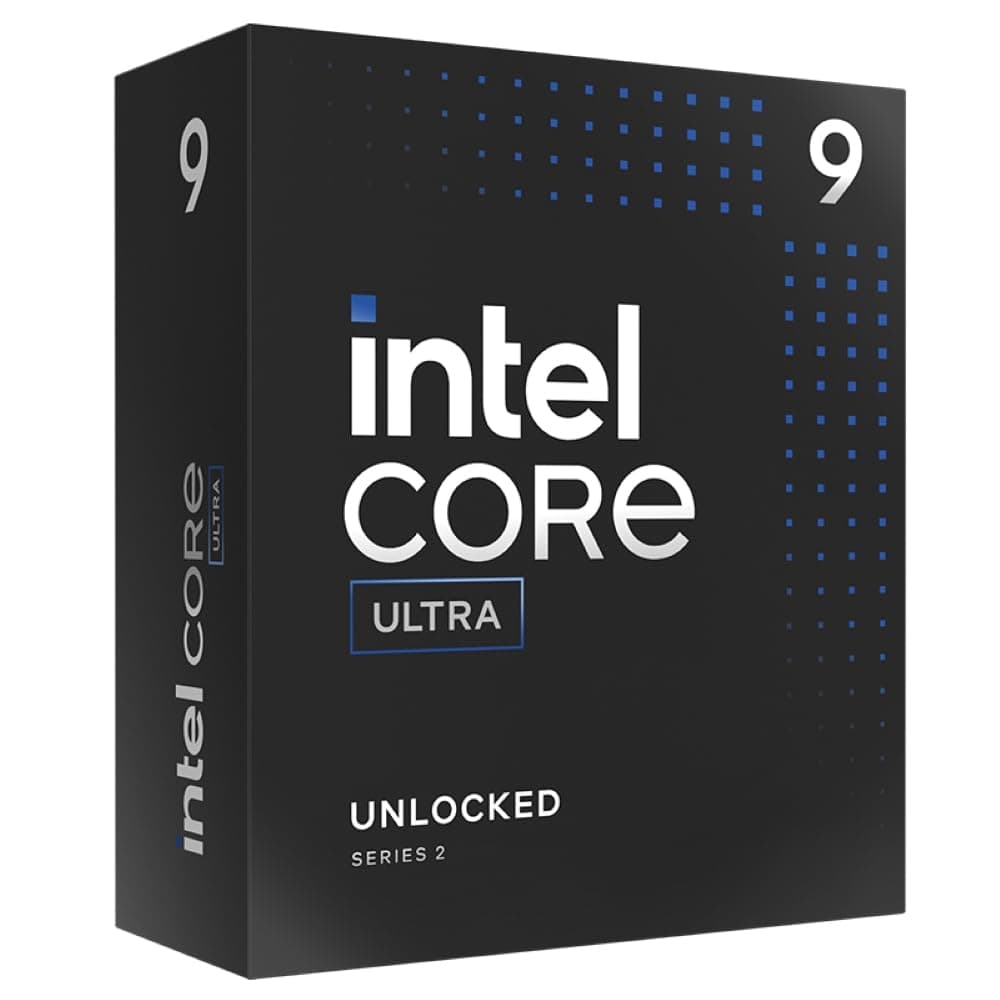



⚡ Power your productivity with the Intel Core Ultra 9 — where speed meets smart efficiency!
The Intel Core Ultra 9 285K is a high-performance desktop CPU featuring 24 cores and 24 threads (8 performance cores + 16 efficiency cores), running at a base speed of 3.7 GHz. It supports the latest PCIe Gen 5.0 interface and DDR5-6400 memory, ensuring cutting-edge expandability and responsiveness. Designed for multitasking professionals and creators, it includes a new NPU compatible with Windows 11 for AI acceleration. With a balanced 125W power envelope, it delivers powerful performance while maintaining stable operating temperatures. Note: CPU cooler sold separately.

| 2次キャッシュ | 36 MB |
| ASIN | B0DFKC99VL |
| Amazon 売れ筋ランキング | パソコン・周辺機器 - 4,155位 ( パソコン・周辺機器の売れ筋ランキングを見る ) CPU - 3位 |
| CPUスピード | 3.7 GHz |
| CPUソケット | LGA1851 |
| CPUメーカー | Intel |
| CPUモデル | Intel Core Ultra 9 |
| GTIN (Global Trade Identification Number) | 00675902154030, 05032037281928 |
| UPC | 735858550383 |
| おすすめ度 | 5つ星のうち4.6 2,269 レビュー |
| コンカレントスレッドのプロセッサ数 | 24 |
| コンピュータCPUタイプ | Intel Core Ultra 9 |
| コンピュータCPU製造会社 | Intel |
| コンピュータCPU速度 | 3.7 GHz |
| ブランド | インテル |
| ブランド名 | インテル |
| プラットホーム | Windows 11 |
| プロセッサコア数 | 24 |
| プロセッサソケット | LGA1851 |
| プロセッサ数 | 24 |
| メーカー名 | インテル(Intel) |
| ワット数 | 125 W |
| 保証内容 | メーカー保証に準ずる |
| 品目の寸法(L x W) | 33.7長さ x 16.3幅 cm |
| 商品の重量 | 10.6 オンス |
| 型番 | Intel® Core™ Ultra 9 |
| 搭載済みキャッシュメモリサイズ | 40 MB |
あ**む
ゲームだけで比較するとAMDにクソ負け。 OBSでVチューバーやゲーム配信や動画録画、動画編集などマルチタスクをいっぱい使う人はIntel Core ultra9 285Kが合ってると思う。ultra9 285kはマルチタスクに非常に強い。
A**ー
お値段しますので当たり前ですが、以前AMDX1950。32コア使用していました。 こちらのUPUは24コアで1/3の時間でエンコードなどこなしております。 ソフトにもよりますが、AVIUTL使用ならこれベストですよGPU使えないのでw
B**S
多くのゲームをプレイするものの、一瞬の判断が重要なPVPゲームはほとんどやらないためゲーム性能よりAI稼働などの処理タスクを得意とするこちらを選択。 比較対象がないので正確には言えないけどやっぱりこのランクになるとほとんどのゲームがグラボに依存してほとんど問題なく動作してくれるので快適です。 目的としていたAI動作も良いような気がします。 せっかくNPU搭載なのにまだNPU対応のソフトがほとんど無いため試せていないですが、NPU無しの状態でも処理速度はかなり早くて良い感じだと思います。 2025/08/11 追記 体感的な部分が大きいですけど、AIによる画像のアップスケール作業では画像処理速度がグラボには叶わないものの、安定性ではこのCPUのほうが高い気がします。 RTX 4090を使っていてもアップスケール後の長辺が2,000を超えるような処理では場合によっては非常に遅く、特にエラーも無いまま処理がずっと止まってしまうこともあります。 しかしこのCPUで作業をさせている分にはGPUの処理速度に比べたら数段劣って、長辺が1,400の画像を2,000程度へアップスケールする処理でも1枚に1分以上かかることもザラにありながらグラボのように停止することは無いので安定性においてはこのCPUに軍配が上がっているような印象です。
M**I
ちゃんとしたものが届きましたよ!現在稼働中!
レ**王
Z890マザーボードで使用中です。 普通に使えています。
A**ー
何を目的として、このCPUを買うのかIntelが好きだからずっとIntelしか使ってこなかったから そんな貴方には是非おススメしたいCPUだ ゲーミング性能は数値上での対決をするとAMDの9800X3Dに負けてしまう ただ実際の動作についてはどちらも快適なのは間違いないだろう 最終的な『ゲーミング性能』についてはバトンを渡してもかまわないと私は思う では実際に今回、何が大きく違うのか? ASRock社独自の低電圧設定で温度を比較しました 画像が同じような画像なので分かりにくいとは思いますが・・・ 低電圧をしない通常時でCinebench2024マルチ測定時最大温度が82度 低電圧をした後のCinebench2024マルチ測定時最大温度が74度でした 低電圧をするのは、Core Ultraでは逆になんかもったいない?気もします それを前提とするのではあれば13/14世代でも確かに良い、と言えばそうなってしまいますね 低電圧後の温度については恐らくは先代13/14世代の時とほぼ変わりませんでしたが 注目点は”低電圧をしなくても”80度付近までしか上がらない、という事です 13/14世代では「100度行きそうだ!」という心配は無くなると思います 私は基本的にOCはしない人なので本当はTaichiの購入は勿体無かったのですが・・・ 今回はどうしても上位モデルが欲しかったので買いました OCクロックをガンガンやりたい方には温度ももかなり落ち着いているようなので結構試せそうな?気がします 星が4なのはIntelが公表した『最適化不足』の件と『反り』について 画像に実際、Intelから頂いた実際のメールになっています 最初の質問で『反りますか?』に対して『反りません』の回答でしたが、追加の回答で『反ります』と 回答を貰いました このような対応ではいけません 確かに真実を言うのは嬉しいのですが、しっかりして欲しいと思いました 今回各社Z890のマザーボードにはこの『反り』に対する防止として『RL-ILM』というものを 採用しています 正し、これには条件があり『静的圧縮荷重が35ポンド』のクーラーを用意しなければいけません 現在メーカーはあくまでも1851対応としか言っていない点に注意が必要です 私は海外からサーマルグリズリーの固定フレームを個人輸入で購入し、それを使用しています
A**ー
265Kから285Kへの乗り換えです。 主にゲーム用途なのですが、試しにFF15ベンチで測った結果が以下です。 (グラボはRTX4090で、CPU以外の構成は全く同じ) ◆FHD 高品質設定 【265K】スコア:22150、CPU最高温度:60℃、CPU最高電力:94W 【285K】スコア:22372、CPU最高温度:69℃、CPU最高電力:127W ◆4K 高品質設定 【265K】スコア:15879、CPU最高温度:67℃、CPU最高電力:100W 【285K】スコア:15684、CPU最高温度:71℃、CPU最高電力:120W う~ん、正直総合的に見て265Kの方が3Dゲームでは優秀に見えます。 285Kって結局Eコアが増えただけなので、ゲームでは進化が見られないです。 ちなみにCinebench R23の結果は以下です。 【265K】マルチ:34908、シングル:1835 【285K】マルチ:40961、シングル:1847 "Cinebench上での"スコアはマルチ性能がかなり勝っています。 なので複数タスクを同時に回すような作業環境なら285Kが良いかもしれません。 ちなみに、AIもコード作成・画像/動画生成などで良く使用しますが変化は感じませんでした。 (AIも結局頑張るのはGPUですし) 後は265Kの簡素で小さい箱に比べて、立派なのが285Kのアドバンテージでしょうか... 飾っておくなら285Kの箱です。
J**O
Excellent processeur, stable et performant dans les applications de productivité mais aussi en jeux, bien aidé par les derniers microcodes d’Intel et les optimisations des firmware de carte mères. Bien moins energivore que les générations précédentes Raptor Lake. Contrôleur mémoire bien mieux optimisé.
A**L
Procesador , espectacular no da ningún problema nada que ver a las generaciones 13 y 14, es ponerlo y a correr , me sorprende también los bajos consumos que tiene y lo fresco que se mantiene, no te voy a engañar si haces overclocking si suben bastante las temperaturas y necesitas una buena refrigeración líquida. Pero en potencia y para jugar va muy bien,
X**X
Don't Worry when you watch you tube reviews; half of them take with a pinch of Salt. This Processor works well with intel's Super Boost that pretty much takes care of half the Bios settings, RAM running well CUDIMM @ 8000mts without issues. For Casual Gaming and other tasks fitted with a Crucial T705 its very fast, not had any heat issues or heat related Thermal throttles causing any Stutters, it Works well. High FPS on a 165Hrz 4k Monitor as expected, yes AMD can have an uplift in FPS so it Can be that team RED or Blue divide. Personally Heat, Power and reliability from this Core Ultra 9 is worth a loss of 10/20 fps in games. The Margin of AMD tends to Greater in 1440p. All-rounder PC then this is the Processor to buy it also has NPU, Future AI stuff. Early setups will potentially have issues if not updated to Manufacturer latest BIOS and Micro codes from INTEL. New Builds have these to hand, update the bios from flash drive prior to Windows install. less issues. Intel is releasing a refresh model prior to a new processor and chip set that is going to increase Gaming speeds but this Core 2 Ultra 9 if picked up at the right price should last for years. Half of the review for this are well out of date and Intel has done some wizardry to get it up to speed.
S**1
Great CPU when using the latest mobo bios, however the latest Intel 200S BOOST update thing is a useless gimmick. On the Asus Proart board, the XMS tweaked profile gives far better speeds and lowers the ram latency by 17ns which doesnt OC the CPU at all.
D**E
Top CPU! Beste Entscheidung vom i7 ultra auf den i9 ultra zu wechseln anstatt auf AMD umzurüsten! Ich bin zwar kein AMD Gegner aber die neuen CPU's von AMD versagen immer öfter! Der i9 Ultra ist brutal schnell und sehr Effizient! Durch meine Wasserkühlung sehr Stabil bei Vollast was die Temperaturen betrifft! Absolut System Stabil in Verbindung mit DDR5 RAM bei XMP 6000mhz cl 30 32GB. Meine RTX 5090 plus dem i9 ultra und dem DDR5 RAM ist das ein Monster! Brutale Leistung egal bei welchen Anwendungen. Ich kann den i9 ultra ABSOLUT Empfehlen! Auch das Preis Leistungsverhältnis passt ... noch! Tipp : Jetzt Kaufen bevor die Preise Explodieren
TrustPilot
1 周前
2 个月前