We remain fully operational. Our teams are working around the clock to ensure your deliveries continue safely.

下载应用程序


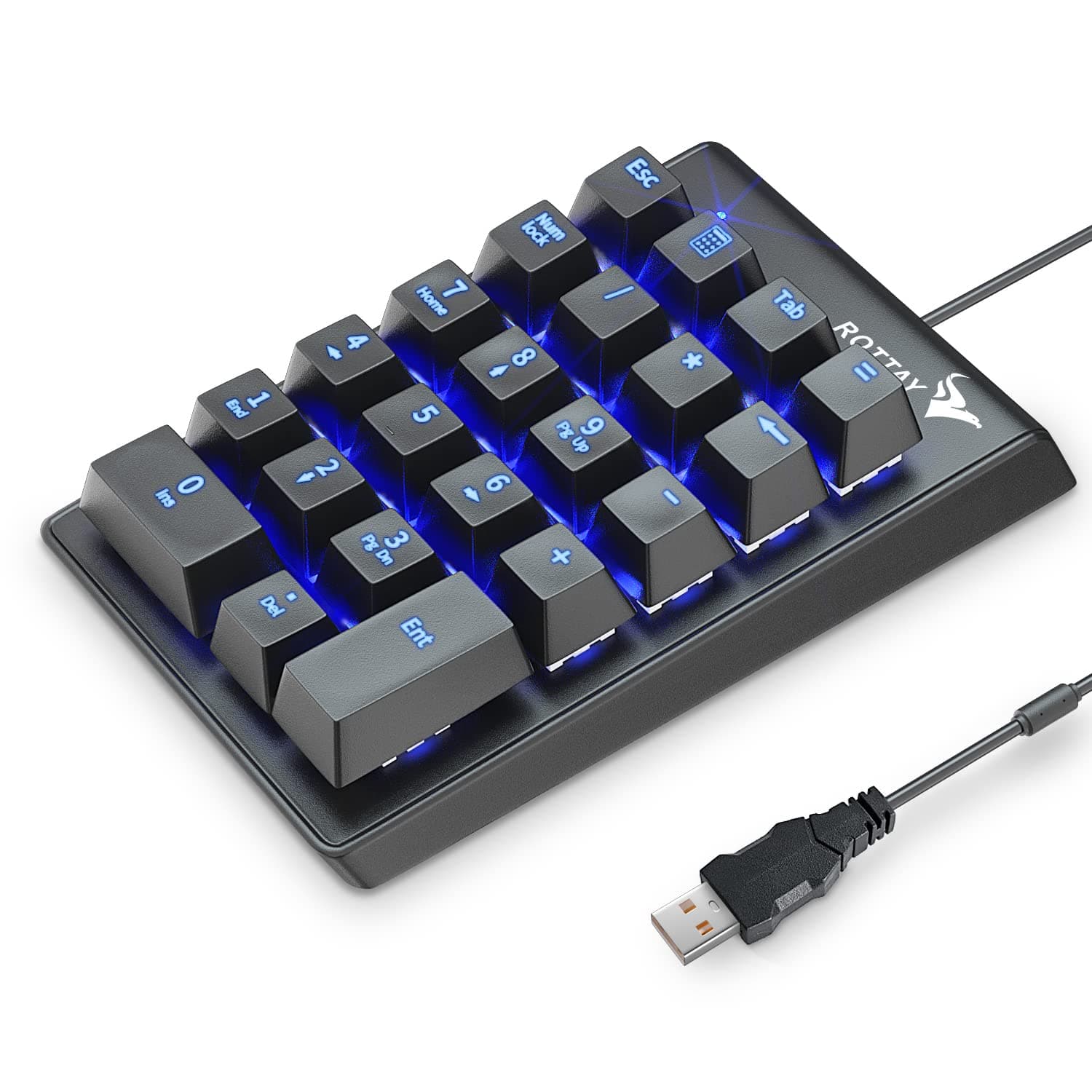

🔢 Click, type, conquer — the ultimate numeric keypad for pros who demand precision and style.
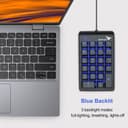
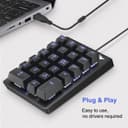
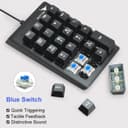
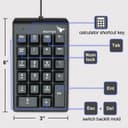
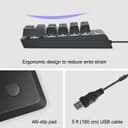
The Rottay Number Pad is a wired mechanical numeric keypad featuring 22 blue switch keys with tactile and audible feedback, blue LED backlighting with three modes, and plug-and-play USB connectivity. Built for durability with ABS keycaps rated for 50 million keystrokes and a gold-plated interface, it offers ergonomic design with a 15° tilt to reduce wrist strain. Compatible primarily with Windows OS, it enhances productivity for professionals, programmers, and gamers seeking a reliable, stylish numeric input solution.


| ASIN | B07FFLNF5C |
| Additional Features | Lightweight |
| Antenna Location | Gaming, Programming |
| Best Sellers Rank | #14 in Numeric Keypads |
| Brand | Rottay |
| Built-In Media | USB Cable |
| Button Quantity | 22 |
| Color | black |
| Compatible Devices | laptop, PC, desktop, computers |
| Connectivity Technology | USB Wired |
| Customer Reviews | 4.5 4.5 out of 5 stars (3,272) |
| Enclosure Material | Acrylonitrile Butadiene Styrene, Aluminum |
| Hand Orientation | Ambidextrous |
| Item Dimensions L x W x H | 5.53"L x 3.39"W x 1.42"H |
| Item Type Name | 10 key usb keypad |
| Item Weight | 7.2 ounces |
| Keyboard Backlighting Color Support | Single Color |
| Keyboard Description | Mechanical, Numeric, Ergonomic |
| Keyboard Layout | QWERTY |
| Manufacturer | ROTTAY |
| Mechanical Keyboard Switch Model | Cherry MX Blue |
| Model Name | Rottay Mechanical USB Wired Numeric Keypad |
| Model Number | TH-keypad |
| Number of Keys | 22 |
| Number of Sections | 22 |
| Power Source | Corded Electric |
| Style Name | Contemporary |
| Switch Type | Blue Switches |
| Theme | Technology |
| UPC | 674862990252 704129328839 |
| Unit Count | 1.0 Count |
M**N
A little noisy but works well!
I bought this because I couldn’t find the keypad I normally use. It took time to adjust but having done so, I appreciate its advantages! PROS: 1. It's very sturdy - doesn't move around as I type. 2. It’s backlit – a definite plus! 3. It includes the backspace key allowing for quick correction without hunting the keyboard. 4. It connects via USB-A, so there’s no battery to charge. 5. It's a plug-and-play - no driver downloads or special software required. CONS: 1. Its height: Unlike previous keypads this sits substantially higher. To keep my wrist straight, I had to raise my chair/sit on pillows which strained my neck because the screen was no longer at eye level. Of course, the easy fix was to raise the laptop or use an adjustable external monitor. 2. Its sound: Compared to my original keypad (which was nearly silent), this has a very loud "clacking" sound with every keystroke - both jarring and distracting. I’ve since gotten used to it, and the benefit is there’s no question whether I’ve entered data! LOL! Overall, I've come to appreciate its advantages and choose to focus on those. After all, how important is it? I just need something that functions well, and this one does! I hope this review helped anyone considering buying this. Happy hunting! :0)
L**S
Affordable Blue Outemu Mechanical Switch Numpad
Just got it a few minutes ago but so far so good! I never tried Outemu blue switches before and they are pretty clicky! I like how easy and concise your manual. Good instructions and easy to follow. The actual numpad works perfectly. I like how you can turn off the backlight or half dim it. That's a nice option. I also like how you guys decided to add extra keys like backspace, esc, and the calculator button. It makes using the calculator way better! Here are some critiques/improvements I think this could have. Note that I think this is already an awesome product! I just think it could be improved, but I'm not the manufacturer so no worries if you guys don't think this applies. 1) I am not a fan of the tab and num lock keys. I feel like they could have been some other keys that would have been useful. Like maybe the left and right parenthesis. I don't use tab often when I type my numbers, and if I do, I already have one on my main keyboard. Also have one key dedicated to num lock seems excessive. You could turn on numlock with a key combo like you guys did with the backlight. Then make that key something else. 2) Allow for more customization. Maybe have a white numpad available. Also let people choose different switches. I think best case scenario is make the numpad hot-swappable with rgb backlighting and have it come in black and white options. This would probably cost you a bunch initially to make and you would obviously charge more for these options, but there doesn't seems to be many mechanical numpads in the market, at least compared to mechanical keyboards. I think you could make a good profit if you invested in making products like this. Overall the seller was super upfront about what they were selling and the product fit the description perfect. For $16.99, this product was affordable and fit just what I needed. I will be sure to update as time passes. 5 stars for now!
T**E
Yes, you CAN turn the blue off, however...
Totally works instantly, even on Linux. Good key feel with a mild clicky feedback. Seems like decent quality. Rubber pads on the back work well at preventing the unit from sliding around. I was concerned at first that the blue backlight could not be turned off, but it can. Pressing the [ESC] key in combination with the [DEL] key cycles through modes of on - pulse - off. One star off simply because it would be nice if the backlight color was not blue, as that seems like the worst possible choice of colors to be emitting in a dark room and it would also be nice if the backlight could be dimmed for nighttime use instead of the not so useful option of only super bright blue or off. Overall, I'm quite satisfied, but it's not perfect.
K**K
Surprised how much I like it!!
My old numeric keyboard, which I thought was amazing, finally died. So I had to find a replacement ASAP. Found this one, and it was the only one that was reasonably priced and didn't have too many or too few gizmos on it. Willing to take it at face value because I was desperate - and it turns out to be a lot nicer and less hassle than the old one! Its easier to press the keys, there's less resistance (but just enough), the height of the pad and keys is easier on the wrist and causes fewer errors. Lighter weight, and fits into things better than the old one. I do wish it didn't "click", but its a pleasant, quiet click, not a loud, tapping one - and it does let you know if the keystroke was actually registered. Overall, I'm glad I got it! One potential issue - its a USB connection, not a USBC. That may become an issue with a newer computer...
M**.
worth for money
W**N
I use this keypad plugged into the docking station for my MacBook Pro. Nice key travel. Solid click. Keys are backlit (blue). Only problem is on the MacBook Pro, the Calculator key does not work. Otherwise, it is a good unit.
A**ー
思った以上に打ちやすい
K**E
Excellent keypad, a couple of extra functions, and the blue backlighting matches my keyboard perfectly. No more running out of battery and having to charge and or connect issues.
S**N
Very good and fast delivery